Server Version#: 1.14.1.5488
Player Version#:Plex for Samsung 3.72.1 / Tizen 4.0
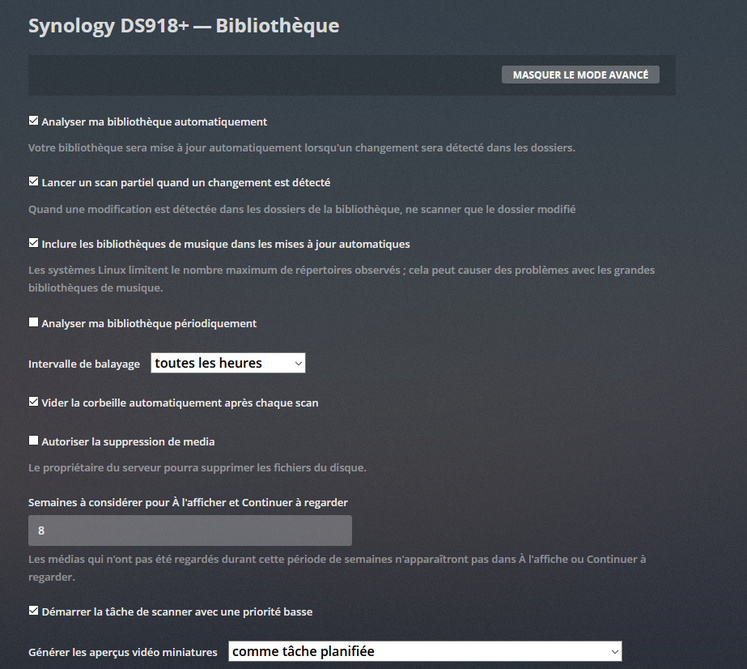
I send a media file on my Synology 918+ to a Plex library folder. When I do this, Plex does not run its automatic routine to scan this new media despite the settings correctly set in the Plex settings!
I do not understand your answer.
I only want the update of my media files to be done as normally allowed by plex. I do not want to use other external plex applications.
I mean, that the iNotify tables is an OS (Synology) thing, that is shared among apps running on your Syno Box.
So if you have others apps running, that are using iNotify also, then that could explain it
Dane22 :
I have tried to look at what is running and having disabled the use of all my other installed packages does not solve the problem.
ChuckPA :
Can you tell me which option I have to activate or deactivate in the list I have below so that I can perform the test that you indicate to me?
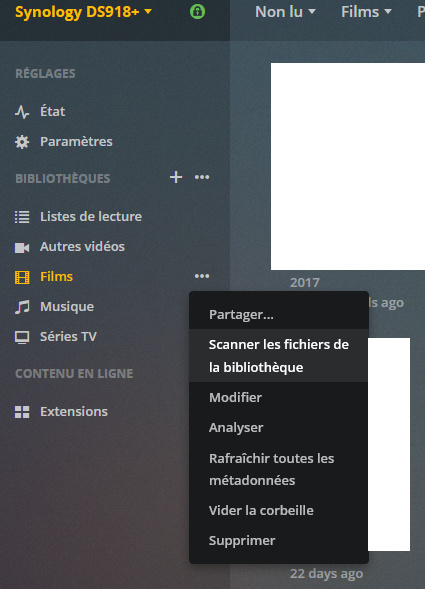
On the other hand when I update the list of my multimedia files nothing happens because I did not add files. You will tell me if I have to add a new file before sending you the logs.
By cons how is it that I have only 13 files that can not be read in the LOGS file?
Is it possible that some files do not have the same permission as my " Films " folder ?
I meticulously executed all your tutorials: Q18, Q19 and Q5.
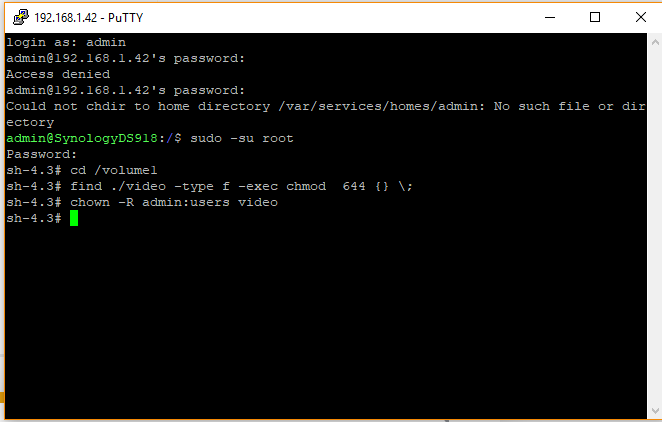
Only the line in SSH find ./Media_folder_name_here -type f -exec chmod 644 {} \; could not be executed for some reason, but the top line was running. I have checked several times all the rights of the folders and they are as indicated in all the tutorials. When I add a media file it is still not automatically integrated into the library.
Noted that my file system on my hard drives is in Btrfs format. Maybe that comes from there?
I have a Plex Pass. Given my problem that I can not solve, can a member of the Plex team put their nose directly in my server to understand where the problem comes from?
First of all thank you very much for your help on this 31st of December.
If it is producing an error, then make sure you have typed the command correctly and you have not forgotten, or typed in an incorrect character.
The command may take a long time to complete, depending on how many files you have.
You do realise that you have to replace Media_folder_name_here with the actual name of your media folder, right?
I executed the command, this time there was no error, but that does not solve my problem the update is still not done automatically when I add a media
Your logs do NOT show that you have followed Q5 at all. In fact they show that you are still using volume1/video. Please make sure your response is accurate.
My problem may be from there?
I used this folder for video content /volume1/video/Films :
Before proceeding, the error “Permission Denied” which Notify prints has nothing to do with actual file permissions. It simply means that user plex does not have the needed permission to add more directories to the directory list because the default table is already FULL. We need to tune (customize) the Linux kernel’s default table size to be suitable for our use case.
In reviewing the logs and examining the screenshots, several steps to correct this have been omitted.
Trumpy and I are working now to provide an updated procedure for everyone which will remove all the “Permission Denied” errors for Notify .
If you have any questions, Please also feel free to call on me.
I wrote this new procedure at Trumpy’s request. I hope it will alleviate any future difficulties and keep the distinction between Notify and regular file permissions from becoming confusing.
I also find that the risk of deletion or movement by mistake and less important by FTP than by browser windows.
ChuckPA =>
I did not find the option in FileZilla. On the other hand, the file playback works normally with the CHMOD 700, can this cause me problems in the future?