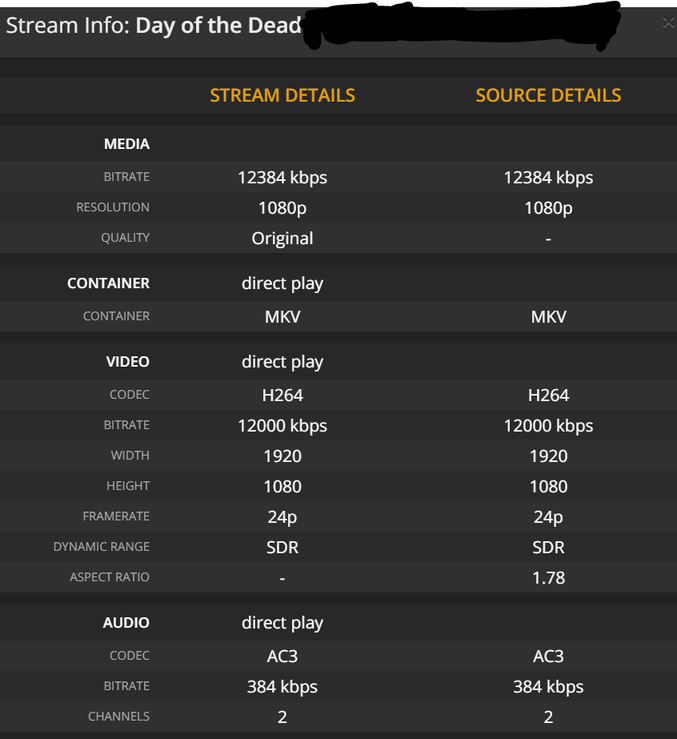
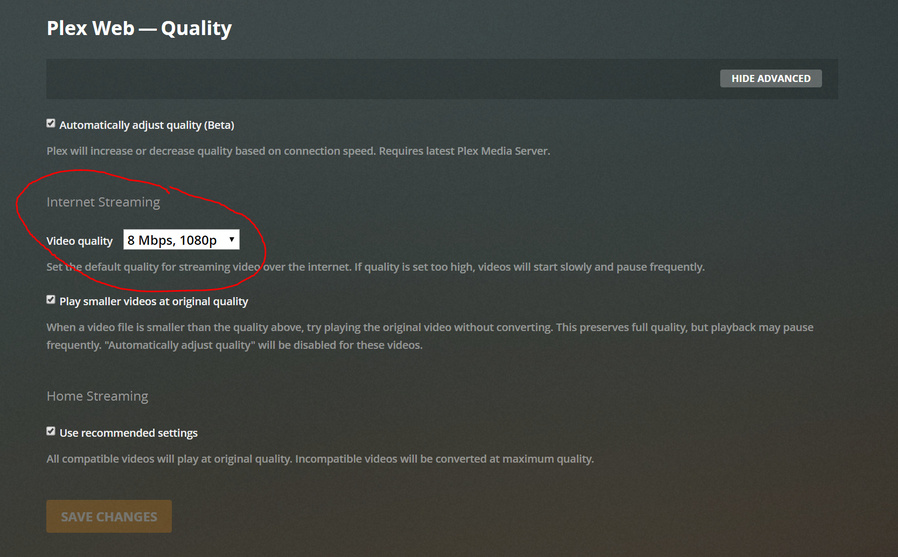
I have limited bandwidth (about 18mbps) so I have set the video quality to 8mbps, 1080p. This should allow at least two people to access my server in theory. When transcoding, the server seems to have no problem sticking to this. This issue is when the file in my server is direct play. Assuming the file on my computer is compatible with their player and is 1080p or lower, it will direct play regardless of bitrate. This is an issue as it will saturate my upload bandwidth, leaving nothing for other users.
I have attached some screenshots from Tautulli, the bandwidth it reports appears to be accurate and is reflected in windows task manager network usage.
Server Version#: 1.19.1.2645
Player Version#: Google Chrom browser, Samsung TV, does not appear to be affected by player version
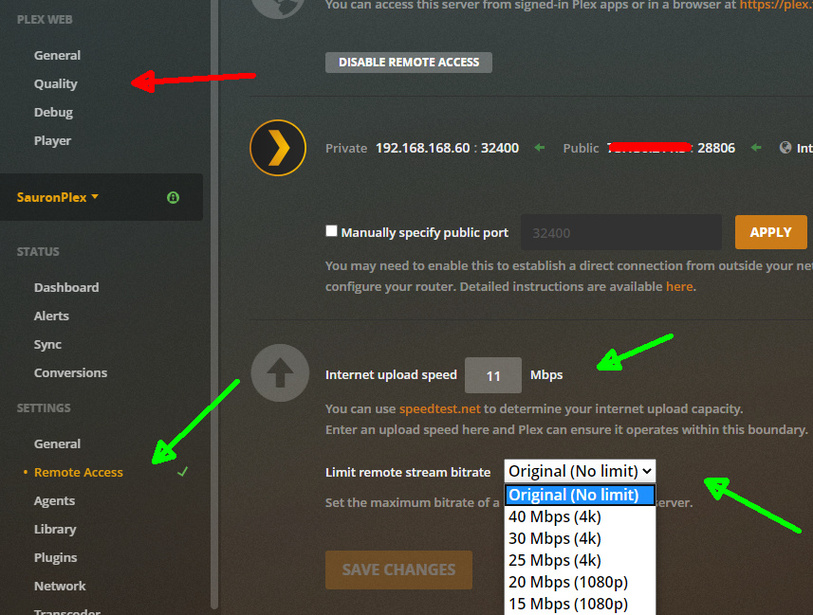
Where are you configuring this? I ask because the server-side quality/bandwidth restriction settings are Plex Pass-only. See “Internet upload speed” and “Limit remote video quality” here:
https://support.plex.tv/articles/200289506-remote-access/#toc-1
Without a Plex Pass, there is no Plex-provided means to limit remote stream quality server-wide.
You can still limit the stream quality, but only on the client side. In the web client, it is done under Settings → (Plex Web) → Quality. Other clients have quality settings as well.
So, if your remote users have their quality settings set in such a way that the file isn’t transcoded to a lower bitrate, you could run in to issues.
Thanks for your reply
This is the setting I am talking about, should it not transcode anything above 8mbps to 8mbps?
that setting is only for YOUR plex web player.
it does not affect any remote users, nor does it affect any of your other local clients/players.
unfortunately these options in the green arrows are plex pass only