I can’t find a section to post problems. I can get subtitles to play the right language. I have an MKV file with built in SRT subtitles, and the first track is not English. The second track is English. It shows up as “English, UTF-8” in media info, and as “en (SRT)” in Plex. I have the server settings and personal account settings to play English subtitles but it seems to always just play the first subtitle. Please help me get this working.
Please post the content of the Plex media XML
https://support.plex.tv/articles/201998867-investigate-media-information-and-formats/
of one such video
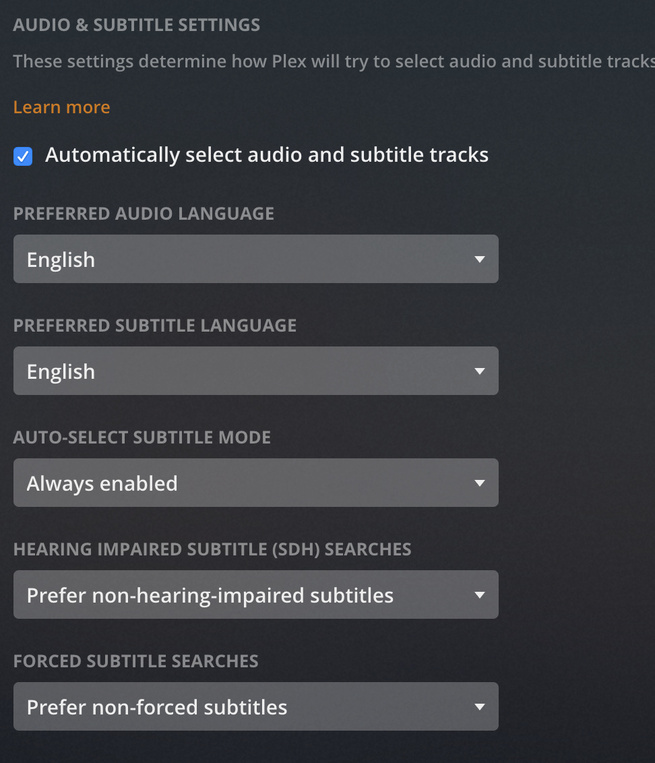
and what you have set here
https://app.plex.tv/desktop#!/settings/account
under Audio & Subtitle Settings
The mediainfo shows that the first subtitle is in Arabic language.
The second subtitle is in English. It is ‘selected’ too, so it should show up.
Now, on what kind of Plex client are you trying to watch it?
I also saw that you don’t use Season 0x subfolders. You should always create them – even if the show has only one season.
I use Season 0x on everything but my foreign shows because they only ever have one season. Are you saying that this could cause a problem?
I am using the web client right now. I know Arabic is first and changing the first language is too much of a PITA. I can set english as an option manually (on each and every single episode) but I am wondering why it’s not being detected and selected by default since my settings say English.
I know that a missing season folder is an issue when you’re using external subtitles. But since we have internal subtitles here, it shouldn’t matter.
The automatic subtitle selection will only be effective, if the subtitle selector hasn’t been changed manually.
So to ensure it has never been “touched” before, you’d need to either
- add a new video
- Plex Dance an existing video
If I understand the question. I know for a fact that I never touched the language selection on these particular files. I’ve noticed that whenever I get something new, for well over a year now, it defaults to the first internal language on the list, so if it’s english I’m lucky, if it’s not english then I have to manually change it every time I watch a new MKV with multiple internal subs.
I’ll try the plex dance when I get home though.
Are you using a different user account to actually watch your media?
Because these language preferences are individual per user account. That also affects managed users.
I’ve also seen something weird: on my server, I see 3-letter language codes. Your media info only shows 2-letter ones.
Can you try to drag this file into MKVtoolnixGUI,
verify the language codes on every track
then Mux the file.
Insert the newly muxed file into your library,
Analyze it and re-evaluate.
Okay I remuxed it in MKVToolNix and the codes were all 3 letter already.

I can see that now the language codes are also 3-letter inside of Plex.
Perform the Plex Dance with the file and see which subtitle track gets selected automatically.
Little tip: when you remux MKVs, uncheck all those ‘tags’ and ‘Global tags’ below the subtitle tracks. I have seen them causing some crazy misbehaviour.
