Server Version#:1.19.5.3112.-b23ab3896
Player Version#:
DSM:DSM 6.2.3-25426 Update 2
i’ve tried to install following all the posts recomendations, a tthe end i get no soup. i installed a server in dindows and im able to see it even when opening from nas server (192.168.1.x:32400/web) but i have never been able to see or configure the PMS on synology, it has never been detected it gives error that the server give me no access.
I’ve attached the log
i see many people with this error but i cant find the issue.
Plex Media Server (2).log (547.4 KB)
Hi.
Thanks a lot.
This was in others posts and already done ( except reboot all WiFi devices).
I’ve tried with SSH and local ip, with ddns (doing clean up and rebooting Synology each time).
I’m going try rebooting the router and let you know.
Thanks again.
Hi again, i tried after rebooting the router with same result…no sup for you. 
thanks again, attaching logs
Logs.zip (1.9 MB)
hi.
I already did that before opening this thread but i Just did it again, same result. I open the 32400/web, it ask for user password but it never get to configure the server it goes directly to “no soup” message.
only thing i dont know how to do is your step 7, to claim the server, as i dont see that option, i attach an image of the settings, you can see the other windows server i installed that i stopped for this.
Another thing is i never seen the server in authorized devices, only the windows server and the chrome browser.
i also attach the message i get when i logoff from server, the ip is correct…
logs after testing attached also.
Thanks

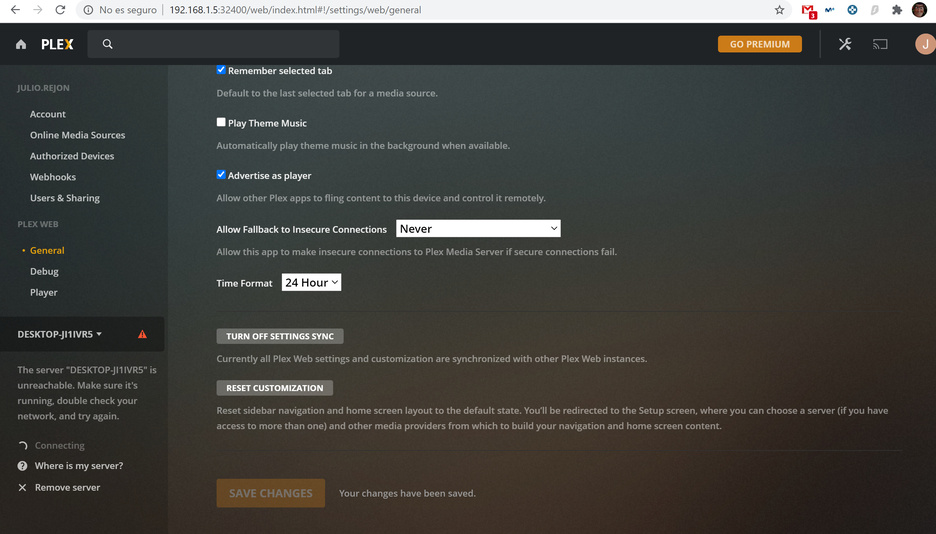
Hi,
Everytime i log in i see this:

and if i press what you said the only server that is shown there is the one on windows, the synology one has never apear, as i said i have never even get the chance to configure, as i read first time you log in after installation you have to follow the configuration steps…i have never seen them.
This is what i see:

Thanks
hi,
Im using VPN, synology is the vpn server, i tried with VPN and with the external ip as i have the ports redirected to the nas.
i use the IP address not hostnames.
Cand this caused of being connected to the network via VPN? at the end i have a local ip (i saw in the lgos that the synology Vplex server detects the windows server in a local ip) the server you see in the screenshots is installed in the computer i connecto via VPN.
Anyway if we see no other thing i’ll try again when i can be physically on the network.
Thanks a lot for your reponses. I’ll let you know once i try local.
Regards
This topic was automatically closed 90 days after the last reply. New replies are no longer allowed.
