Server Version#: Version 1.32.5.7516 Plex Media Server for Synology (DSM 7)
Player Version#:
<If providing server logs please do NOT turn on verbose logging, only debug logging should be enabled>
My PMS is finally broke I believe. I’ve had a few people trying to help me get it to run on Fire Stick 4k MAX with no joy. One person believes it is finally broke or corrupt. My choice I believe at this point are:
-
back up my media; take my Synology DS218+ back to factory and reinstall everything (DSM and Plex Media Server) or
-
install Docker & PMS
I have never worked with Docker and barely know anything about it. Is it that difficult? or is just for people with a lot of computer experience?
Thanks for your advice.
Before you go nuclear, upload a set of debug level server log files that capture the problem.
Settings → Server_Name → Troubleshooting → Download logs.
If you cannot access server settings:
Stop Plex
In File Manager, navigate to the Plex Data Folder
Right click on the Logs directory, choose “compress to logs.zip”, then download the zip file.
Then upload the zip file to the thread. Just drag it into the message window. It will insert at the cursor location.
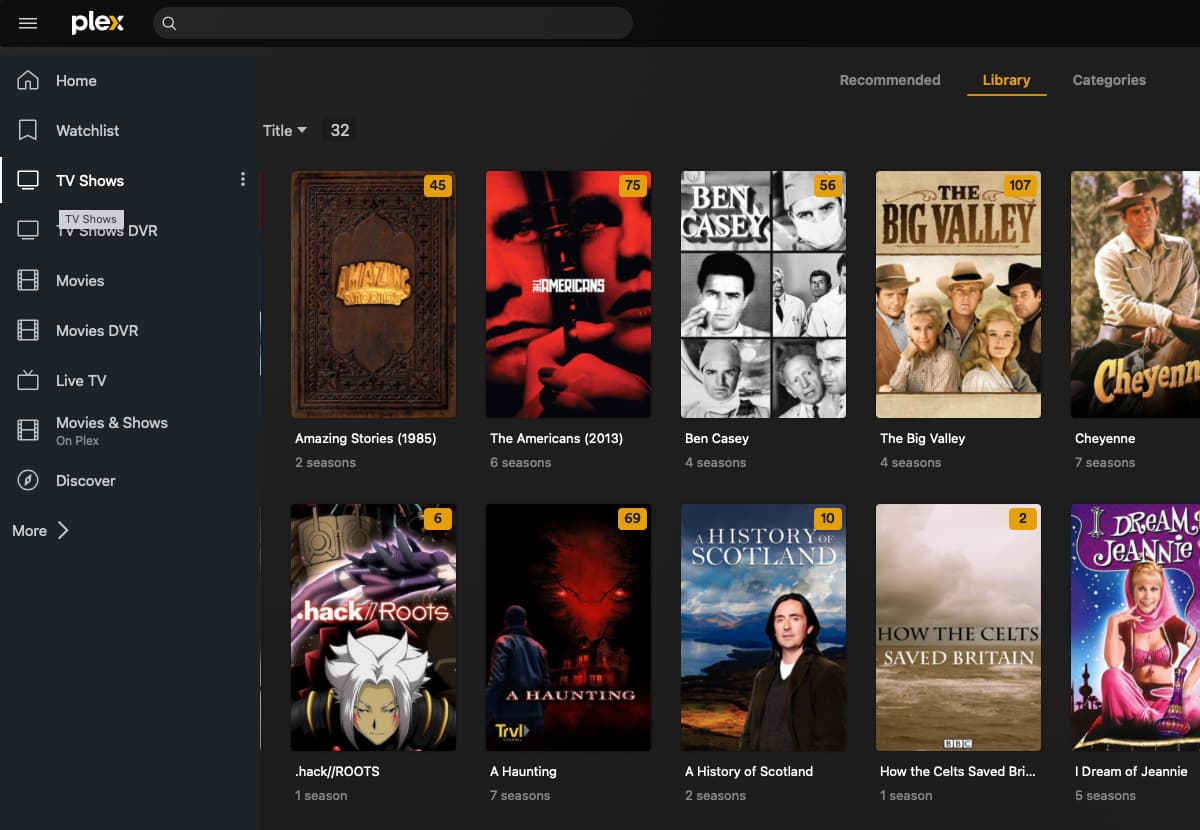
This is a screenshot from my web client on my MacBook. You can easily navigate to a specific folder and select it. My client on the Fire Stick 4k MAX has nothing like this and cannot find the media.
Not what you are writing about, but needs addressing.
Sep 26, 2023 09:07:11.506 [140025665043256] ERROR - [Req#92cf/Transcode] Error parsing allowedNetworks entry '192.168.86.33 8.8.8.8': Mask address had 1 bits after an initial 0
What do you have listed in Settings → Network → List of IP addresses and networks that are allowed without auth?
It appears you are trying to add the IP address of the NAS and Google’s public DNS server.
Adding either one does not make sense.
Suggest you remove all entries.
Sep 25, 2023 16:00:19.933 [140025700432696] DEBUG - [Notify] Now watching "/volume1/TV Shows/A Haunting/Volume 01"
Sep 25, 2023 16:17:51.276 [140025687399224] DEBUG - [Req#33c/Transcode] [Universal] Using local file path instead of URL: /volume1/TV Shows/Ben Casey/Season 01/Ben Casey - 1x08 - Pavane for a Gentle Lady.mkv
Plex Documentation → Your Media
→ Naming & Organizing TV Show Files
→ Naming & Organizing Movie Files
You need to update your file naming to Plex requirements.
- You must use sXXeYY notation
Plex Docs: The most important bit in the file name is the appropriate season and episode number notation s02e17 which in this example means Season 2 Episode 17 It does not matter if you use dashes, dots or just spaces.
- You must use “Season” not “Volume”
Plex Docs: Be sure to use the English word “Season” when creating season directories, even if your content is in another language.
- You should add the year to each TV show
Plex Docs: For the “Plex TV Series” agent, it is recommended to always include the year alongside the series title in folder and file names, e.g. /Band of Brothers (2001)/Season 01/Band of Brothers (2001) - s01e01 - Currahee.mkv
There are many tools that will assist with renaming/reorganizing your media files.
Many people use Filebot. It costs money, but will can rename your media very quickly (minutes).
The free version of Tiny Media Manager works for basic renaming.
TMM Renamer Patterns:
- Show Name:
${showTitle} (${showYear})
- Season:
Season ${seasonNr2}
- Episode Name:
${showTitle} (${showYear}) s${seasonNr2}e${episodeNr2} ${episode.title}
- Movie Name:
${title} (${year}) {imdb-${imdb}}
PowerRenamer in Microsoft Power Tools is helpful for simple renaming with pattern matches or regular expressions. It makes quick work of tasks such as adding a year to file names, removing undesirable text from multiple files, etc
Here is what happens…I quite often get this happening. I don’t know why it loses focus with my media.

Plex Web is used for server administration - adding libraries, changing server settings, etc.
The Plex Android TV app (FireTV) is used only for playback. Therefore, you cannot use it to configure libraries.
Looking at your log files & screenshot, it appears you have four directories holding your media files:
/volume1/Movies
/volume1/Movies DVR
/volume1/TV Shows
/volume1/TV Shows DVR
You would then configure four libraries, one pointing to each directory (If desired, you could combine /Movies and /Movies DVR into one library, and similarly for TV shows).
Is this how you have things structured?
If so:
- Are the libraries visible in Plex Web?
- Are the movies and shows visible in the correct libraries?
If everything looks OK via Plex Web, we can now look at the FireStick.
On the FireStick, please do the following:
-
Go to FireStick (not Plex) Settings → Applications → Manage Installed Applications
-
Select the Plex app
-
Force Stop + Clear Data + Clear Cache
-
Return to the FireStick home screen
-
Launch the Plex app
-
Sign in to your account, entering the code from plex.tv/link when prompted.
-
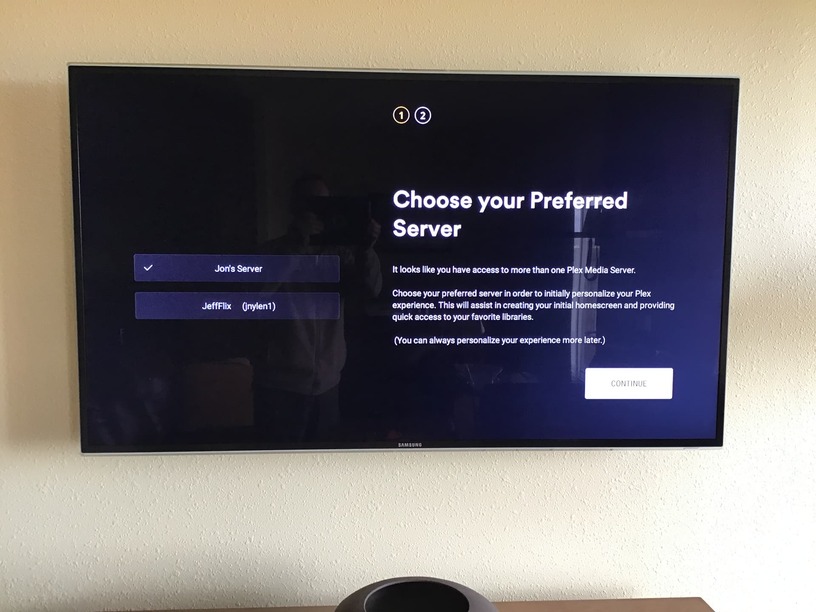
Choose Preferred Server
If prompted, select the desired server and Continue
-
Customize Your Navigation
You should see the list of libraries available on your server.
Select the libraries you wish to appear on the Plex app home screen.
Continue.
-
You should be at the Plex app home screen and see the selected libraries pinned to the sidebar on the left.
Remove the entries from LAN Networks.
The entry is not needed (and is formatted incorrectly anyway).
It is not losing focus with your media.
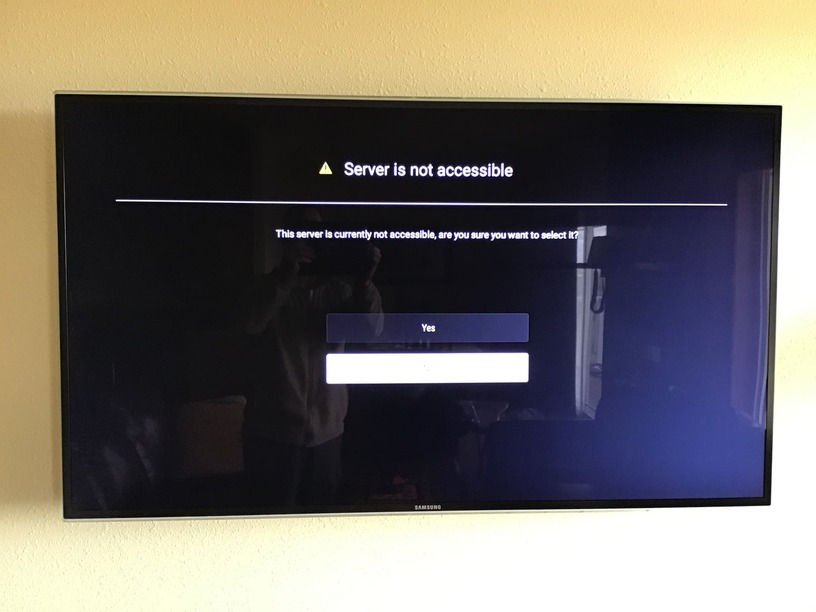
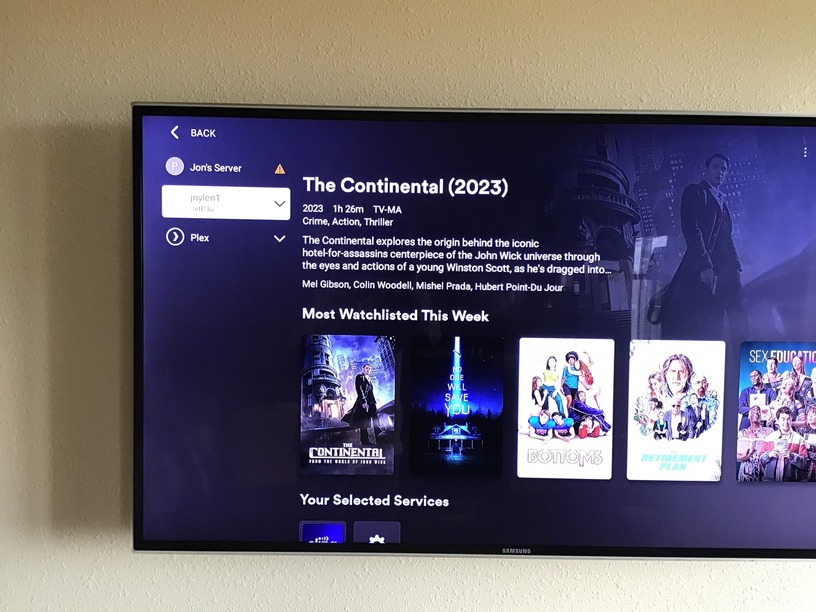
It cannot contact your server, which is why the yellow triangle appears.
Remove the entries from LAN Networks.
Restart the FireStick (or force quit & relaunch the Plex app).
Yes that is how everything is arranged…they are arranged correctly, but very often the yellow triangles appear in my 4 folders and the media is not available then. this pic shows them working correctly
This is what happens when it loses focus and I cannot access the media…
Here is what happens in this order when I follow those instructions
Did you remove the entries from LAN Networks?
If not, do so, then restart the FireStick or force quit the Plex app (this forces the Plex app to check for server availability).
When using your Mac, can you access the libraries, play media, etc. using Plex Web and/or the Plex Desktop app?
EDIT: If using Plex Web, connect via https://app.plex.tv/desktop/, not the server IP address.
If one device on WiFi can access the Plex server OK, then all devices on the same WiFi should be able to access it OK.
Trying to figure out why that is not happening…
I open Plex from my PMS right off the NAS. It then opens the web version and I can see all my 4 media folders just fine.
Running out of things to check. It should work…
The Mac is on the same WiFi as the FireStick, correct?
Can you connect via https://app.plex.tv/desktop/ using a web browser on the Mac?
Yes, the Mac is on the same wifi. Yes, I can open the Plex web on the Mac and all four of my folders show up and work.