Server Version#: 1.21.1.3830 running on a Windows 7 laptop
Player Version#:
Hello all and Happy New Year!
I apologize if this issue has already been answered, I’ve been through the various responses and couldn’t find a solution.
I have media libraries on local drive (E:) with 2 folders defined; E:\TV Shows and E:\Movies. The TV Shows folder contains sub-folders for every show.
My challenge is that when I view the TV shows by folder, it displays all 24 folders, however when I view by TV Show, it only displays 19 entries (which work fine).
When I fire up the player on the Samsung TV it shows the same.
I’ve used the ‘Rename My TV Series’ tool to force proper Plex naming. The permission settings for the folders that work are the same on the folders that don’t work.
I’ve scanned the library many times, restarted Plex as well as the laptop and don’t seem to be getting any closer to resolving this.
Any assistance in pointing me in the right direction would be greatly appreciated!
Thank you
Mario
Which naming did you use? I haven’t used that utility in years, but I remember it supporting multiple naming formats/schemes.
Can you share examples of the Shows/Seasons/Files that aren’t matching correctly?
Thank you for your response!!
Capture1|690x187 !
Capture2|690x249
Capture 1 shows the folder/files for a folder that is not appearing. This is where I used the utility.
Capture 2 shows a folder/files for one that works correctly.
Thank you again!!!
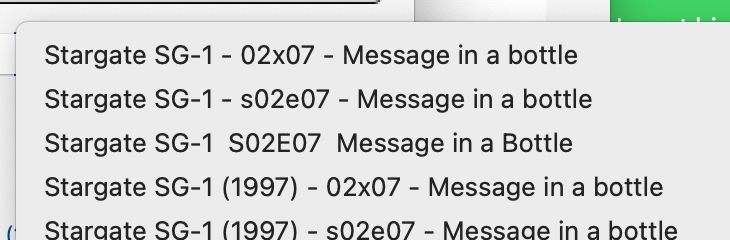
Plex really likes the sXXeYY format for Season and Episode naming.
Try the second option in the RenameMyTVSeries File Naming options.
Thanks!
I renamed Season 3 as requested
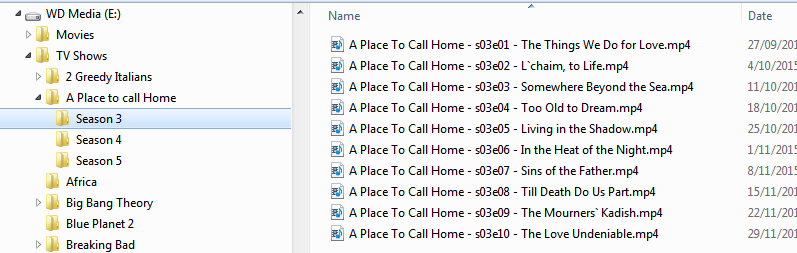
I then went into Plex and scanned the files, however the results are the same.
Sorry…
One possibility is that they’ve been matched as duplicates with another show.
If you navigate by Folder View to one of those episodes and click on it, does it show up as another show or season?
It may be necessary to either Split Apart, Unmatch, or possibly “Plex Dance” those files so they can be matched using their new, good names.
Interesting. Folder view does display all the folders, however when I open Season 3 (the folder with the corrected names), it’s empty
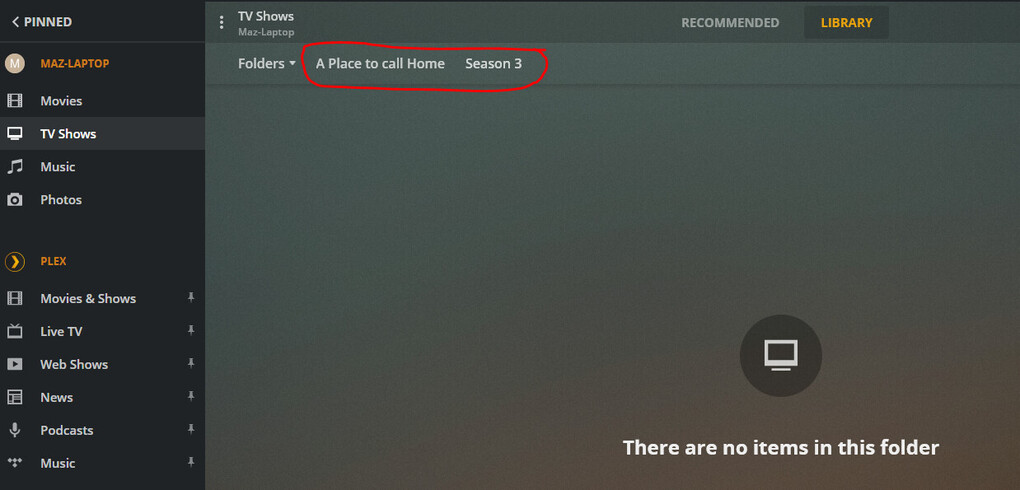
If I display by Season, Episode or TV Shows, the affected folders do not display.
I may try your 'Plex Dance suggestion and see whether that un-clogs anything…
I assume this is the ‘Clean Bundles’ option?
Thanks again!!!
That’s interesting.
You said you did Scan Library Files on the TV Shows Library, correct?
Are you doing this all on the same system, or do you have multiple systems, laptop/NAS/server involved? Perhaps it could be a permissions issue.
If it’s all on the same system, following the linked steps for a “Plex Dance” is worthwhile.
That’s what I thought 
Nothing complex here; Windows 7 laptop with an external 1TB HD and Wi-Fi connect to the TV. The confounding thing is that the majority of the folders containing different TV Shows work fine.
I will do the ‘dance’ and report back.
I really appreciate your assistance!!
PS: Depending on what part of the world you’re in, Happy New Year (for yesterday/today…)
Happy New Year! It’s better than 2020 already.
Agree completely!!! Unfortunately still the same issues here and I’m scratching my head. I moved the folder to a different drive, ran the ‘Clean bundles’, moved the folder back under E:\TV shows, scanned the library and no change. I’ve run a chkdsk to make sure it’s not bad sectors, all clear.
should I perhaps do a clean re-install of Plex?
Thanks!!!
This topic was automatically closed 90 days after the last reply. New replies are no longer allowed.


