Thumbnail picture wrong

Server Version#:
Player Version#:
<If providing server logs please do NOT turn on verbose logging, only debug logging should be enabled>

Hi all, i have my plex server on a windows 11 machine. Sometimes when i add a movie to my library, it gives my the thumbnail of a bunch of little pictures. When i go to Fix Match and select the right one, it still doesnt change the thumbnail. How do i fix this? Thanks

Are you using Plex’s recommended Naming and Folder Structure?

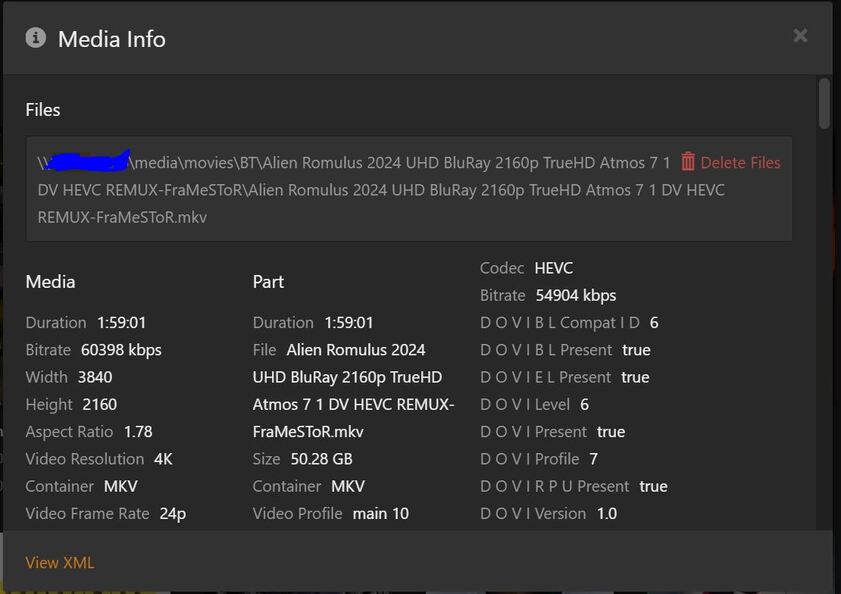
Can you show an example of the properties of a movie file that’s giving your trouble?

Please show such a thumbnail, please including the text that appears below it.

I’m probably not using the naming convention but i cant change it. Its from torrents. Besides, if plex sees the the right thumbnail and i select it, why doesnt it change it to that?

Plex Documentation
→ Your Media → Collections
→ Scanners & Agents → Advanced Settings Plex Movie Agent

Please provide a screenshot, including the text below the picture.

You might be seeing Collections, not the individual movie.

Below a collection will be a collection name and also “X items” referring to the number of items in the collection.

Do you have Plex looking at your torrent download folder?

Ah!! Yes that’s probably it. I’ll check tonight and see. Thanks

ok these thumbnails belong to a collection/folder with multiple files in the folder, but there is only 1 mkv file in that folder.

yes i do.

Do not point a Plex library at your downloads folder.

This causes problems with Plex. Plex sees the file size change as it is downloaded and keeps rescanning the folder. This could cause Plex to think there are, or were, multiple files in the folder, triggering creation of a collection.

  1. Download the files into a temporary location (ex: move BT to \media\BT and do not add it to any Plex library)
  2. When downloading is complete, rename them according to Plex naming requirements (ex: \Alien Romulus (2024)\Alien Romulus (2024).mkv).
  3. Move them into the appropriate Plex library.

If you wish to keep some “extra info” in the folder or file name, place it in a single set of square brackets. Example: \Alien Romulus (2024) [2160p]\Alien Romulus (2024) [2160p].mkv).

Sure you can. I don’t use the “arrs” suite, but many people have mentioned their capability to rename files according to Plex requirements.

There are many software packages that can rename files, such as Filebot and Tiny Media Manager.

You can also manually rename/reorganize the files after the download is finished.
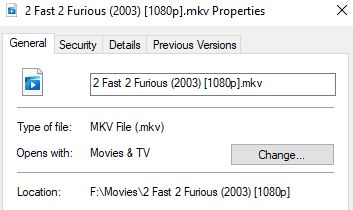
if I do that, i will have two copies of each movie, wasting alot of space.

what is “arrs” suite?

regardless of all of this, why is it when I choose the right thumbnail to use, it doesn’t use it.

radarr, sonarr, etc. Trash Guides have detailed info on capabilities, how to deploy, etc.

Please provide a screenshot, etc. Include the text below the poster/thumbnail/etc.

As mentioned, having Plex scan your download folder will cause problems.

I did provide a screenshot earlier. see above.

Not of the cover art in question.

My gut thought is that you are looking at collections and not the actual movie.

what do you want to see?

Show what is wrong.

That is a graphics file, located beside your video. It’s probably named in a way that Plex is recognizing it as a poster for that movie.
https://support.plex.tv/articles/200220677-local-media-assets-movies/

You can either

  • delete that file
  • rename that file
  • disable the use of “local assets” in the properties of the movie library in Plex

Then “Refresh Metadata” of that movie.

1 Like

you’re a genius, it worked!! thanks!