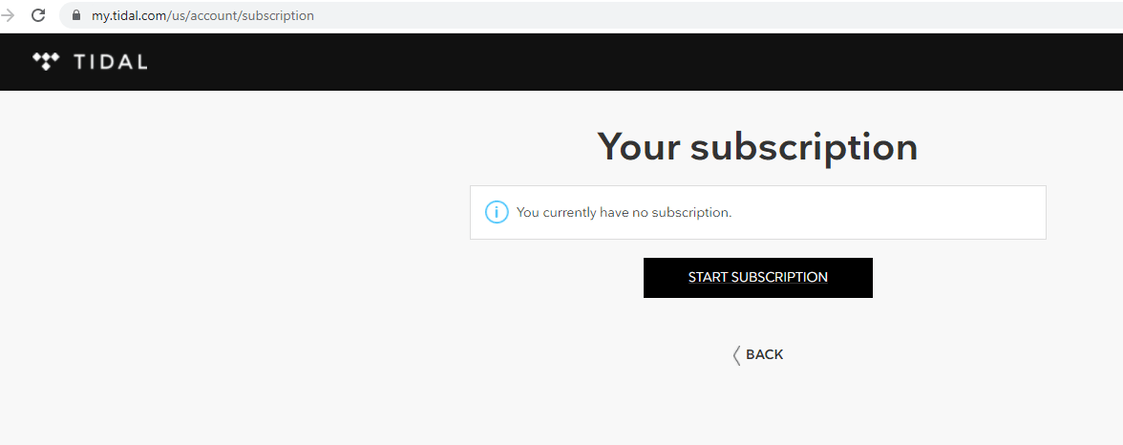
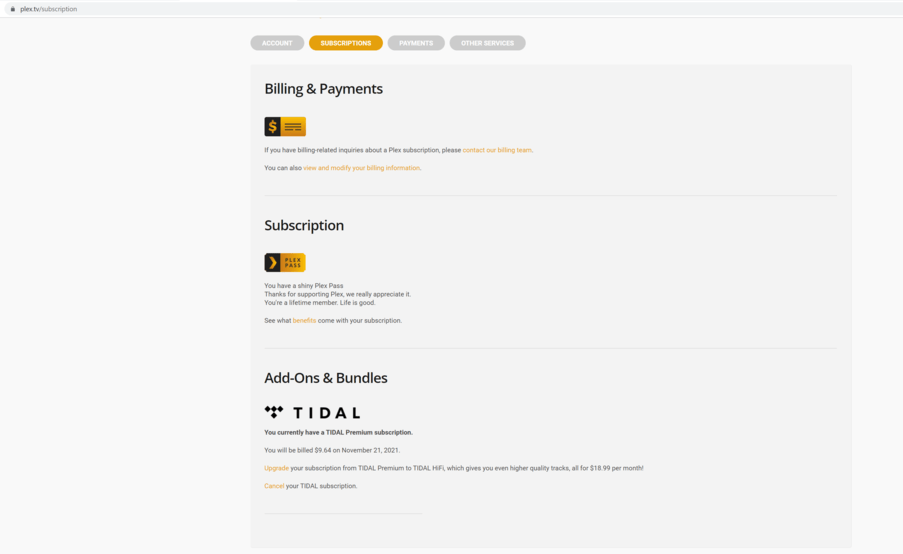
I signed up for Tidal through Plex. It shows I have a subscription under my plex subscriptions and I got an email confirming that. During the ordering process, I signed up and successfully created a Tidal Account. The problem is, the Tidal channel in Plex does not see my subscription. I emailed support and did the following:
Back on the Online Media Sources page, enable the Music/TIDAL provider again
Wait 10 minutes for changes to propagate
Restart (e.g. force-quit and launch) the player app
This did not work. I’m not sure how exactly this is supposed to work but when I log into Tidal’s web UI it does not show a subscription on there. Am I missing something?
I am having exactly this problem. I’ve repeatedly followed these 5 steps and it doesn’t make any difference. One thing I notice is that under “Online Media Sources” I have an item called “Music” which is what I have disabled/enabled, but there is nothing called “Tidal”. Should there be an additional source that actually says “Tidal”? If so I guess that is the problem I’m having, but I don’t see any way to add anything to “Online Media Sources”.
Right now I’m on a Tidal trial, and I haven’t been able to actually use it through Plex yet. I guess if Plex can’t help get this sorted out I’ll just cancel the trial before I have to pay for it…
Update: I noticed OP’s note that they don’t see a subscription in the Tidal UI, even though one shows up on my Plex account, so I checked mine - sure enough, I see no subscription from the Tidal side as well. I asked support to check that everything was right with the accounts setup, but it sure seems like that isn’t true if the subscription doesn’t show up on the Tidal end. Will follow up with support.
Same problem here.
Contacted support and replied with the 5 steps OP described.
Followed them, no luck.
Plex Support, can you provide a working solution to this issue?
I’ve been unable to properly try my Plex Pass + Tidal integration, and so I’m not paying for a service that appears not to work as advertised, and zero support so far.
Update
Logs attached.
Key error says Non-Tidal users do not have access to this feature
Same as @Emilgardis reported before, 7 days ago plex.log (5.2 KB)
Same issue as everyone else. Seems like it’s a problem in their end. I’ll give it another week before cancelling everything. Hopefully there will be a solution posted here tho, or it will get fixed.
I had a membership to Tidal for a couple of years prior to the Plex integration. Once I saw it was available, I canceled my old membership and created a new one through Plex. The only bad thing is that when I would try to login to Tidal through a 3rd party app, like Control4, I was always told that my subscription couldn’t be found or just give me an error with the new sign in info created through Plex, so I had to cancel Tidal again and reinstate it directly with Tidal. I’m not sure what causes this, but since we’ve been listening to Tidal through the Control4 interface for 5 years, it’s what most people are used to. I think the best scenario to have Tidal enabled through Plex is if you only have one zone, and this one zone is where Plex and Tidal are both used regularly.
OK, so some more information…
I just canceled my linked account in the Plex interface. When I did, it all started working… When I go to the Tidal interface, it says I still have a subscription. I’ll see what happens in the next few days.
I am getting the “Non-Tidal users do not have access to this feature” in the logs. I have a Plex pass and am linking to a Tidal free account. Not sure I want to pay for Tidal just yet, but wanted to see how it works.