Server Version#: 1.41.5.9522
Player Version#: 10.26.0.2578
Hi, I’m using the android app to play videos and if I choose “automatic conversion” then I always have an error message saying an error occured.
When looking into the logs I get a warning “Transcode runner appears to have died” and some verbose logs about “destroying existing session”, “deleting stale file” and “killing job” (not sure if related).
If I select manually another quality (like 720p), the transcoding and the streaming starts with no issue.
Please find attached the debug logs from the server (the most recent logs should show the last attempt).
Thanks for your help. Plex Media Server Logs_2025-03-12_13-29-19.zip (973.1 KB)
Mar 12, 2025 19:33:28.764 [22951171947320] DEBUG - [Req#230/Transcode/ad51e7c4deaec45f-com-plexapp-android] Cleaning directory for session ad51e7c4deaec45f-com-plexapp-android (/transcode/Transcode/Sessions/plex-transcode-ad51e7c4deaec45f-com-plexapp-android-f9b06104-e3e9-403d-bab3-604ee3f645c8
Also, where is this ?
Mar 12, 2025 19:33:28.748 [22951123196728] DEBUG - [Req#233/Transcode] Deleting stale file “/run/plex-temp/pms-89604357-2a43-49cd-904f-cc0cce40b21c/EasyAudioEncoder/Convert to WAV (to 8ch or less)/ad51e7c4deaec45f-com-plexapp-android_412-0-2.ec3”
Mar 12, 2025 19:33:28.748 [22951123196728] DEBUG - [Req#233/Transcode] Deleting stale file “/run/plex-temp/pms-89604357-2a43-49cd-904f-cc0cce40b21c/EasyAudioEncoder/Convert to WAV (to 8ch or less)/ad51e7c4deaec45f-com-plexapp-android_412-0-2.wav”
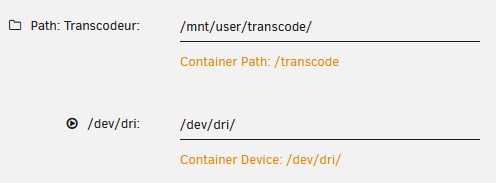
Where does /transcode map to on the real host ?
Is it a local drive or a network shared storage ?
Right now the 3 subfolders (Detection, Downloads and Sessions) are empty, but if I start a streaming from Plex Windows by manually converting the video (triggering the transcoding) I have a new folder in Sessions:
Ok so I removed the docker volume /transcode, restarted the server and now it seems to work like a charm. I’ll keep testing a couple of days to be sure. Don’t know if it’s better or not to have a volume for the transcoding.
Well the previous volume and the current docker are stored on the same SSD (btrfs).
But I spoke too quick: I still have the issue but it seems not for all medias.
I tried many series which keeps showing me the error message on automatic conversion (the manual conversion is still working I tried many resolutions from 720p to 480p without any problem).
On the other hands, I tried many movies with no issue at all.
When the automatic conversion succeeded it’s always for 1080p and bitrate between 17 and 22 Mbps. When it fails I don’t know the target quality, I have the error message before.
So far, I found just 2 movies I cannot watch, and it doesn’t seem to be random : I kept trying the automatic conversion for about 5 times and I always got the error message. Done the same test for a working movie : always good.
So could it be related to specific files?
I tried movies from different media (I have 3 hard drives, same model the 3 of them) and I could find medias in all drives which are failing or succeeding.
Oh FYI the docker image I’m using is : https://hub.docker.com/r/linuxserver/plex
And the docker command (I recreated the transcode volume since it’s recommended by linuxserver, and because I found “permission denied” errors in the logs without it):
When using docker, we can’t see what’s happening with the host filesystem.
The best I can give you are the Linux Tips.
(for fs.inotify.max_user_watches)
I will share that my experience with BTRFS has not been favorable.
I’ve watched many Synology users lose their entire storage volume (media and PMS) due to BTRFS. IMHO, it has not proven itself to be stable
My personal choice is the one proven by enterprise servers – xfs.
It’s more robust and a heck of a lot faster.
It also scales VERY well.
Isnt this automatically run out at plex can often take up 100 thousand folders?
Im running on unraid and had zero problems up till march time.
This happens on two unraid hosts that were both upgraded to v7.
Jellyfin works fine but plex doesnt. Theres numerous issiues reported on the forums about transcoding problems and its being ignoured and marked as a “not us”. Im happy to work with anyone to resolve as its kinda frustrating as there is defo something up.