Plex Web Version 4.69.1
Plex Server Version 1.25.8.5663
Server running on Windows 10 Pro 21H2
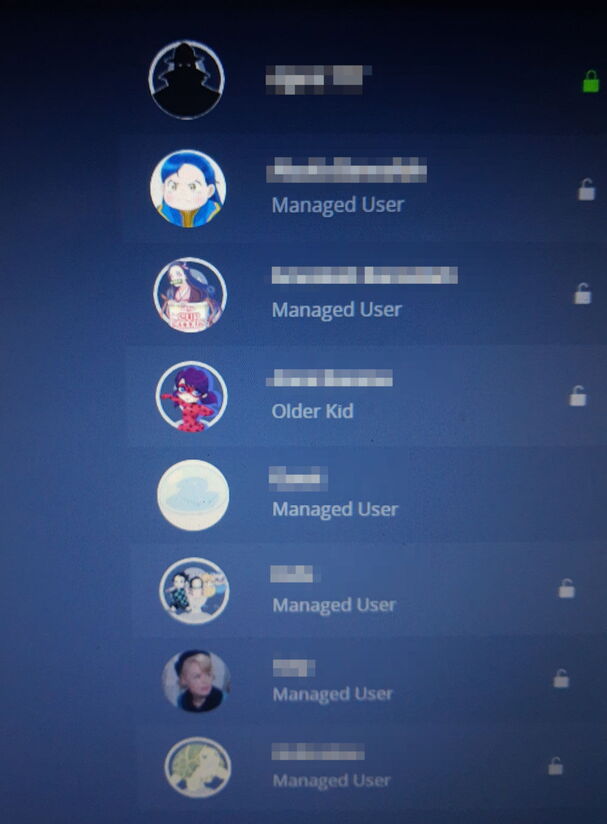
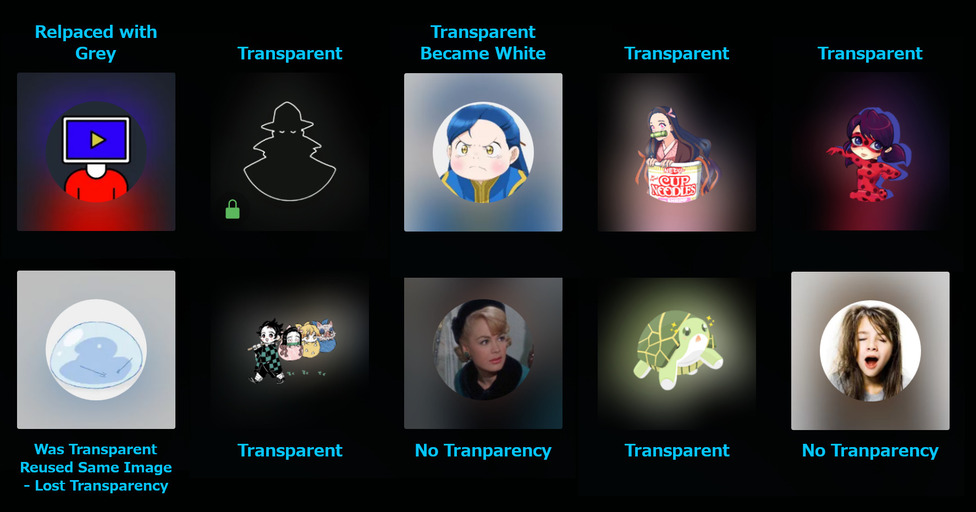
So for awhile now Plex users have been able to, in the user settings, change your user Icon for each home user. If you use a PNG with transparent background the WebUI will show the default user silhouette underneath it. But most clients will show it with that blur that goes behind the user circle blurring out from the edges of the image instead of from the edges of the circle. It gave a much more pleasant looking user selection screen.
Unfortunately around the beginning of February that changed. I know it worked fine January 24th, but February 3rd it no longer did. Now if you use a transparent PNG, even one that worked previously, it will make the background solid white, which looks atrocious. Making the image background match the grey color of the interface, though looking better than the white, still doesn’t look great because the blur comes from the edges of the grey circle. I’ve been trying a few different things to see if maybe the server update was the cause, but a different server that hadn’t been updated since last year didn’t work, using the web-hosted app app.plex.tv instead of locally hosted one didn’t fix it, I just finished my last ditch attempt & dug out an old drive that had the server installed on it from over a year ago & tried it from that server… & it failed as well.
So now I’m pretty certain that the issue is on the Plex server side, since you have to connect to the internet to switch users & all that, & I don’t think there’s a way to get around it… Sad. But the old users who haven’t had a profile image updated still show the transparency. I actually noticed the issue when I was updating a user image to a better version that I had cleaned up & since it didn’t work I left the others alone, aside from 1 I tested to see if it was my account so a guest account lost it’s transparency as well.
Has anyone else worked with this problem? Any ways around it? or does anyone know how to make an image with a background blur that looks like what they use?
How they appear in Plex User Menu on Chromecast with Google TVThe User Settings in WebUI
.
User Settings