Your download function appears to be broken. I’m trying to download 1.23.2.4600-f06057b33, which your download page for Plex server says is the latest version, but it keeps sending PlexMediaServer-1.22.3.4523-d0ce30438. I’ve tried using Safari and FireFox, same result.

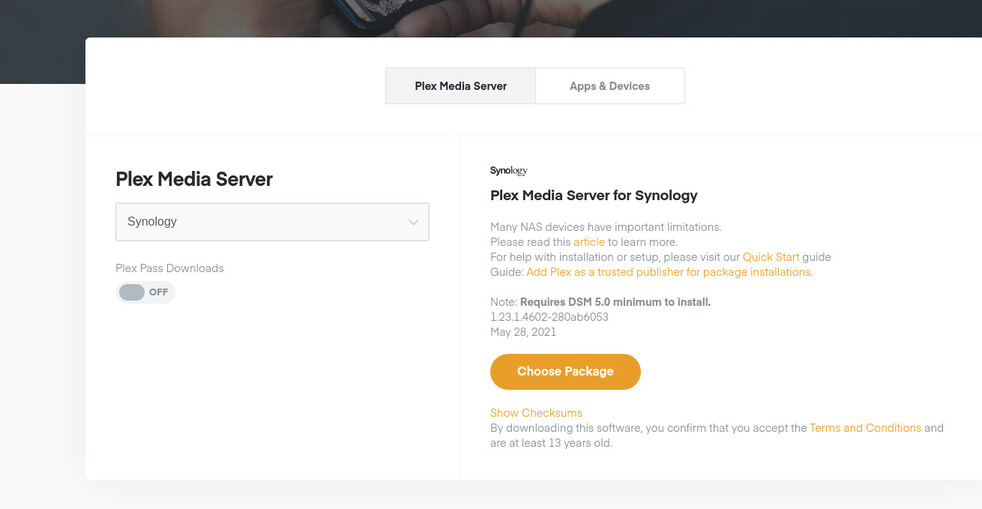
Cleared browser’s (Firefox) cache, per instructions, still downloads the old PlexMediaServer-1.22.3.4523-d0ce30438. Did the same thing with Safari, same result. Installed Chromium browser for the first time on this Mac. Signed into plex.tv account, went to downloads page, SAME RESULT. Doesn’t appear to be my browser’s cache.
It downloads the correct version for me as well, but I have seen a similar issue before, where it did not work in specific regions.
so possibly something cloudflare related.
I can send you a PM with the direct link to the 1.23.2.4600-f06057b33 version if you want to try that
Which SPK is needed ? ( Which package name ? ) I’ll grab and post the URL
Thank you sir, I’ll take the most recent full release.
Which NAS CPU? there are several to choose from
Sorry, forgot about that. Mine is Arm v7 x15 series, should be last one in the list.
There was a ARMv7 naming change in the build system.
Let me find the right one for you.
I see the breakage.
Getting in touch with my colleague
Check this one please.
Downloaded, installed, and running!
Thank you for the special help!
This topic was automatically closed 90 days after the last reply. New replies are no longer allowed.
