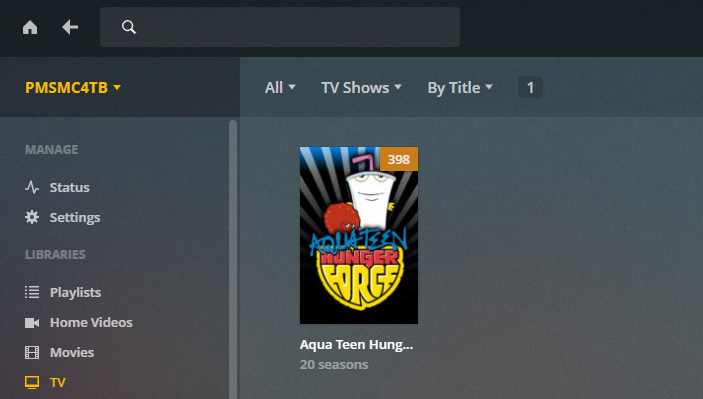
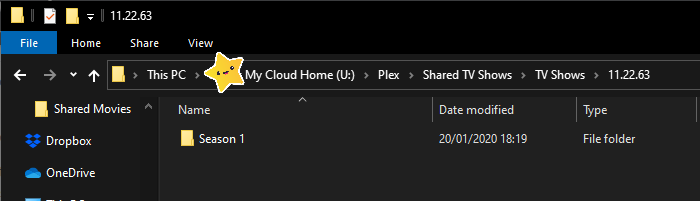
Strange thing i have here. Moved from a Win 10 laptop as PMS and 3 external hard drives to a WD Mycloud home. I copied all TV Shows from 1 HDD to the NAS Drive and they aren’t showing in PMS. They have all been lumped together in 1 folder under a show i have never heard of.
Any Suggestions?
P.S its not naming as these were fine on my previous PMS and I have rebooted and rescanned and refreshed meta data
Plex looks in the directory that the library points to. Each folder at this level is assumed to be the show. If you have your “TV Shows” folder here, it thinks this is the show and that everything else underneath are episodes for this show.
You can have your files and other folders arranged anyway you want after this first “show” library and it won’t matter, but this first folder is important.