Can I get link to the 1.28.3 build then? the old link seems to be dead and I’d like tone mapping to work since 1.29.0 doesn’t do anything for Linux.
You’ll have to contact the dev for that. It’s not my build to hand out.
Would love to. Who is that? How do I do that?
I will go ask for you.
For future reference, When a developer gives you something, strongly recommend you keep it until you know you don’t need it anymore
They didn’t give it to me, they gave it to someone else who got permission to give it to others. It worked great, I don’t get why the fix isn’t in 1.29.
It was on https://artifacts.plex.tv/plex-media-server-experimental I didn’t expect it to just disappear.
Well, now know. Experimental is just that… volatile.
If you downloaded it, deleting it promptly thereafter was not the smartest move.
Again, I will go ask.
I don’t believe this topic should close
I use a similar setup in kubernetes and I was expecting transcodes to work.
Is there an eta for the fix?
I’m using Ubuntu 22.04.1
Kernel 5.15
Note: this is a fresh install
I ended up switching my plex machine to windows and leaving a second n5105 to deal with the remainder of my Linux Server needs. Transcoding works just fine with PMS installed on top of Windows.
This is frankly a terrible and cumbersome solution to a problem that shouldn’t exist but it’s the only one that’s worked for me so far.
TO ALL:
PMS 1.29.1 provides everything. I have been testing it now for the past few days.
As evidence:
[chuck@lizum ~.2001]$ ssh nuc10
Welcome to Ubuntu 20.04.5 LTS (GNU/Linux 5.15.0-48-generic x86_64)

 * Documentation:  https://help.ubuntu.com
 * Management:     https://landscape.canonical.com
 * Support:        https://ubuntu.com/advantage

11 updates can be applied immediately.
3 of these updates are standard security updates.
To see these additional updates run: apt list --upgradable

Your Hardware Enablement Stack (HWE) is supported until April 2025.
Last login: Fri Sep 23 10:26:43 2022 from 10.2.15.100
[chuck@NUC10i5FNK ~.213]$ uname -a
Linux NUC10i5FNK 5.15.0-48-generic #54~20.04.1-Ubuntu SMP Thu Sep 1 16:17:26 UTC 2022 x86_64 x86_64 x86_64 GNU/Linux
[chuck@NUC10i5FNK ~.214]$ cat /proc/cpuinfo | grep 'model name' | uniq
model name	: Intel(R) Core(TM) i5-10210U CPU @ 1.60GHz
[chuck@NUC10i5FNK ~.215]$ [chuck@lizum ~.2001]$ ssh nuc10
Welcome to Ubuntu 20.04.5 LTS (GNU/Linux 5.15.0-48-generic x86_64)

 * Documentation:  https://help.ubuntu.com
 * Management:     https://landscape.canonical.com
 * Support:        https://ubuntu.com/advantage

11 updates can be applied immediately.
3 of these updates are standard security updates.
To see these additional updates run: apt list --upgradable

Your Hardware Enablement Stack (HWE) is supported until April 2025.
Last login: Fri Sep 23 10:26:43 2022 from 10.2.15.100
[chuck@NUC10i5FNK ~.213]$ uname -a
Linux NUC10i5FNK 5.15.0-48-generic #54~20.04.1-Ubuntu SMP Thu Sep 1 16:17:26 UTC 2022 x86_64 x86_64 x86_64 GNU/Linux
[chuck@NUC10i5FNK ~.214]$ cat /proc/cpuinfo | grep 'model name' | uniq
model name	: Intel(R) Core(TM) i5-10210U CPU @ 1.60GHz
[chuck@NUC10i5FNK ~.215]$  dpkg -l | grep plexm
ii  plexmediaserver                            1.29.1.6221-eee1f83e4               amd64        Plex organizes all of your personal media so you can easily access and enjoy it.
[chuck@NUC10i5FNK ~.216]$

----- AND -----
[~] # cat /proc/cpuinfo | grep model\ name | uniq
model name	: Intel(R) Celeron(R) N5105 @ 2.00GHz
[~] # ps -ef | grep -i plex
16413 admin     56188 S   ./Plex Media Server
16428 admin     36124 S N Plex Plug-in [com.plexapp.system] /share/CACHEDEV1_DATA/.qpkg/PlexMediaServer/Resources/Plug-ins-eee1f83e4/Framework.bundle/Contents/Resources/Versions/2/Python/bootstrap.py --server-version 1.29.1.6221-eee1f83e4 /share/CACHEDEV1_DATA/.qpkg/PlexMediaServer/Resources/Plug-ins-eee1f83e4/System.bundle
16502 admin      6936 S   /share/CACHEDEV1_DATA/.qpkg/PlexMediaServer/Plex Tuner Service /share/CACHEDEV1_DATA/.qpkg/PlexMediaServer/Resources/Tuner/Private /share/CACHEDEV1_DATA/.qpkg/PlexMediaServer/Resources/Tuner/Shared 1.29.1.6221-eee1f83e4 32600
19911 admin       100 S   Plex EAE Service
22444 admin       916 S   grep -i plex
[~] # hostname
QNAP-TS264
[~] #


Oh wow,
Would it be possible to get this build Chuck or will it release in a few days time?
Also I did notice that you are using ubuntu 20.04 and lts kernel 5.15. I was unable to make this work with 5.15.
After updating to 5.16 with Ubuntu Server 22.04.1 it seems to work with an older PMS build v1.28.0.5999-97678ded and the guc options.
Cheers,
I am not permitted to give to anyone because QA testing isn’t complete.
What you’re seeing here is the Alpha-test build which was submitted to QA.
It will release to the PlexPass channel in a few days.
My testing process:
- Default installation of the OS (no kernel / device options tuning)
- Installation of 1.29.1
- Run package.
For Linux workstation/server users, I expect
- Install and confirm everything working
- One step at a time, remove all the tweaks and hacks previously implemented
There’s been a lot of craziness around making it work.
I’ve taken this build and installed on a virgin OS install with complete success.
I removed all the customization from our Lab NUC10 with complete success.
All I ask is to please hang in here with me. This is FINALLY going to be a good thing 
I just updated to the new beta 1.29.1 with N5105 and I’m quite impressed.
Logs for Avengers 4K HDR to 1080p
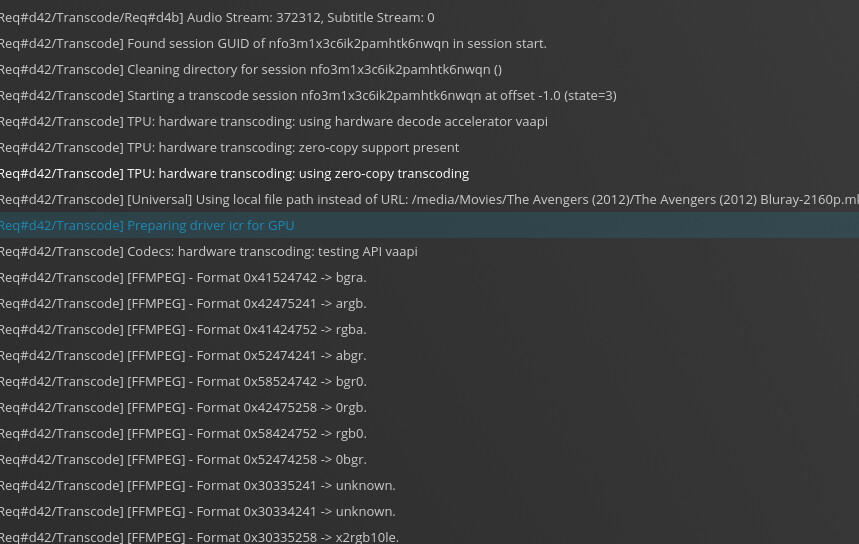
and some graphs 

I’m still using Kernel 5.16 however, for the simple fact that I wasn’t seeing any mention of GuC or HuC.
CPU usage is a little high, but it is a lot better than what it was previously with software transcoding.
That’s subjective. Would need to know exactly what it’s doing to call that “a little high”.
Need to remember that surge usage (while loading up the buffers) can’t be counted.
-
You don’t need GuC or HuC in this. STOCK OUT OF THE BOX 5.15.0-48 works perfectly.
-
It’s probably better now to return to the ‘distro standard’ kernel for maximum stability.
All testing performed used as-distributed configurations.
Please consider this, Which is a N5105


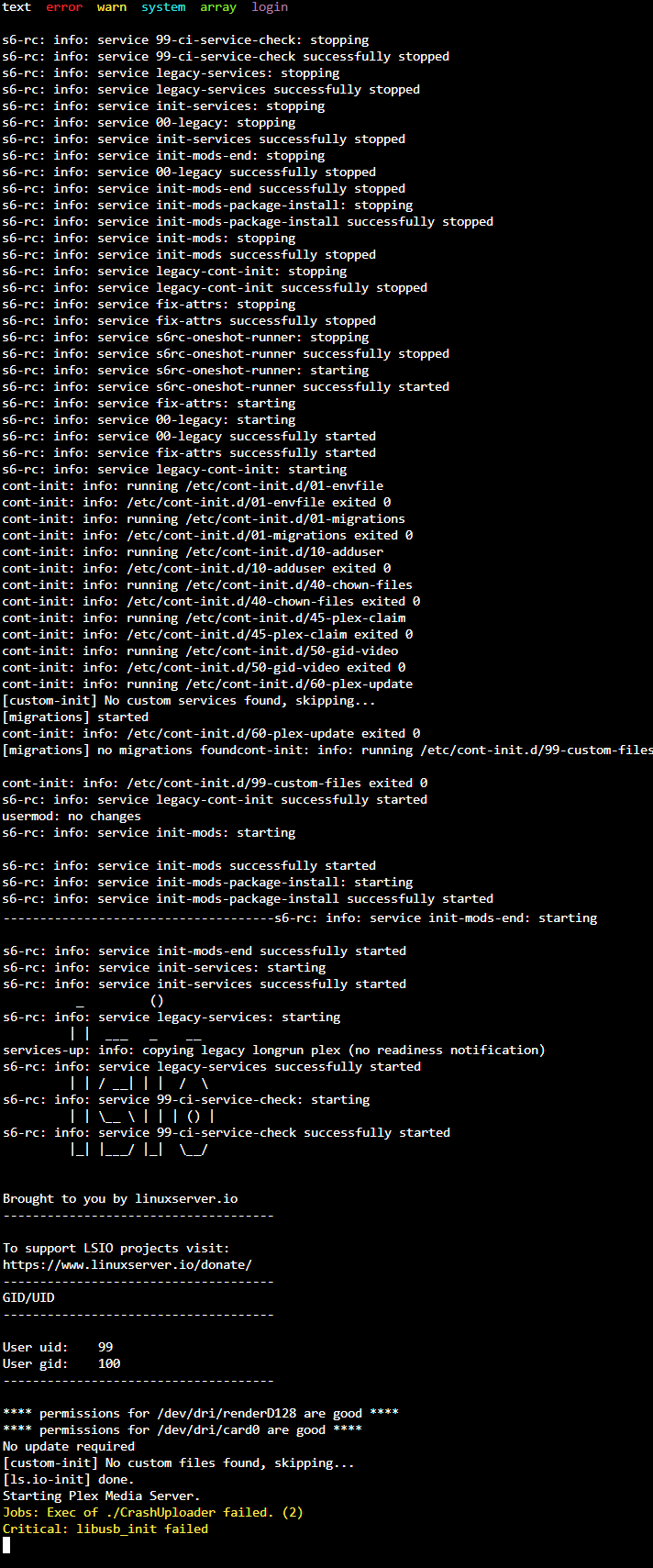
Cannot do ANYTHING with screenshots
except the first one.
That first one was seen about 8-12 months ago with the old Linux kernel.
Since that time, they’ve upgraded the i915 driver.
Going to need the DEBUG Server log files which capture the issue.
You might need take this back to Unraid because RocketLake (-11xxx) have been verified to work.
Alright, I’ll keep you posted, I have high hopes 
Removing that hacks now.
Edit:
At first glance, it doesn’t seem too work sadly 
i’ll have more time to check tomorrow
I’m back on kernel 5.15.X with none of the previous options.
It doesn’t find the iGPU
Logs please. I can’t help without seeing the server debug log files.
I’m on a brand new install of Ubuntu 22.04 (kernel 5.15.0) and PMS version 1.29.1.6316 (Linuxserver docker image) with a Celeron N5105, but still having the same issues as above when attempting HW transcoding. I tried both a 4K DoVi/HDR10 and 1080p h264 file as the source, forcing a transcode to 720p 4mbps.
Plex Media Server Logs_2022-10-24_18-24-57.zip (417.1 KB)
Errors seen in the PMS logs:
[Req#41d9/Transcode/D83DD238-479E-43FF-8E62-6FB67F2274CF/c1022485-683e-45bf-a51e-89f903a2be04] [h264_vaapi @ 0x7f1632ce9040] Driver does not support any RC mode compatible with selected options (supported modes: CQP).
[Req#4218/Transcode/D83DD238-479E-43FF-8E62-6FB67F2274CF/c1022485-683e-45bf-a51e-89f903a2be04] Error initializing output stream 0:0 – Error while opening encoder for output stream #0:0 - maybe incorrect parameters such as bit_rate, rate, width or height
services:
  plex:
    image: lscr.io/linuxserver/plex:latest
    container_name: plex
    network_mode: host
    environment:
      - PUID=1000
      - PGID=1000
      - VERSION=docker
      - PLEX_CLAIM= #optional
    volumes:
      - /home/travelflix/docker/plex:/config
      - /home/travelflix/.var/app/tv.plex.PlexDesktop/data/plex/Plex Media Server/Sync:/downloads
    devices:
      - /dev/dri:/dev/dri
    restart: unless-stopped
Any ideas why I’m still seeing these issues on the latest PMS and/or how I can fix them?
-
PMS 1.29.1 didn’t have all the final details for a N5xxx
– it would work for the first transcode only. -
PMS 1.29.2 (forum preview) does
Download the DEB file.
Exec into the container
Stop PMS
DPKG install the 1.29.2 deb manually.
preview links are dead. any chance you have a x64 Ubuntu package handy I could use?
