After updating on my LG smart TV without my confirmation, Plex keeps reverting to its default settings. Most annoying is the fact that every time I start it up, it asks me to sign in again, which makes every test an ordeal. Subtitles can’t have their size modified, trailers are set to play, screen saver can’t have a longer waiting time than 5 mins and so on and so forth.
Also I don’t understand why settings can be accessed twice, in the account and then in the main page. Yes, I did modify them in both places and even in the web page via the desktop system and still they went back to default.
I would like to revert ot the old app, is this still possible?
Late add-on: it seems the new app is still early access, an “update” that I never needed, asked for or approved. Also I found that you can go back to the old app from the account menu, except it’s impossible to do so, no matter what option I select. And the early access version you forced on me crashes when going to settings (or whatever) while movie plays.
(Sorry for posting in this category, but it’s late, I’ve been trying in vain for more than an hour to see a movie with decent-sized subtitles, I’m pretty pissed off and I simply don’t have neither the strength, nor the desire to waste any more time digging in this forum.)
Reboot or turn TV off and on? Besides, I think restart and reboot is not the same thing… My TV is in stand-by mode most of the time and going through it didn’t make any difference.
As for the server version, please explain where to find the info. Here’s what I have so far from the TV and the PC (after another sign-up…):
TV app (in Settings/About):
Clent Version 5.1.0
Platform Version 3.8.0
LG Content Store - Version 2.2.0
PC software:
Plex Media Server 1.19.5.3112-b23ab3896 (right-click the taskbar icon, select About Plex Media Server)
Version 1.19.5.3112 (Plex settings, PC name/General - there’s another General under Plex Web, so not that one)
Hopefully the info you asked for is one of the above…
Total factory reset, you say. Yea, not gonna happen because it would mean hours of tuning the TV settings would go down the drain. And certainly not because an early access version was forcibly installed without my say so (in fact, I specifically forbidden it to do so on every nagging it offered when starting Plex).
If no other idea comes forward, I’ll try removing/reinstalling the app.
a)Uninstall Plex on TV
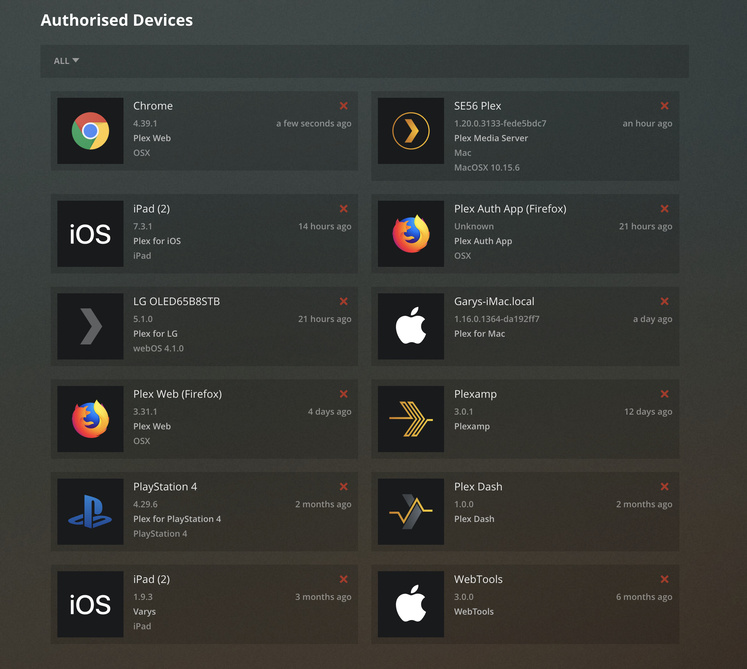
b)Remove Device (TV) from Server Authorised Devices
c)Power cycle TV from Wall
d)Install Plex WebOS app
e)Link
f)Attend to apps settings, Manual server, Connections- allow insecure connections on Local network, Auto sign in
g)Make sure IPv6 is disabled in TV network settings and Server/Network settings
On points f. and g.
After some guesswork (and a new log-in), I found those settings. I’m assuming g. specifically refers to the PC software. If so, please note that on Server/Network, Enable server support for IPv6 was always checked and Secure connections was always set on Preferred and it was so from the first day I started using Plex. Never had any problems with either of these settings, so why change them now?
If I got your rather summary indications wrong, sorry, please provide them step-by-step, so as to avoid any confusion.
Also after all the versions info I hunted, you could’ve told me if at least I got what you were looking for.
Oh, and on second awful thoughts: who’s to say that after reinstalling the Plex TV app, it won’t again go to early access failure behind my back?
Installed again. It installs the same early access ■■■■, with the same problems (seems like there’s no other version available to install). As for the rest of your indications:
f) One correct path is:
TV WebOS app main page/Scroll to the bottom/Settings/Advanced/Allow insecure connections, then three options:
Never
On same network as server (that’s the one I checked)
Always
Another correct path is:
TV WebOS app main page/Scroll to the top/Account name/Settings and then it’s the same steps as above, with the same results.
So which settings should be accessed? Or maybe both? Why put the same settings in two places ffs?
Point is, almost none of the above matches what you said, except in rather general way. Or maybe have I got it wrong, hmm?
Manual servers is as described.
Allow auto sign is now checked by default, but it’s just for show, as I still have to sign in with the verification code every time I open the app.
g) Did the modifications you suggested, both in the PC app and in the TV settings, it has zero impact. (And still not clear why IPv6 disabled, as everything works perfectly fine with that setting enabled; Plex worked fine with it too.)
I’ve had update problems with Plex before (which is why I keep it on manual), but they all got sorted out sooner ratrher than later. This one is by far the crappiest, as it installed without approval, doesn’t allow going back to a normal version although it offers the option (ironic, ennit?), is early access, reverts to default settings no matter what, wants you to sign in every time you start it. 'bout the only valid options it offers is that it can be removed for good. All in all, briliant piece of work.
Somehow things got sorted out by another invisible update. I’ve no idea if I’m still using the early access version or not, but everything works (for now…): settings stay in place, no need of logging in every time you start the app, no need of playing around with network settings and such.
Please try to not destroy this with future updates. Also leave the updating to the user’s choice, it’s the normal thing to do.