Server Version#: 1.15.8.1198
Player Version#: Plex for TiVo (though same behavior on all clients)
My server keeps going unresponsive and I have to restart the service.
The non-DEBUG level logs generally look like this right before it goes unresponsive:
Jun 13, 2019 19:27:36.129 [0x7f91f8ff9700] WARN - SLOW QUERY: It took 3400.000000 ms to retrieve 88 items.
Jun 13, 2019 19:28:06.849 [0x7f91c2ffd700] WARN - SLOW QUERY: It took 3350.000000 ms to retrieve 1 items.
Jun 13, 2019 19:28:37.577 [0x7f926d83f700] ERROR - EventSource: Retrying in 15 seconds.
Jun 13, 2019 19:28:37.577 [0x7f926d83f700] ERROR - EventSource: Retrying in 15 seconds.
Jun 13, 2019 19:28:37.579 [0x7f91c3fff700] ERROR - Caught exception trying to stream file: /dev/shm/plex/transcoder/Transcode/Sessions/plex-transcode-zq35e8ia0xu48efgvblc8fr7-ec9e2014-ce05-4385-9839-d3a65853ba24/media-01566.ts: write: protocol is shutdown
Jun 13, 2019 19:28:37.627 [0x7f92437fe700] WARN - Held transaction for too long (../Statistics/StatisticsManager.cpp:248): 0.160000 seconds
I have my database on a NFS mounted NAS and am wondering if having Plex Media Server on a non-local drive is causing the problems.
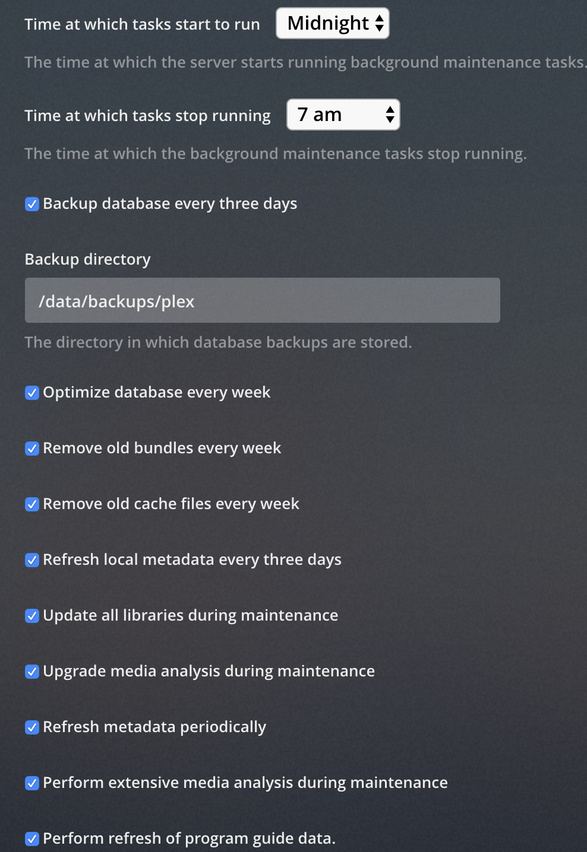
This is normally prevented when the butler makes its weekly optimization pass. It’s on by default.
Did you disable this and is plex running when the maintenance is scheduled?
To correct the problem as you see it now:
Hover over Library (Left pane) to expose the ellipsis
Click it
Click “Optimize database”
While here, since your maintenance is most likely behind on many fronts,
Empty Trash
Clean Bundles
Optimize Database one last time.
Now restart PMS
The “Event Source” can be one of two things:
a) The database
b) Networking.
If your issue is not solved, I will need the full set of logs to investigate further
(Settings - server - troubleshooting - download logs) Attach the ZIP
It is an Ubuntu 18.04.2 LTS (GNU/Linux 4.15.0-51-generic x86_64) guest on a VMWare host. Host has 128GB and 2x 16 core Intel® Xeon® CPU E5-2670 0 @ 2.60GHz.
Guest has access to all 32 cores (shared) and 64GB of ram (dedicated). Host level CPU utilization peaks around 40%, no spikes when this happens
$ free -h
              total        used        free      shared  buff/cache   available
Mem:            62G        905M        9.8G        2.3G         52G         59G
Swap:          8.0G          0B        8.0G

$ top
top - 20:36:43 up 6 days, 54 min,  2 users,  load average: 0.00, 0.03, 0.07
Tasks: 414 total,   1 running, 217 sleeping,   0 stopped,   0 zombie
%Cpu(s):  0.0 us,  0.0 sy,  0.0 ni, 99.9 id,  0.0 wa,  0.0 hi,  0.0 si,  0.0 st
KiB Mem : 65965728 total, 10103280 free,   926256 used, 54936192 buff/cache
KiB Swap:  8385532 total,  8385532 free,        0 used. 61722228 avail Mem
My best guess right now is a NAS IOPS issue with having the database mounted on a NFS share.