Server Version#: 1.24.1.4931
Player Version#: 4.64.3
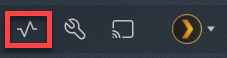
I think this first popped up when it was prompting me to update my libraries. Not sure why the arrow is persisting instead of it going back to the normal icon (which I can see if I log in as a managed user.)
This is the only server I manage. There’s another server shared with my account that I can see in the server dropdown. I had another server configured at my MIL’s house, but I’m not seeing that in the list.
I have the same issue. It occurred after the last update. Server updated fine, but upon the start it said something about a metadata refresh and some new connector for it. I checked the box to perform a full metadata refresh. An error popped up quickly, but then it disappeared and it was going through the metadata refresh.
Everything else works on the server, but I’m still seeing that up arrow as well.
Can you show what your open Activity menu looks like?
That Up Arrow icon should only appear when a new server version is available, or when a Movie or TV library is using an older agent.
Here’s an example of the menu when viewing an up-to-date server with an out-of-date agent.
Mine looks just like this, too. (Except that my server name is different, obviously.) I only manage a single server, and the update arrow won’t go away. I updated all my libraries, but not when I was initially prompted to do so. The library metadata refresh was a little annoying, because it marked a few shows as new that weren’t actually new, so that was annoying, but livable I’d like the update arrow to go away, though.
Mine is the same too (and has been for a while now).
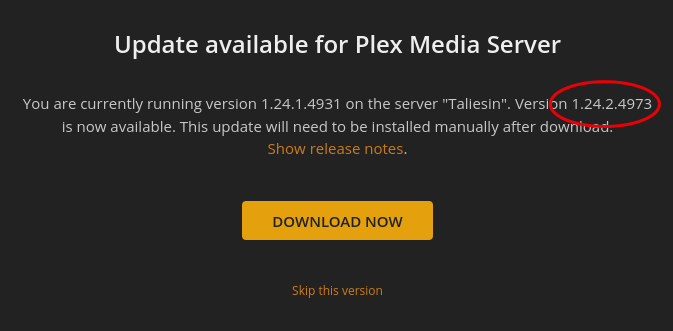
Server Version#: 1.24.2.4973
I’ve tried:
Signing out and back in
Restarting the server
Dev tools empty cache and hard reload
This is in Chrome; tried new sign-in for the first time in Edge too, same behaviour. The ‘normal’ icon was present for split second then changed to the up arrow.
I’m in the Beta update channel. Settings > General shows up to date.
However - the activity icon is only an up arrow if I use the hosted Plex webapp. If I use my local app, it’s the normal heartbeat icon.
Locally hosted version 4.62.1
Plex hosted version 4.64.3
Probably unrelated, I also often get the animated ring showing something is happening, but there is no ongoing activity on click.