Server Version#:Current
Player Version#:Current
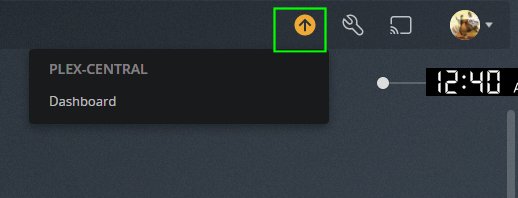
after i did the meta update a few days ago i keep seeing this.
Do you have another (old) server that might still be in Plex‘ cache?
If so…
If the server is still available, start it to upgrade its library agents.
If the server is no longer used, check if removing it from the authorized devices list resolved the issue.
https://app.plex.tv/desktop/#!/settings/devices/pms
not that i can see how or where do i empty my cache on the pc that i see the arrow it is the remote pc not the server . the serve does not show it
The Plex Web interface doesn’t distinguish on what server it’s running… it’ll let you access all servers and shared libraries linked to your account. The reason the arrow might not showing in one but not both is most likely because you were accessing the web interface through the server’s IP address… that version tends to be a little older than the hosted version.
running sever version - PlexMediaServer-1.24.1.4931-1a38e63c6-x86
ok yeah if i load it by this “http://192.168.1.250:32400/web/index.html#!/” there is no arrow
but if i load it by this - "https://app.plex.tv/desktop/#!" there is an arrow
Do you still have other / older servers of yours showing up in the authorized device list (see link above)?
nope just the one
I am having the same issue as well
If it’s not about a new server software version, it is a reminder to consider converting your existing libraries to use the new metadata agents.
I have done that on all libraries and still show the arrow
When did you do the conversion?
Have you performed “Refresh Metadata” on all the libraries you converted? The conversion is not complete without doing so.
Refreshed all meradata and the arrow is still there. Did all libraries
where can i refresh all at one time. i can only find one at a time
The issue is being worked on by the devs. Looking at the bug report it seems like they found the issue but I don’t right now have and ETA for fix.
This topic was automatically closed 90 days after the last reply. New replies are no longer allowed.
