Hi everyone new here and I have a pretty vast extensive collection. My friend just helped me set up Plex on my NAS setup. I went through a long process of correctly naming things with filebot to ensure metadata would be pulled correctly. However after Plex scanned folders things have come up wrong. Anything that was just in a folder named correctly came up correctly. However I do have folders and subfolders. Example: I have alien and predator movies together as there were alien vs predator crossover movies so it has several subfolders it would be something like Alien and Predator Collection-Alien Collection- 1. Alien - Alien (1979)…For some folders I did use numbers to denote order as series like Alien has Alien Resurrection (Alien 4) but it would be out of order without the numbers. It seems Plex does not deep dive all of the folders and subfolders to find the actual file that is named correctly. So that is an issue…I also have this for TV Shows like Cartoons Collection then the type of cartoon (Superhero for example) Then it might have Superman Listed. So basically I have so much to go through…is there a way to not have to manually correct every single one of these? Or get it to recognize the files that are in all of the subfolders? I spent so much time organizing and renaming that its a shame its this messed up. Thanks in advance.
That is not going to work, especially with TV shows.
-
Never put media in the /plex shared folder. It is a sure way to mess up Plex on Synology. Not saying you have done so, just a FYI.
-
Follow Plex naming and organization requirements, especially for TV shows (Plex is very picky with them). See Your Media.
-
Two very helpful support documents:
Installation & Setup of Plex Media Server on Synology
Synology FAQ (DSM 5 & 6) - Questions, Answers, and a few How-To’s
All of this is useful. I guess my question is with my files set up the way they are with multiple sub folders in some cases what is the easiest way to fix the issue? Do I have to go back through my folder structure for each and cut out sub-folders? I wish I could have someone look at how I have it set up now and like screen share so they can help me out of this mess. I’ve been working on naming the files properly for so long and now I got thrown the curve ball of the sub folders not being allowed. Any suggestions?
Ok Stupid question what is the best way to screenshot the paths that are messed up. My TV Shows seem to be the most messed up. The ones that are the worst off are ones where I have a generic collection title like Cartoon Collection, Then a bunch of subfolders such as Teenage Mutant Ninja Turtle Collection then in that folder are numbered versions of the shows 1. 80’s version 2. 2000’s version etc. Then inside those folders are the actual seasons. In some cases even though files in the eventual folders are named correctly it just shows season numbers, or episode 1, episode 2. Some cases it mixes multiple shows together in a season like friends episode 1, seinfeld episode 2 etc. Pretty messed up. Please let me know the best way to display the issues so I can get help out of this. Thanks
You can keep your cartoon TV shows in a separate TV library if desired.
Example:
Create a separate directory structure just for the cartoon shows.
In Plex Media Server, create a TV Library named “Cartoons” and point it at the directory holding the cartoons.
/Media
  /Cartoon Shows  <-- "Cartoons" TV Library points here
    /Teenage Mutant Ninja Turtles <-- The 1987 series
      /Season 01
        /Teenage Mutant Ninja Turtles - s01e01 - Turtle Tracks.ext <-- ext = mp4/mkv/etc
    /Teenage Mutant Ninja Turtles (2003)
      /Season 01
        /Teenage Mutant Ninja Turtles (2003) - s01e01 - Things Change.ext

Hope this is the right way to embed images. Basically I gave 3 examples of issues I’m having 2 collections from TV Shows (Martial Arts Collection and UFC and Combat Sports Collection) and one from Movies (Ghostbusters example) I’m showing how they show up in Plex currently and how they are in my windows folder setup. You will see the eventual files contained in the folders are named correctly as I used filebot to do so to ensure the metadata pulled correctly. Just need to know how to undo these types of issues. Thanks so much in advance.
FYI, you can attach images directly to the thread. Just drag them into the message window. They insert at the cursor location. No need to use Imgur or other such sites.
- Read Plex Documentation: Naming & Organizing Your Media
- Rearrange your files according to the Plex documentation.
For example:
- Your “Movies” library in Plex Media Server should point at v:\videos\movies (whatever that maps to on your Synology).
- Use separate directories for each movie, in the v:\videos\movies folder directory.
Ghostbusters Collectionand similar subfolders are not supported.1. Ghostbusters (1984)is incorrect. UseGhostbusters (1984)per Plex requirements.Ghostbusters (1984).mkvand theFeaturettesfolder is correct.- Repeat with the rest of your movies.
Ok so I’ve rescanned and taken lots of things out of folders and sub-folders but now after re-scanning some of my movies are showing up oddly. Some show up with the original file name even though I used filebot to rename them all. Some come up with the original DVD Rip Title, Some have numbers preceding them like poltergeist even though they do not look like that in my folder structure. How do I fix this? Not sure what setting I changed I think I went to edit and chose how and where the info was pulling from…is there a preferred method that pulls files more correctly? Just feeling like I took 6 steps forward and 12 steps back lol. Here are some example photos:

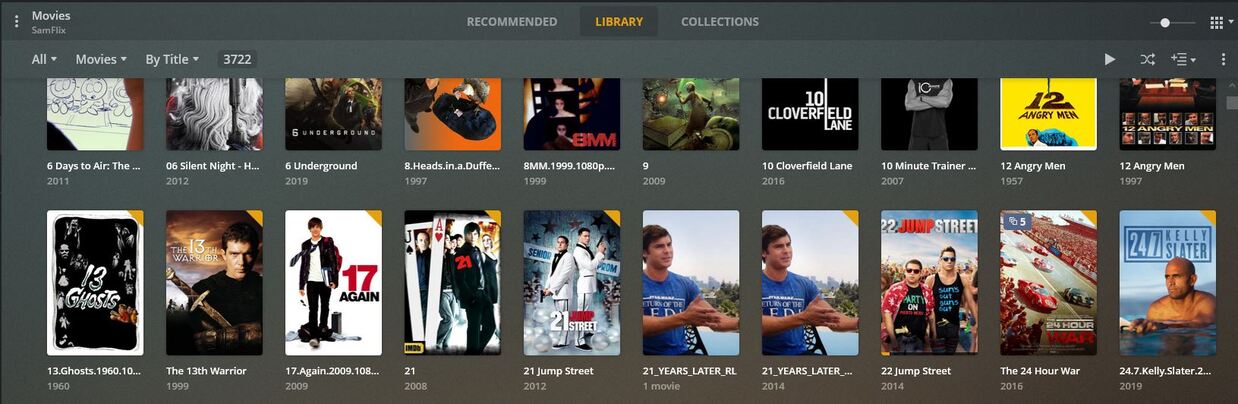


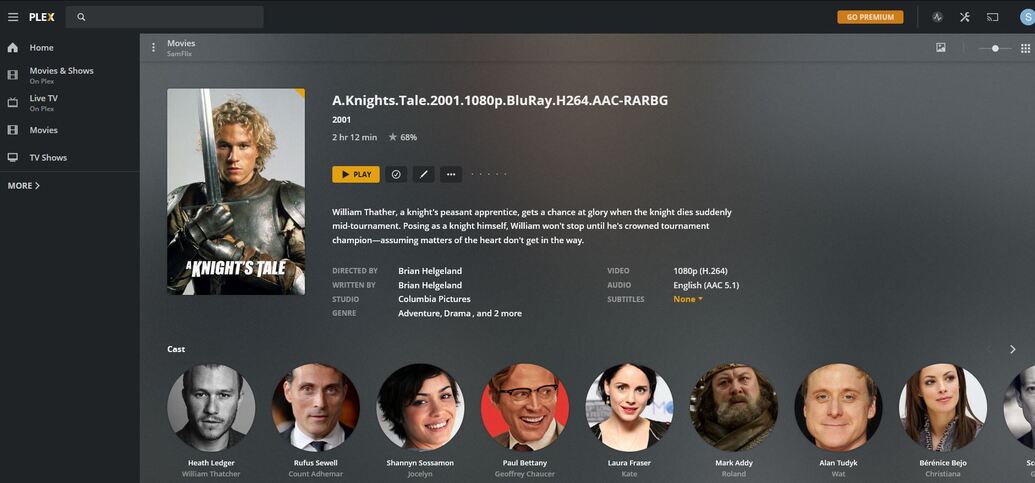


So filebot renaming doesn’t do it? So I have to manually go back through for all of the titles that look like that? How about for the American Shaolin example? It actually made 2 files when inside the folder there is only actually one?
I have thousands of movies so trying to find the quickest way to mass fix all of my files to appear correctly in plex.
I was told by someone that filebot renaming of everything would do the job. I did all of that before dropping in plex. I guess that was incorrect advice.
Ya I’m kind of learning this as I go. Ok so I have to scan my whole movies folder with mediainfo. Then that addresses the problem files then use MKV for MKV and MP3 for MP4 tags right? With files already renamed with filebot I should be good after that right?
Damn ok understood thank you so much for the information. Can I ask a question relating to sports programs?
I am a UFC fanatic and have every UFC card from start to current. However in that folder I have them numbered because there are numbered UFC events ex UFC 100. But there are also events like UFC On Fox 1, UFC on ESPN 2, UFC Ultimate Fight Night 63, UFC on Vs. etc. So the only way I could think to put them in actual order was by using 1. UFC 1 2. UFC 2 etc. But no idea how Plex would handle this…I don’t really want to take them out of order and not sure Plex would order these correctly if I did. I have renamed them with Filebot already…thoughts?
They actually were under MoviesDB for each individual card. So I would make my own collection movies and put the UFC cards there. I just worry about taking the preceding numbers off so metadata will pull then not being able to order them by event date order.
Are there any video tutorials on how to use mediainfo and the mkvtool and the other program for searching for and removing tags. I installed all 3 but don’t really know what to do or how to go about this.
Ya sadly the first one I watched and wasn’t much help the second is too blurry and the dude has a heavy accent. Dang…
Question about the embedded titles… couldn’t @samarmenfilms turn off “Prefer local metadata” on the Library settings and it’ll ignore those tags? I do that because I have the same situation - I’m not always the ripper and I don’t know what other people did and this way it’ll ignore embedded and just use what I put for file name to match.
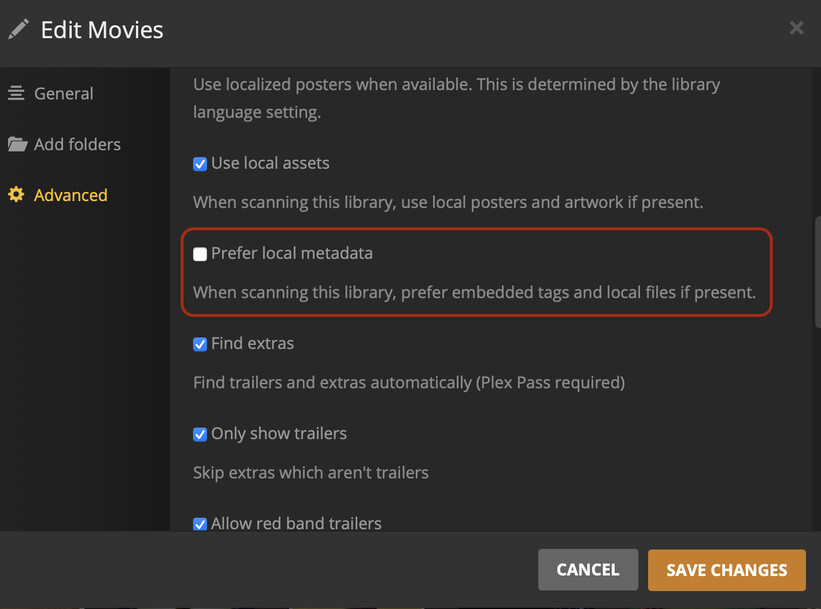
Or am I misunderstanding the situation? I was just trying to think of a way to avoid the embedded renaming because it’s definitely annoying to do in bulk.
