Server Version#:4.6.2
Player Version#:
I have recently installed a “Firewalla” on my ASUS RT-AC66U Router. I am using Plex Media Server on a Windows 10 Home desktop. I do not have a VPN installed on my Router or the Windows Client that runs the Media Server.
I share my plex library with another member of my family who is external to my home network. He has not been able to play any media in the shared libraries since I installed the Firewalla. I currently have a support ticket open with the Firewalla helpdesk, but I thought I would also check for a solution here in case there is a simple solution that someone in the forums is aware of.
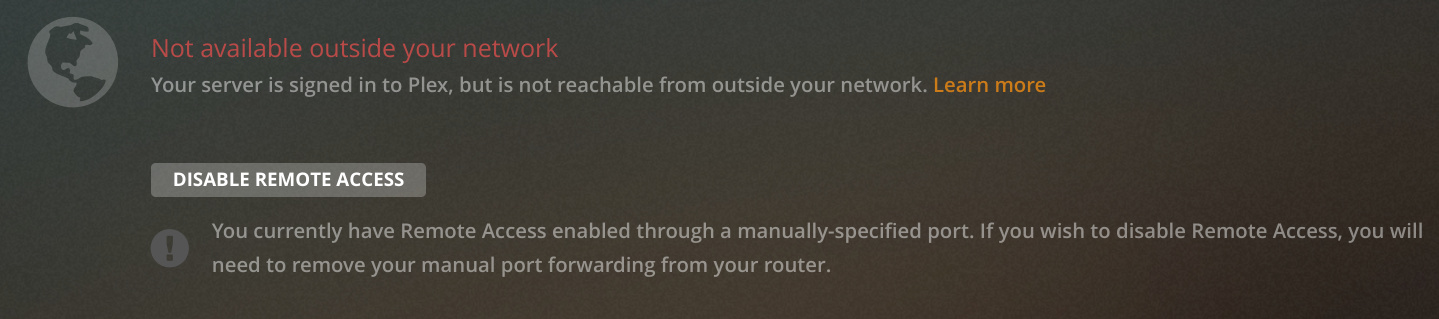
Checking the Plex Media server settings, it tells me that Remote Access is enabled but nothing is available outside my local network (as per attached screen shot)
I then turned on manual port forwarding, hoping this would allow access to external connections, but the problem still persists:

I also have port-forwarding enabled on my router:
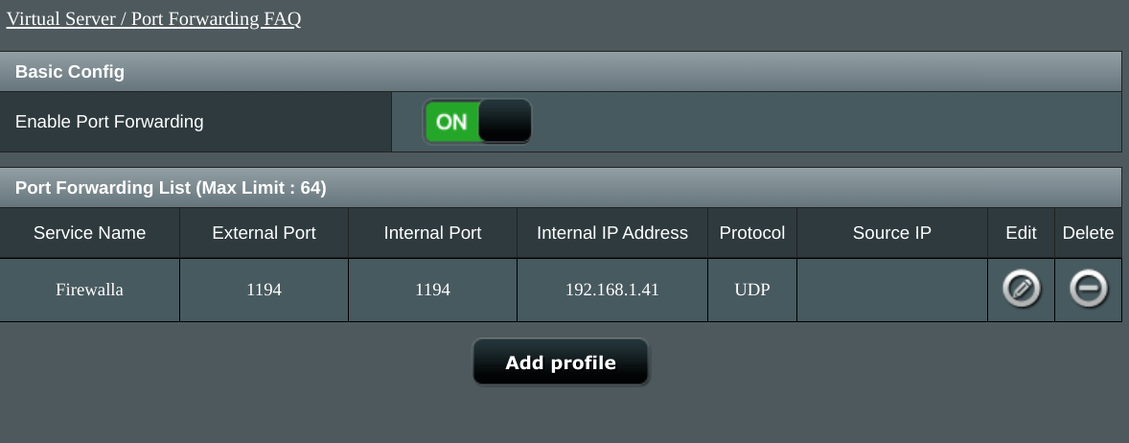
Firewalla allows access to the local network from external sources through the OpenVPN service, they have suggested that external connections should use these OpenVPN settings to connect and therefore make the Firewalla think that it is a local connection. I haven’t tried this as my brother likes to access my plex library through an app on his smart tv, and I wouldn’t know where to begin getting the VPN setup to work on his TV.
Does anyone know how I can get Plex remote access working through the Firewalla? Appreciate your help.
