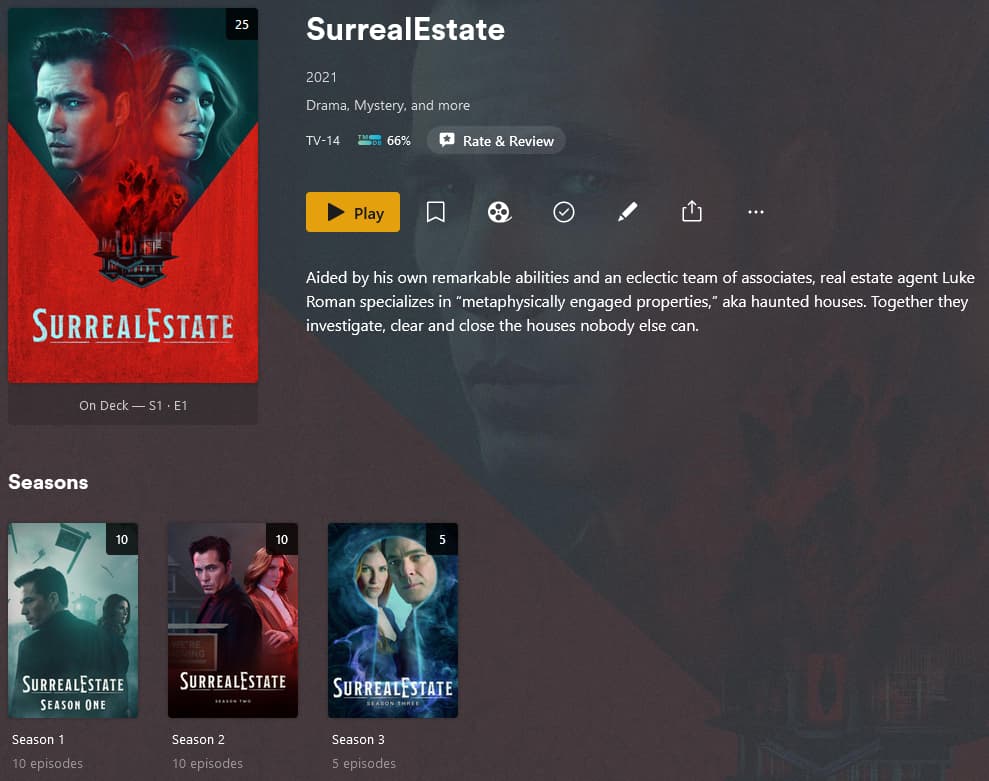
Result was I now have a completely screwed database where both recently added TV shows and recently added movies have no resemblance to what been added or installed!
I give up on this thing and I would like to go back to the standard version that people have of Plex. I hope this beta hasn’t messed my entire database up, but I suspect I’m in deep Doodoo.
How do I uninstall this mess and reinstall my lifetime Plex pass using the current production version of Plex, and will that get my database back in order?
Is there some way I can re-index the database and clean up this mess?
This product was not ready for Alpha testing let alone beta testing
I’m guessing that’s a bug with the Apple TV beta client, not your Plex server/database. The client isn’t going to be changing anything with your database.
Also, the Plex Experience app doesn’t replace the publicly released Plex app (at least not on Apple TV yet). You should be able to have both apps installed (I know I do on my Apple TV).
I’m not sure that’s the issue, but thanks for your help.
I think there’s something wrong with the Plex code.
Example… this directory exists but when I select the name via Plex screen to locate the series called “SurrealEstate”, Plex returns a not found message, but as you can see from the attachment, it’s clearly there?
I don’t want mess it up further, but can I run something that will re-index the entire database to see if Plex and find it after that?
I tried that, but it shows the same messed up sequence in recently added TV shows, and recently added movies with no resemblance to when they were actually added.
Hi Doug, I add the TheTVDB.com id to the folder, like this:
SurrealEstate (2021) {tvdb-377837}
This way the search engine of plex will find the correct metadata for the series.
I hope this helps.
Gr. Mario
The Apple tvOS 8.45 or v15.0 don’t effect your database. Have you tried seeing if those episodes are viewable in the web version? app.plex.tv or the Mac Plex app (I’m guessing you’re using a Mac based off screenshots.)
If the episodes are viewable there then maybe you have a tvOS problem.
If they are not viewable there then you have a server/db problem.
Seeing the same messed up display of incorrect episodes and missing episodes on the Plex app version you mentioned.
There appears to be no pattern as these directories and Mac drives that are linked to Plex and have been the same for years. Apparently Plex during it scan either doesn’t recognize them being on the device any longer, even though the two examples I posted clearly show them as being there.
There must be some way of telling Plex to re-index the directories and physical drives pointed to and adding anything that is there, which it can’t seem to find now.
The web version has exactly the same problem and display. Yes I’m on a Mac as is the server running Sonoma.
Nothing else has changed on the server in years, except upgrading the operating system.
I don’t think it’s a database issue and I agree with you.
There has to be someway of re-indexing a physical drive and the directories acquainted to by the Plex app and forcing it to completely update the database.
I have experienced some strange behavior when a show was added in another shows folder. When I moved it to the correct location, plex won’t find it as seperate show, but as an extra season of the show it was first wrongly located. My solution was
to (re)move the complete TV-serie that won’t show in plex
rescan the TV-serie library
place back the (re)moved tv-serie folder to the correct location
rescan the TV-serie library.
This solved my issue.
Maybe you can use this to solve your issue also.
Gr. Mario