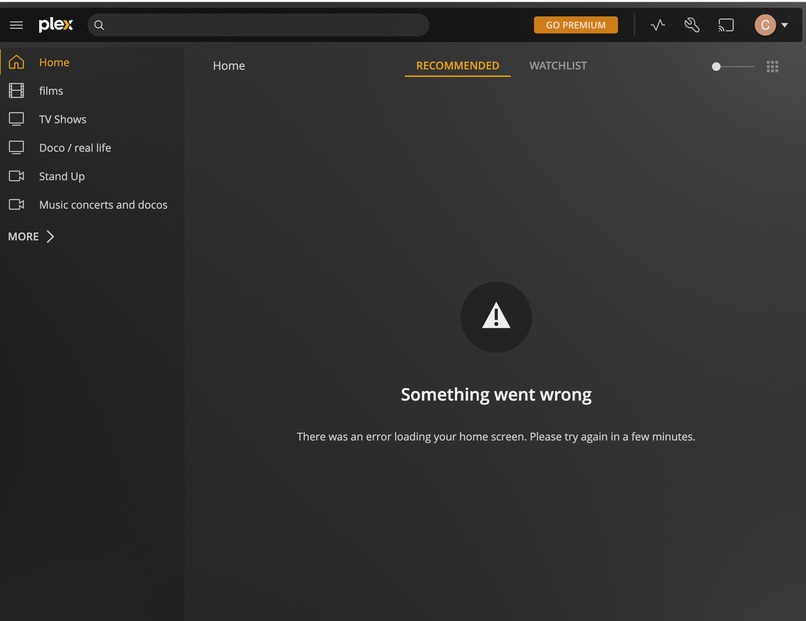
Update Plex yesterday to version 1.28.1.6104 but when Plex restarted all the media files where gone from the Plex home screen.
When you click on a media folder (like TV or Movies) on the sidebar on the Plex home page it only shows:
"Something went wrong
There was an error loading your home screen. Please try again in a few minutes."
All my actual files are still on my hard drive, they are just no longer in Plex.
Never happened before, all the times I updated Plex, it would be restart and all the media files would still be there.
Do I need to reload all my media files again or did I miss some box that needs to be ticked in the new update?
Server Version#: 1.28.1.6104-788f82488
1 Like
Same issue for me since last update. Please advise Plex.
dbirch
August 23, 2022, 7:34pm
3
Can you both post your server logs?
dbirch
August 24, 2022, 9:22pm
5
@econmajor2005 looks like you are having some database issues, SQLITE3:0x975dfa14, 1, no such column: metadata_items.edition_title in Its not the normal database corruption, so I will wait and see if anyone has more specific advice.
I’ve tried uninstalling and reinstalling. Nothing seems to work
dbirch
August 24, 2022, 10:38pm
7
When you do that it leaves the original database in place in case you want to keep your library. The question is do you want to try to salvage your database or is starting over from scratch OK?
I’m ok starting over from scratch or trying to fix it
dbirch
August 25, 2022, 2:21am
9
see Where is the Plex Media Server data directory located? | Plex Support
Stop plex and delete all the files in the Plex Media Server\Plug-in Support\Databases directory.
Mine looks like:
This solved the issue. Thank you very much!
Hi dbirch, thanks for the assistance, I also did the same and it is now working again, just reloading all the media now.
system
November 24, 2022, 7:05pm
12
This topic was automatically closed 90 days after the last reply. New replies are no longer allowed.