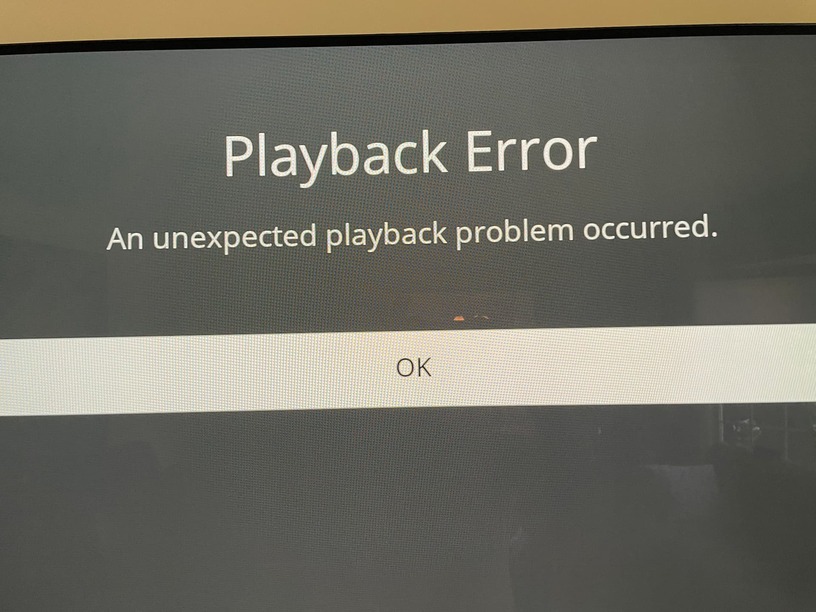
Server Version#: 1.32.5.7349
OS: Ubuntu 22.04.2 LTS
Dockerhub image: plexinc/pms-docker
Player Version#: Plex for LG Client 5.65.2 Platform 8.1.2
TV: OLED83C3PUA
WebOS: 3.11.45
Tuner: HDHomeRun FLEX 4K
Model: HDFX-4K
Firmware: 20230719
Time: 11:51 am Eastern time
I had been using plex for a long time on Roku. I just got a new LG C3 83" tv and now I have a new problem when using Plex on WebOS (instead of Roku).
I’ve noticed that when I view any recorded TV show or movie (for at least a few minutes) and then try to use Live TV, I get a Playback Error (An unexpected playback problem occurred.)
If I exit the Plex app on the TV and then run it again, I’m able to watch Live TV just fine.
I have attached a screen shot of the error, the XML of the video I was watching before switching to Live TV (but it doesn’t seem to matter which video I watch) and the server and client logs.
lucky hank.xml.txt (4.7 KB)
Plex Media Server Logs_2023-07-29_11-54-57.zip (3.0 MB)