I can see that I can get it from Ubuntu V7 but thought I could download directly to my RPi. I will just move it over from my mac.
I think I may need the new scanner/agent to fix my XML issue. Another user said it worked for him.
OK, I downloaded ** Ubuntu (16.04+) / Debian (8+) - ARMv7 ** to my mac and copied it over to my RPi. When I ran sudo dpkg -i on it I received is not a Debian format archive.
I believe that I may have tried this same process on 1.21.1.3830 and received the same error. This is why I wanted to do a wget from my RPi. It shouldn’t be that difficult to give me the complete directory string.
I usually do ARMV8 since I thought that was correct but the V8 gave me arm64 and not armhf which I have always used in the past. ARMV8 gives me arm64 which also does not work (same archive error).
RPi4 specs are * Broadcom BCM2711, Quad core Cortex-A72 (ARM v8) 64-bit SoC @ 1.5GHz so it should have worked.
That archive error indicates a download problem, not an architecture mismatch. Attempting to use the wrong architecture will get you a message like “Wrong architecture”.
Now I downloaded the armhf directly on the RPi with wget and updated fine. I then saw the new scanner/agent on the advanced selection (Yea). I thought I was in but all it fixed was one thumbnail but none of the XML and I tried every combination it would let me. Note that I added new libraries for each new one. And alas, The tools selection from the upper righthand corner is gone so I can’t look at the logs.
It’s fine for your Library to include multiple directories.
Those directories should contain Shows (directories), which contain Seasons (directories), which contain Episodes (files).
I can’t tell from your screenshots if that’s how you have it configured - or if you’ve added individual Show and Season directories to the Library itself - or if that was just how you made a screenshot showing the files.
So if your Library contains this directory: /media/plex/tv shows, a good structure under that for Home Improvement would be:
Home Improvement
    Season 1
        Home Improvement - S01E01 - Pilot.mp4
        Home Improvement - S01E02 - Mow Better Blues.mp4
    Season 2
        Home Improvement - S02E01 - Read My Hips.mp4
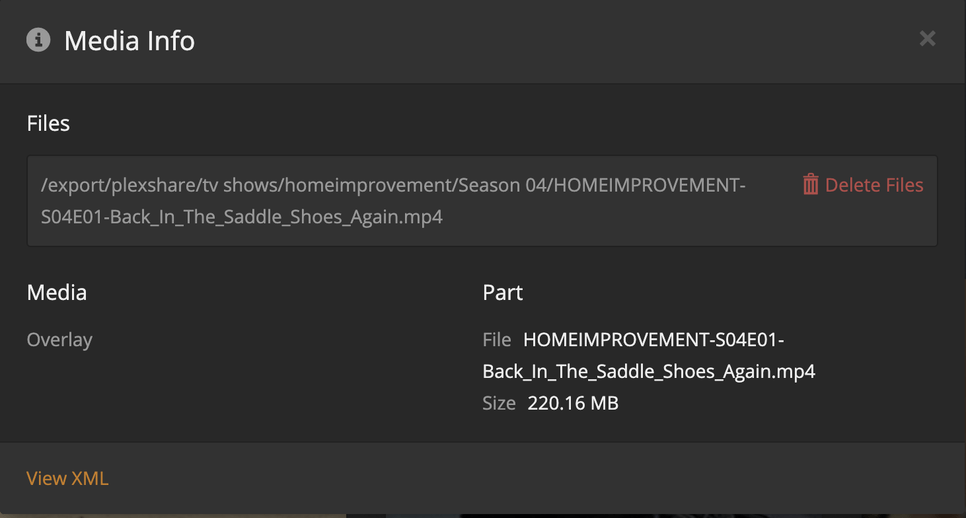
I’m not sure what “Overlay” means in that screenshot, and I’m wondering if Plex was confused by the directory structure.
I thought ‘tv shows’ was correct. Under that is the Show name, then the season, then the episode. I carefully followed the document you included.
My structure is for two drives plex and plex1 mounted to media there is the supercategory of ‘tv shows’. Then the show ‘homeimprovement’ then the season ‘Season 01’ then the episode ‘homeimprovement-S01E01-info’. In the info I read somewhere about the showname followed by dash followed by season and episode dash followed by addl info (I used title with the words separated by underscores. All of which is exactly as you listed above except the showname is homeimprovement. I guess if that makes a difference I could rename them all; tons of work.
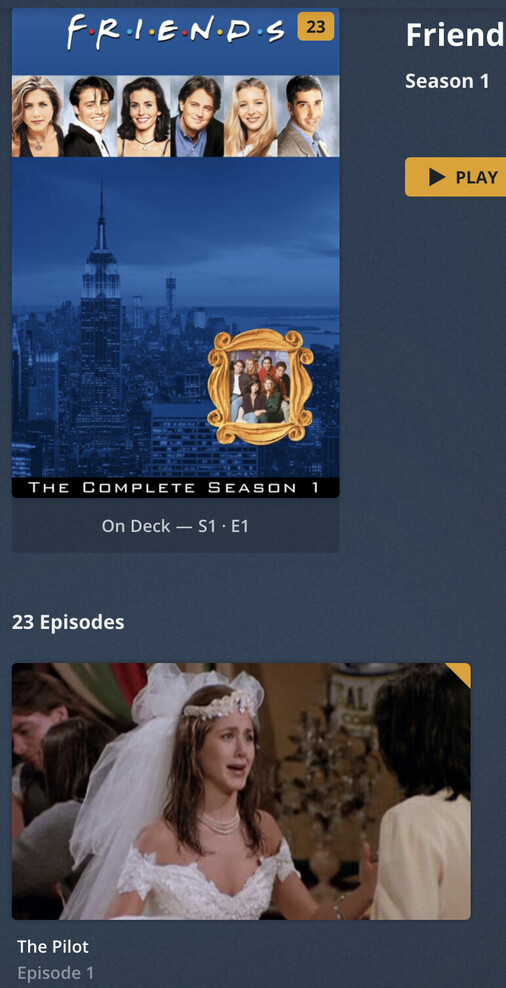
Look at the Add Folder above. The episode name is grey but is somewhat visible. I have everything correct excepts caps in the showname and spaces before and after the dashes. You forgot the zero before the season number. And here is the sticking point, three seasons on Home Improvement work 2 don’t (spaces between words) and none of Seinfeld or Friends work (single word). Somehow I don’t think my structure is at fault.
But I am willing to try anything that makes sense.
It seems like New Years is about here in CA so will sign off. Please continue on this if possible.
Yes the video shows fine on my Mac. I am sure it is the XML because of the drastic difference and the fact that it fails accordingly. Why the XML is formed correctly in some cases and not in others is a mystery. Again, some fail over and over and others succeed all the time. I have done who knows how many metadata refreshes.
Aha, I see overlay. I have absolutely no idea. I would think you should. I included the metadata so you might check in there…
“homeimprovement” vs. “home improvement” might matter. I’d always recommend using the actual show name, including spaces, omitting only special characters.
I don’t think capitalization ever matters.
I don’t think leading 0 for “Season XX” matters. I agree that’s what the document recommends.
I’m not sure if spaces between the show name, hyphen, and sXXeYY numbering matter. I think it’s unlikely.
I don’t think anything after sXXeYY matters at all, whether it’s spaces or underscores or all smashed together.
I’m confused about the permissions error on playback. I assume you can play that file back directly?
I’m confused about what “Overlay” means in that screenshot above.
And I’m confused because that XML screenshot does include some metadata, so it’s not a complete failure.
I wonder if something else is wrong.
You might need to gather logs and share them here - we might need Chuck to come back and help, too.