i just launched plex media server to update my collections and finally tag each movie, however i was pleasantly surprised that plex had already added movies to collections TILL i realized that the collections plex set up were nothing like what i have. prime example alien movies and predator movies i have as one collection not two. just got the demonic toys movies and dollman movies, created a collection for them with the puppet master movies. now i have a demonic toys collection, and a puppet master collection, and no mention of dollman. instead of taking a step forward and giving us the ability of simply rightclicking on a folder and tell it to add all items to collection “whatever” to save us from having to go movie by movie you took two steps back. yes i see i can still change the collection a movie belongs to, but ones like dollman that don’t show up cause it’s a single movie within the collection i can not add to the collection in plex. we need the ability to sort by folders in collections.
You may enabled the
Use collection info from The Movie Databasemetadata agent setting. When enabled (it is disabled by default), that will try to gather collection information from The Movie Database. This may cause many unwanted collections to be automatically created, particularly collections where you only have one item.You can disableUse collection info from The Movie Databasein the server metadata agent settings for the “Plex Movie” and “The Movie Database” metadata agents. This will only prevent collections from getting automatically added to items added to your library in the future . It will not remove collections from existing library items.
ok that should answer one question, but the main question of why plex chose to remove folder view from the app makes no sense. in my opinion it saves time addings to a particular collection, cause in golder view you click the folder and it opens to everything you want in that collection. luckily it’s still in the plex player.
Which app are you talking about? Folder view is still available in all Plex apps.
not trying to be rude but want to try again. first image is movie series in plex media server. second image is plex media player. please point out where the folder view is in the server.

In the newer web app versions, you click on ‘Library’ at the top.
Then on ‘Movies’ underneath.
and that helps how?
if it helps i get the following address, but nothing on it says anything about libraries.
http://localhost:32400/web/index.html#
It’ll allow you to select the folder view for your movies library…
ok different layout than the player. was trying to find libraries on the leftside. didn’t notice the three items top center. got it now. much better thanks. one more question, even though i’m setting up custom collections can i chose the artwork rather than have plex pick images from the files, and can i make it just one image instead of up to four?
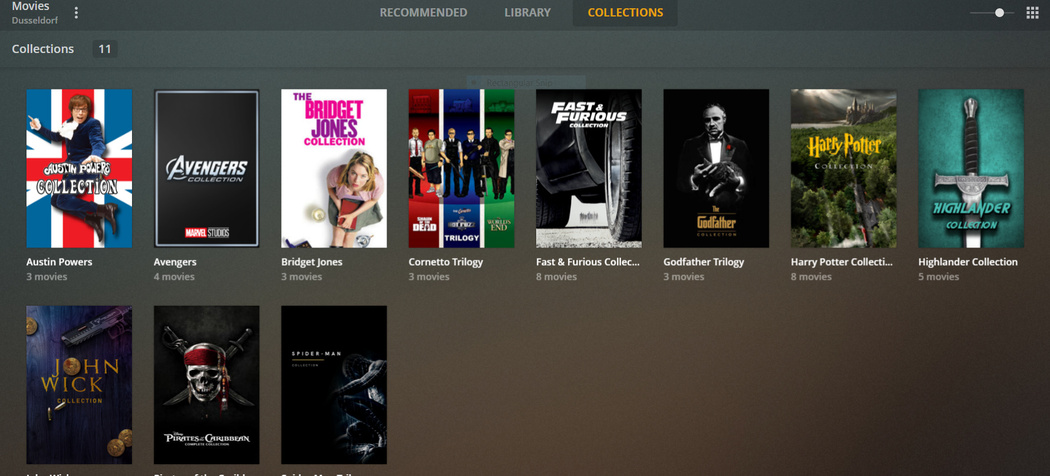
That’s cool
thanks i got it. just fixed the alien & Predator Series collection.
A work in Progress.
I had them all finished on my local server. But the online server is working so well that I’m abandoning local storage and server at least for now.
So I’m starting all over again with collections.
I’m a https://theposterdb.com/ and https://www.reddit.com/r/PlexPosters/ addict.
thanks for the links, much appreciated. now one more question for the devs. how do i varify that plex is going through my router and not over the net? i have already added plex in the routers settings. thanks
Not sure what you did, but it may have nothing to do with local access.
Without Plex Pass there is no real knowing whether the connection is “local” or “remote” or “relayed”. Because the detailed view on the Dashboard is not available.
So you can only activate debug logging, play something and then inspect the logs.
Or you install Tautulli
will that tatutulli allow me to see if i’m using the web or the home network? as for the logs i have verbose logging on what am i specifically looking for? thanks for the help and info.
Disable ‘verbose’. It doesn’t help – quite the opposite.
Tautulli will show you if the client sees the server as ‘remote’ or as ‘local’.
If a client in your home network thinks it is accessing a ‘remote’ server, then something is wrong.
ok from what i can see yes i am sending from the pc through the router to the tv and not through the web. thanks again everyone for the help.
Sessions: 1 stream (1 direct play) | Bandwidth: 1.5 Mbps (LAN: 1.5 Mbps)

