I’m using my Plex Server to handle my music library stored on a NAS.
Since I own a PlexPass since a few months I noticed a button in my music library options saying “Convert to “Plex Music””.
Can anybody explain what “Plex Music” is and what’s the difference to my “normal” music library?
I tried to add my music library to pley music since i experienced some bugs with the default library.
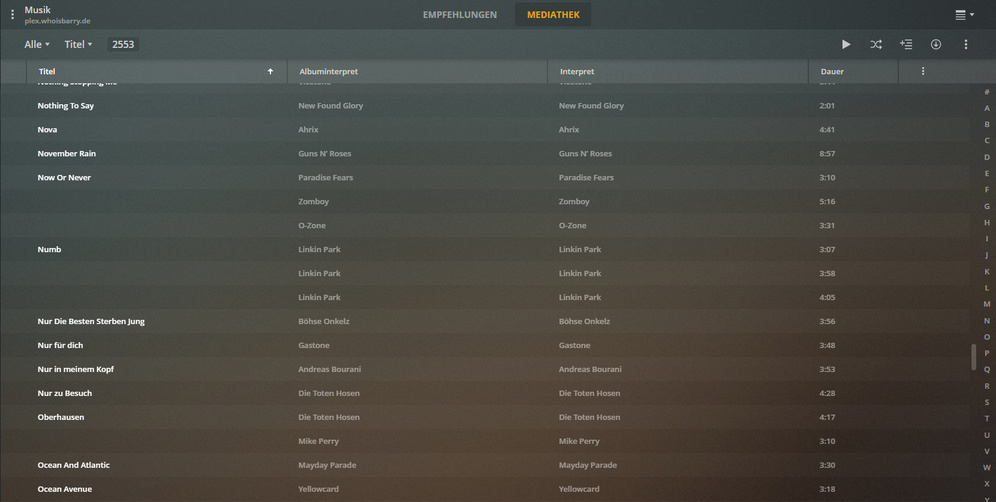
Anyhow, the bugs are still there. Everytime plex goes to scan my music library for new files it ends up with several titel tags beeing lost…
Futhermore every new added music comes with the same wrong album interpret no matter what the file embedded tags say…
Does anybody have the same issue or knows how to knock this off?
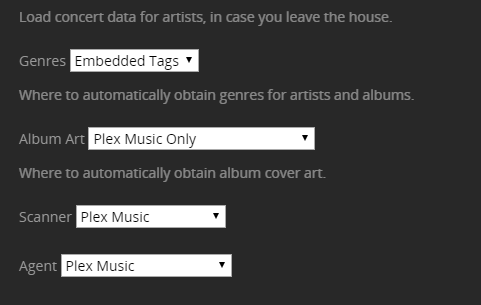
Could you share how you have configured the album/artist agents in Settings > Server > Agents? Same for the advanced settings of that particular music library (... > Manage Library > Edit... > Advanced).
If you want to rely on embedded metadata, you might want to set Agent to Personal Media....
Have you checked the impacted files are actually properly tagged?
I’m helpless…
I tried to change the settings the way you suggested but the bugs stayed the same. Since I read in other forums that deleting and recreating the library could help I tried out this.
Now EVERY metadata is gone. Plex just sets every track on Various Artist with a random Album, no matter what I agent I choose.
I also did the Plex dance without any changes. The metadatas stayed the same, my Windows Media player library still sets everything correctly.
All the files have correct Titles, Album Interprets, Album and Interpret and most of them were shown before I deleted the media library. Can anything from the former library keep Plex from updating the new library correctly?
Deleting packages, optimize database and restart PMS didn’t do the trick either.

 I’m helpless…

