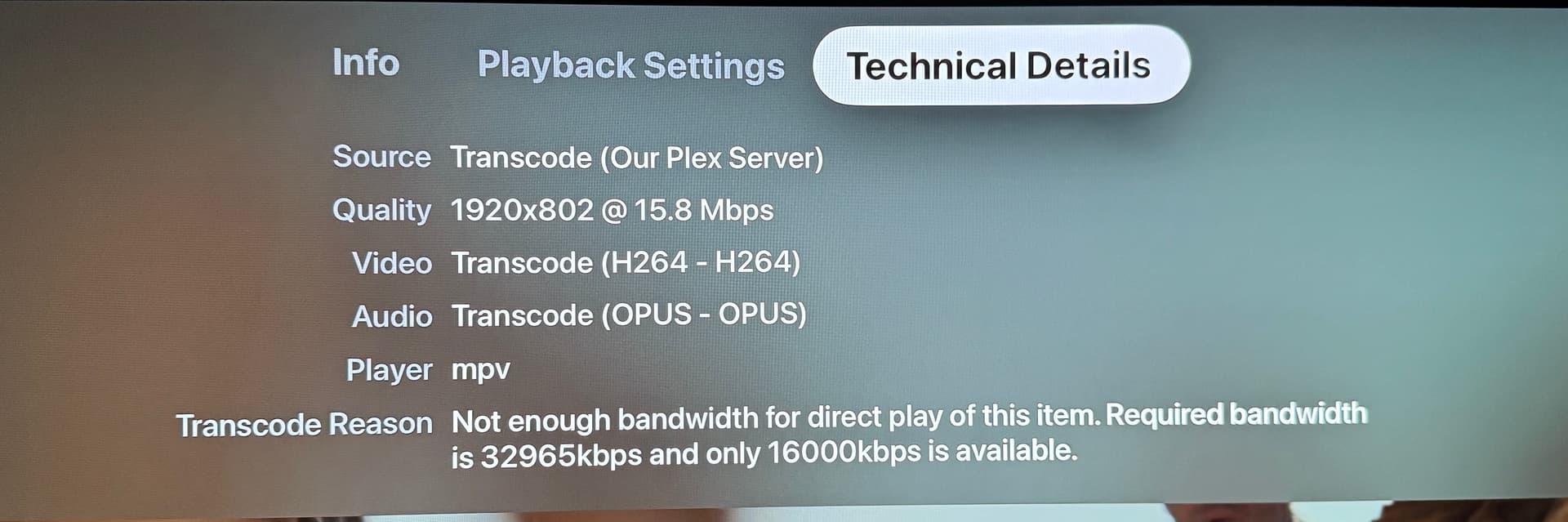
Jumping on where @dbirch is probably going, what do you see under the dashboard when you experience this?
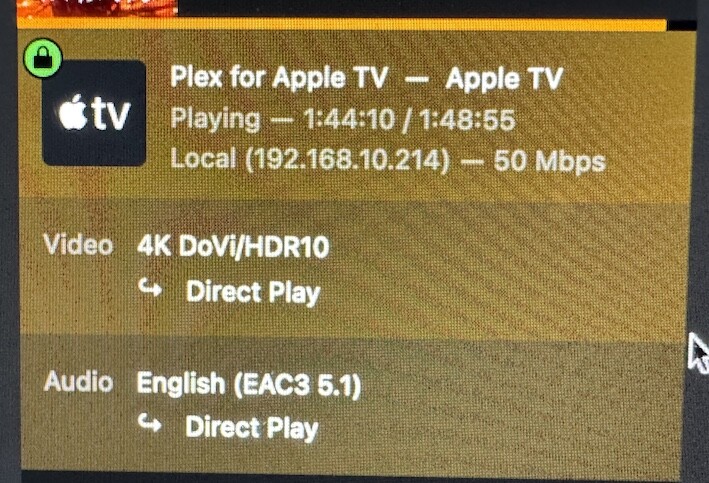
When you click the “Show Details” (if it is already clicked it will say “Hide Details”) icon
is Plex recognizing the stream as Remote or Local (like below)?
That will help determine next steps.
If Plex is seeing your LAN traffice as remote, that is why you are experiencing the issue and it will need to be determined why.
First, it’s not a crime scene. Meaning I made changes to the server to troubleshoot before posting here. I enabled Remote Access and added ports to pfsense and removed “20” from “internet upload speed”
To test your theory I had to undo those changes first. Which I did, and set them exactly as they were. Oddly the same movie is now playing fine.
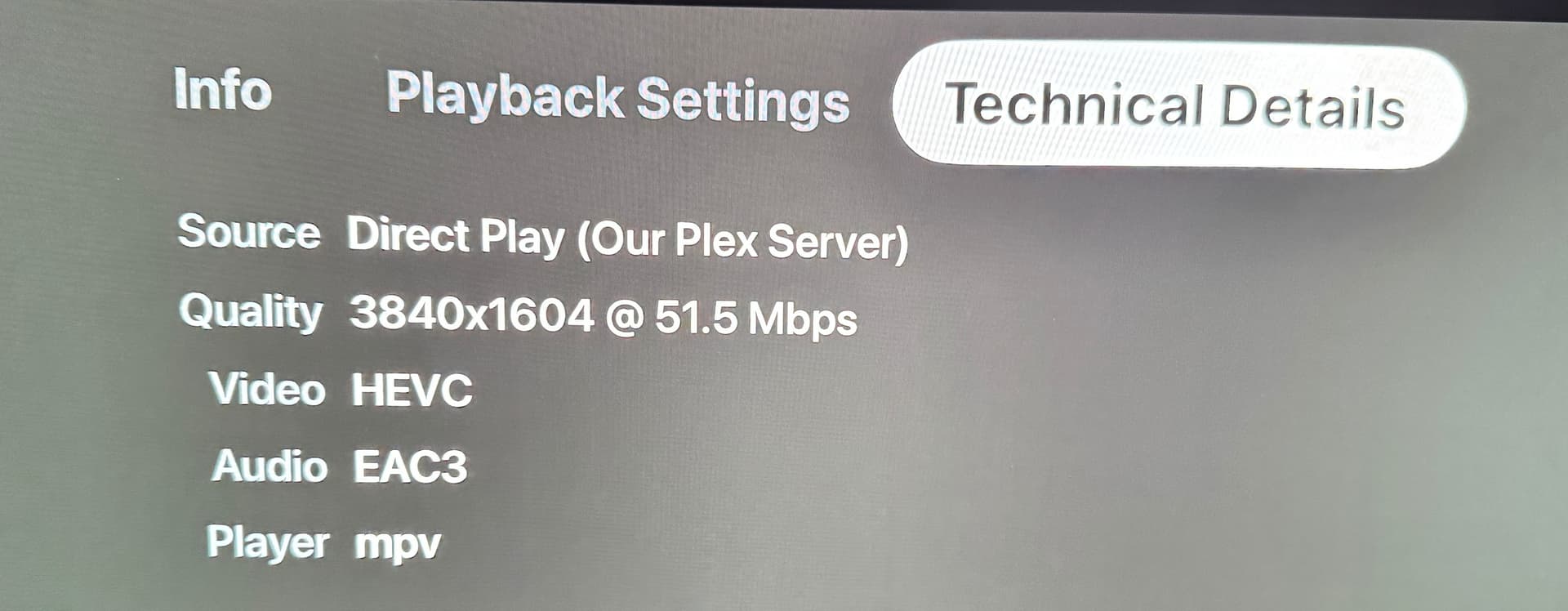
The movie is playing direct. I will add a screen shot of both the dashboard and the technical detail on Apple TV
It’s gremlins I guess? Maybe software bugs are more likely.
Server will only use 80% of what is entered in the Upload Speed limit. 80% of 20 is 16
Though it applying that setting to a local stream is an issue. out side of this being a bug, only way off hand I can think is if you had some other IP in the LAN Networks"setting in Network because all other IPs or Netmasks will then be considered external. If you still have logs from that time of it happening it I would like to add it to a report so folks can try to reproduce.
That should make Usable Host IP Range: 192.168.0.1 - 192.168.255.254
I didn’t have Enable local network discovery (GDM) checked when the issue occurred. (forgot to mention this was another change I made while troubleshooting - I turned this on and opened applicable ports in router - that’s still checked now)
Treat WAN IP As LAN Bandwidth is unchecked and was before
Sorry I thought the gremlins post meant things started working for you.
the GDM is just about apps finding each other locally but it really should not matters since apps report themselves to plex.tv and PMS should be using that.
Treat WAN and LAN should not have had an affect either it is not making LAN as WAN
I asked because this has happened in the past many times, over the last few years and over many versions. Would be nice to track down to eliminate the issue.