Server Version#: 1.15.4.919
Player Version#: 3.97.1
Operating System: Windows 10 Pro 64-bit
Browser: Chrome Version 74.0.3729.108 (Official Build) (64-bit)
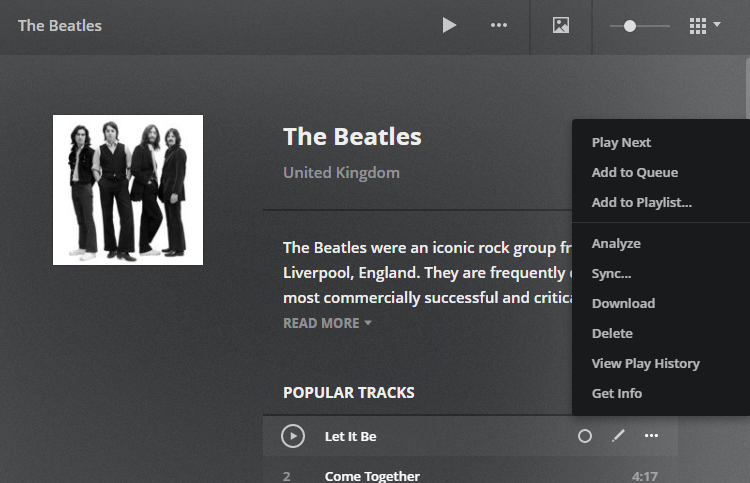
I just learned about the “Plex Mix” feature and thought I would check it out. I only have 607 albums in my collection, so that might not be enough, but I am confused about why the track context menu I see looks almost totally different from the one shown in the “How do I start a Plex Mix” support article. For reference, the attached image shows my context menu for an obscure band that I have a few albums from.
It looks like this feature has been around for a while, so I have difficulty believing I am out of date enough to not have it yet (I’m rarely more than a week behind.) Any ideas?
The entire server was re-created on a new computer after I got my Plex Pass.
I just checked, but I cannot figure out where to look to see if the music library is marked as premium or not. However, in the Advanced settings panel for the library it does have a section titled “Plex Premium Music Settings.” Does that mean it is a premium library or is that group of settings present and enabled only to confuse folks like me?
Thanks! I didn’t notice that I wasn’t actually in an album. Still confused why the same song gets two different context menus.
Also, the place where I found the premium settings mentions that it applies to any libraries using the “Plex Premium Music” agent. I tried searching for that and I cannot find ANYWHERE to select the agent for my music libraries. I know it was there once upon a time because I set one up for audio books using an audio book agent, but for the life of me I cannot find it now. In movies and tv shows, I can choose a new agent from the Advanced settings, but that seems to be missing from my music libraries today.