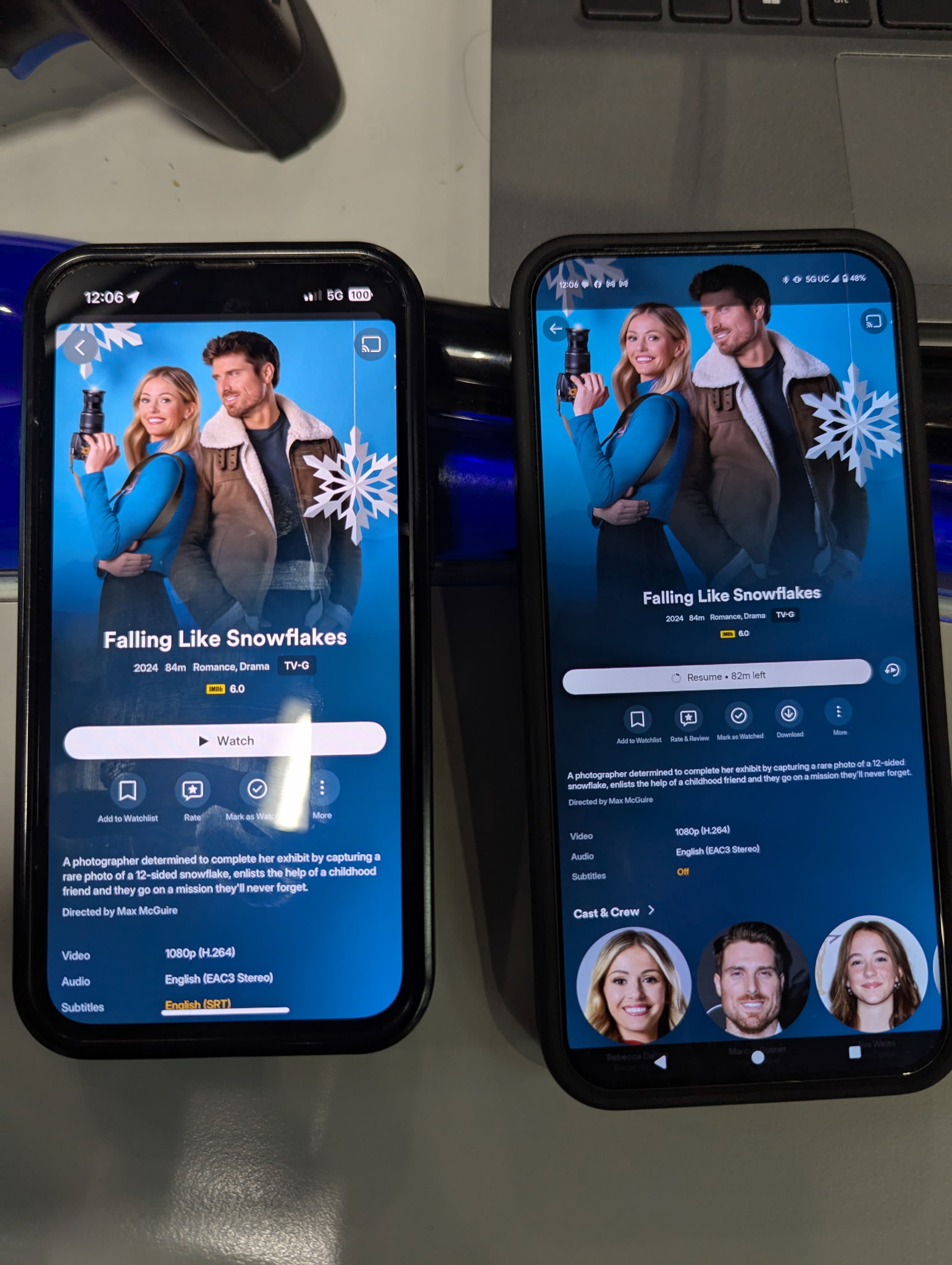
Is there any reason why the download button isn’t showing up on my wife’s iPhone but it does show up on my Android?
Same user account logged into both.
Plex app is updated.
Server is up to date.
I’m sure I’m missing something since I’m an Android guy and it’s her phone that’s not working, but any help is appreciated
Have you looked under the vertical ellipsis ⋮ ?
The left device has a smaller screen and maybe also a higher zoom setting, which makes the icons larger and thus leaves less space for additional buttons.
In order to use downloads, you need a full Plex Pass on the account that is used on the mobile device.
The account that shows the download button is not a monthly paid account or anything. If that’s what you mean?
It’s a user under someone who paid for the lifetime server license. Anyone with shared access from someone with a lifetime license should see the download button, correct?
Unfortunately not.
Peruse the table in this article:
https://support.plex.tv/articles/downloads-sync-faq/
Is it the person who is running the SERVERs date that has to be before that 2022-08-01 date, or the user account accessing the server has to have made their account before that date? It’s confusing
If the client user account does not have an active Plex Pass subscription (i.e. it’s a “free” account), then the only way it will be able to use the Downloads feature is if all of the following are true:
- The client user account was created before the cutoff
- The server owner account was created before the cutoff
- The server owner account has an active Plex Pass subscription
In all other cases, the client account needs a Plex Pass of their own to use Downloads.