Server Version#:7
Player Version#:latest
<If providing server logs please do NOT turn on verbose logging, only debug logging should be enabled>
Are you sure that you have a server on Windows?
In your account is only a server on Synology, but none onWindows.
How would I verify that?
Did you start the server installation .exe on your Windows machine?
And if you did, does the term “Plex Media Server” appear in your Windows Start menu?
(I am not saying that you should do it now.)
I have made some progress. I am able to see my media titles in plex but when I try to open one I get a error message stating that my dsm volume is not available. Please help. Thanks Charlie
I can now see my plex library and all of my titles. When I try to access them I get an error message that reads - Make sure that the file exsists and that the drive is mounted. What does having the drive mounted mean. Thank you for any help. Charlie
It means that the file is not accessible where Plex has scanned it in the first time.
Look at the plex media info, right at the top you will see where plex is expecting to find the file. Then compare that to the actual location.
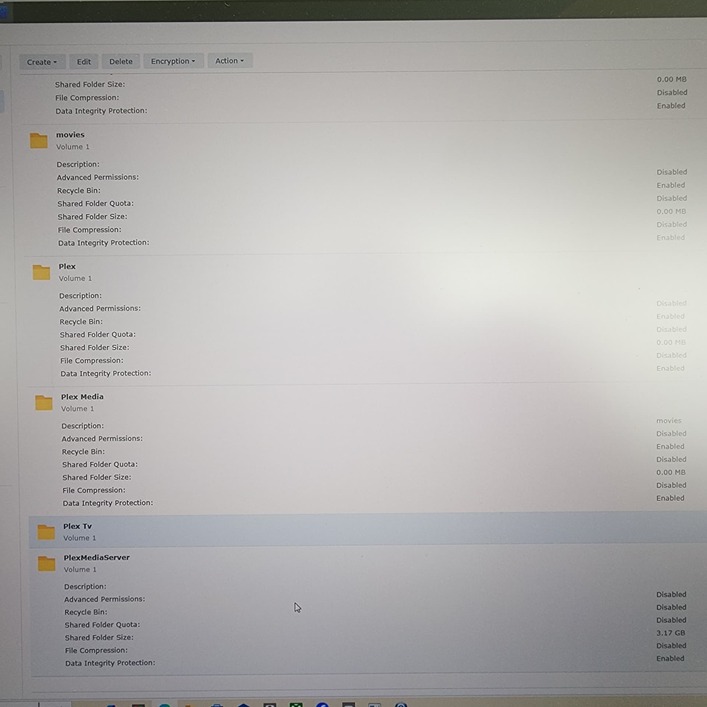
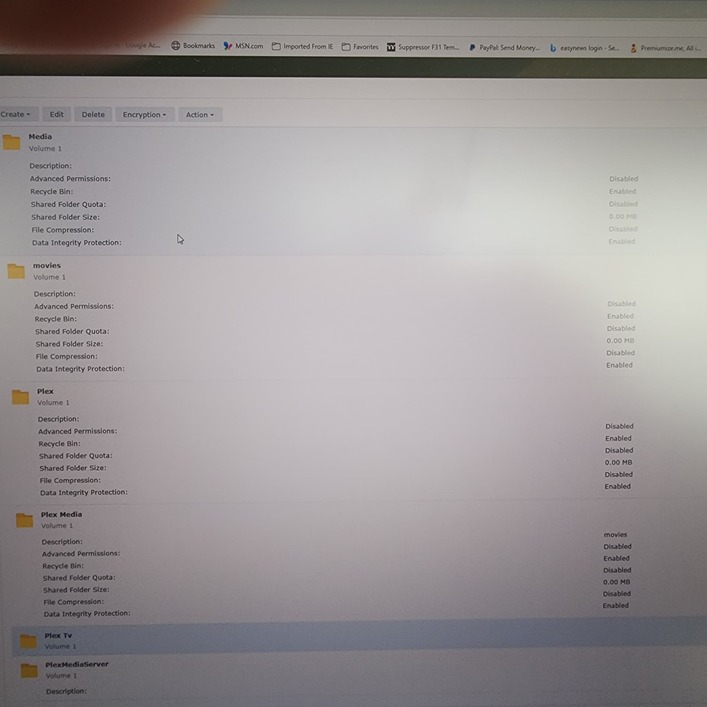
Otto, the paths did not match. According to Plex my path should be/volume 1/Plex TV/Catagory/movie title. I went ahead and created a new shared folder Plex TV and moved all of my movie categories and files to it. I am sending you a screenshot of my shared folders list. What should I keep and what should I eliminate. Thank you once again for all of your help. Wishing you a very Happy New Year. Charlie
PS: You will notice that my new shared folder Plex TV shows no info, why?
Please post a set of server log files.
Settings → Troubleshooting → Download Logs.
Then upload the zip file to the thread.
Apparently your Plex server is running on a NAS device and not on Windows. In which case my usefulness is limited.
I am sorry but I am a novice and I don’t know how to do that.
Settings → Troubleshooting → Download Logs.
Click reply.
Drag the zip file into the message window. Wait for it to fully upload to the forum.
Plex Media Server Logs_2025-01-31_15-54-57.zip (1.8 MB)
Moderator Edit: Database files removed. Not needed. @FordGuy61
Why is some of my content not found?
Plex Documentation → Your Media
→ Naming & Organizing Your TV Show Files
→ Naming & Organizing Your Movie Files
Thanks for the log files.
/volume1/Plex TV/War Movies/Apocalypse.Now.1979.Redux.Theatrical.2160P.UHD.BluRay.REMUX.HDR10.HEVC.DOLBY.ATMOS.TrueHD 7.1-OMEGA.mkv

/volume1/Plex TV/Comedy/National.Lampoons.Vacation.1983.1080p.BluRay.Remux.VC-1.DTS-HD.MA.1.0.mkv
It appears you have only one TV Show library configured in Plex Media Server, and have tried to add movies to that library.
You cannot mix movies and tv shows in the same library.
You need to name and organize your media files per Plex recommendations.
For example, if not used for other purposes, you could use the movies shared folder.
/movies  <-- Folder added to movie library
../Apocalypse Now (1979) {edition-Redux}  <-- MovieName (year) {edition-edition_name}
..../Apocalypse Now (1979) {edition-Redux}.mkv
../Vacation (1983)
..../Vacation (1983).mkv
If you wish to keep the additional information in the file name, then place it in a single square bracket at the end of the file name. Plex will then ignore it when trying to match the movie with online databases.
Ex: Vacation (1983) [1080p.VC1.DTS].mkv
There are tools that can help with naming. Here’s a shortlist. The free version of Tiny Media Manager works for most people.
Many people use Filebot. It is quite powerful and can rename an entire library in minutes.
Tiny Media Manager is also very useful, and free.
Example TMM Renamer Patterns:
- Show Name:
${showTitle} (${showYear}) - Season:
Season ${seasonNr2} - Episode Name:
${showTitle} (${showYear}) s${seasonNr2}e${episodeNr2} ${episode.title} - Movie Name:
${title} (${year}) {imdb-${imdb}}
PowerRenamer in Microsoft Power Tools is helpful for simple renaming with pattern matches or regular expressions. It makes quick work of tasks such as adding a year to file names, removing undesirable text from multiple files, etc
This topic was automatically closed 90 days after the last reply. New replies are no longer allowed.
