So even though I have set the app to not auto sign in, I am also noticing that even though this fixes the “offline” bug, if I make any changes to my server or add content it takes FOREVER to show up on the android app.
There have been 2 updates since this problem happened and still not a word… why did I pay for this?!?
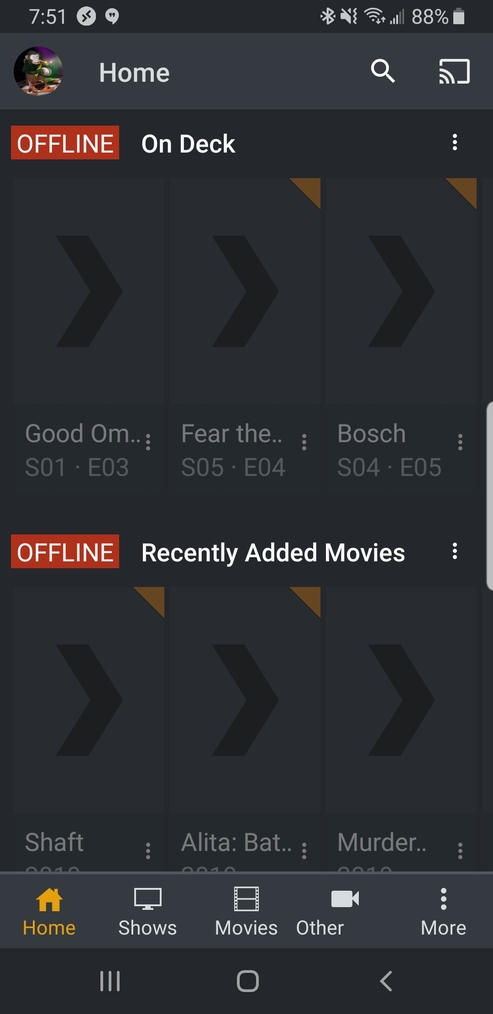
+1 to bump and maintain visibility of this issue. I have signed out / in, deleted and reinstalled app and tried both auto sign in on/off and offline browsing options on/off. Nothing helps - the app only works on local network. It is as though my server isn’t available for remote streaming but none of my users have this issue.
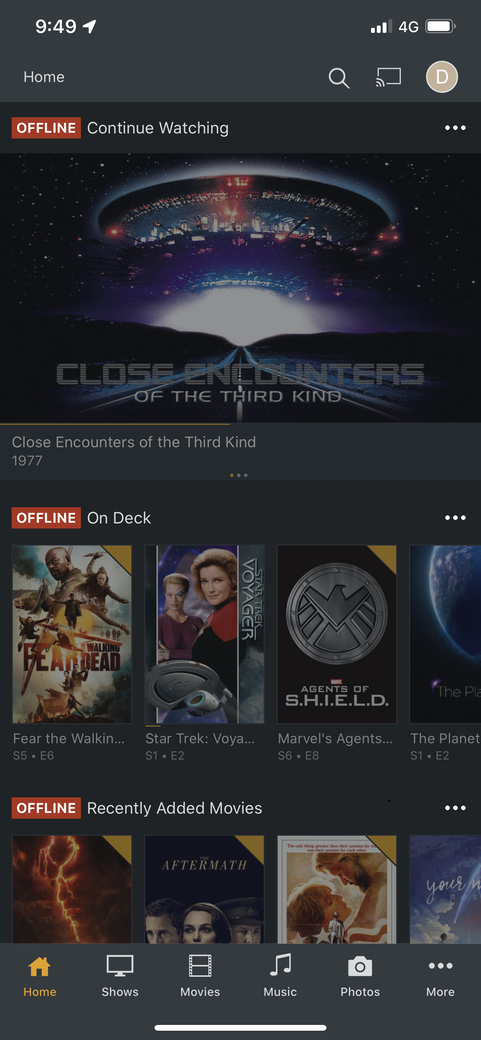
Dont get the problem when using 4g or another network, only seems to be an issue when using home network. Fixes are temp home screnn issues return when closing reopening app.
I’m sure this isn’t the core issue, but this happens to me whenever I’m on my work profile. After I switch the work profile off I usually need to restart my phone for the plex app to reconnect to my server.
I get the issue inconsistently no matter what network I’m on (Local Wifi, Remote Wifi, 4G, etc.) when using my Mi 8 Lite. If I open Plex in a web browser on the phone it always works. My sister has the same issue on her OnePlus 6T.
Worked for me. I had mine set to required, changed to preferred and worked.
I have used Plex for 3 years plus, I serve to about 20 remote users. Today, all users lost iOS, AAndroid and TVOS connectivity. This simple change worked. But why??
1 Like
I am experiencing this phenomenon with two devices (Android Mobile and Android TV).
In my case, as some people wrote, it can be avoided by disabling automatic sign-in.
This is a thread of iOS, but I wrote in the hope that it would help Android users and engineers.
see: Android thread
My experience with this just resulted in realizing my data was turned off, while still being connected to the 4g network. So check your cells data allowances are turned on.
+2
Resetting home screen to defaults also worked for me.
2 Likes
Still an issue
I suggest you start a new thread and describe your “issue” in more detail, including which version of the app you have installed. Also, include what you have tried to do in order to fix it (e.g. uninstall and reinstall the app, etc).
This thread is nearly 18 months old and how offline content is handled now is completely different with the release of Plex v6.0.
I had the same issue. I got mine to work after I turned off my VPN - everything then worked perfectly.
I have the same problem, however I am pretty sure this is a security certificate issue after 45 minutes of messing around with this plex finally asked if I wanted to “allow unsecured connections” I have the setting selected as preferred but it should allow unsecured devices anyway. Once I selected allow everything worked. I have this issue 1-2 times a week if not more and boy I tell ya it’s obnoxious especially considering I have a BA in computer science with emphasis on information systems and security. I’d do what everyone else has done ensure plex is running and refresh the apps but tonight was a different case in general as no matter what this would constantly state “offline” on IOS or Android tv just state Cannot connect to server I’m even on the same network. I also have an issue where plex will stop playing or lose connect this I’m pretty sure has to do with CenturyLink’s WiFi/modem anywho perhaps looking into security certificates may resolve this issue. I’m also not sure what caused the pop up to allow unsecured devices but it happened out of sure random desperation. Plex is pretty great but it has its slight annoyances the need to be addressed
1 Like
We have two ipads one of which is brand new. I am the main user with the older ipad and my wife is a managed user with the new ipad. The new ipad shows that the NAS is offline whereas I can access it with the old ipad. If I switch users on the old ipad I can use my wife’s account to access stuff on the NAS. Both ipads are running the latest version of IOS. I’ve checked all the PLEX related settings on both ipads and they are the same. If I change users on the new ipad i can then access the NAS. Can’t see what setting is stopping my wife from accessing the NAS as a managed user.
I am facing the same issue here, I am using Android devices only. I am able to stream the videos that were added before, even though they were not synced to the device. I am able to sync the content on the Android device even though it says that I am offline. Any updates for this?
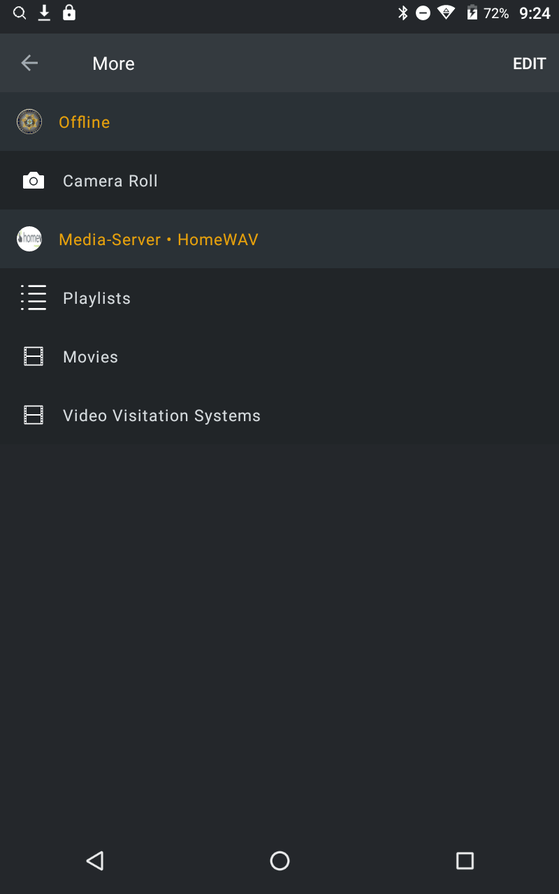
Experiencing this issue as well.
It’s been almost a year since this has been reported and yet there seems to have been no concrete progress by Plex Team.
Don’t know why I bother paying for the pass at this stage.
I gave up using the Plex app and switched to VLC. Works every time without any issues. It doesn’t display any fancy cover art but it plays every I throw at it.
I’ve been experiencing the same issue for about a year. I can reproduce it reliably using a mobile device (iPhone 11, iOS 13.3.1, Plex app 6.10.1). My app home screen is managed manually. I self host on Linux server (regularly updated) using Plex media server 1.19.1.2645. I have a Plex pass. My router is setup to port forward using the standard ports. Plex tells me that it is ‘Fully accessible outside your network’.
Problem: Anytime I try to connect using my phone’s data connection, I get the spinning wheel (a few seconds) then OFFLINE next to all my server sources. If I switch to local wifi network where the server resides, all my sources become instantly available. I would like to have reliable connection to Plex outside of my home network using data on my phone.
Workarounds:
- Hit three dots next to the first source and select Reconnect. This immediately fixes the issue and all my sources are back online.
- Let the phone’s screen go to sleep (30 seconds as per iOS setting on my phone) then wake the phone and unlock it and go to Plex app. All sources are back online.
- Keep the app open, don’t let the phone screen go to sleep, keep the app in the forefront and exactly after 3 minutes the sources will become available.
- Hit three dots, click ‘Restore Defaults’ and ok on next couple of screens to restore home screen.
The problem and the workarounds are repeatable - can do it all day long and it behaves the same. It seems to me that whenever a reconnect is forced (manually or due the screen shutting down) the connection is re-established. The 3 minute mark if the app is open doesn’t follow that, but it could be internal app timer to force a reconnect, not sure.
Anyhow, sharing my findings in case it provides some additional clues for the devs at Plex. Keep up the good work guys and help us squash this bug! Cheers!
@K8-1 thanks for the detailed description! Could you kill the app, open it again, use one of those workarounds (preferably the workaround 1) and immediately after share the app logs with me?
Instructions to get the app logs: https://support.plex.tv/hc/en-us/articles/201636593-iOS-Logs
