Windows 10 vs Plex Transcoding

Hi,

I have the same problem. It’s quite annoying.

A mistake:
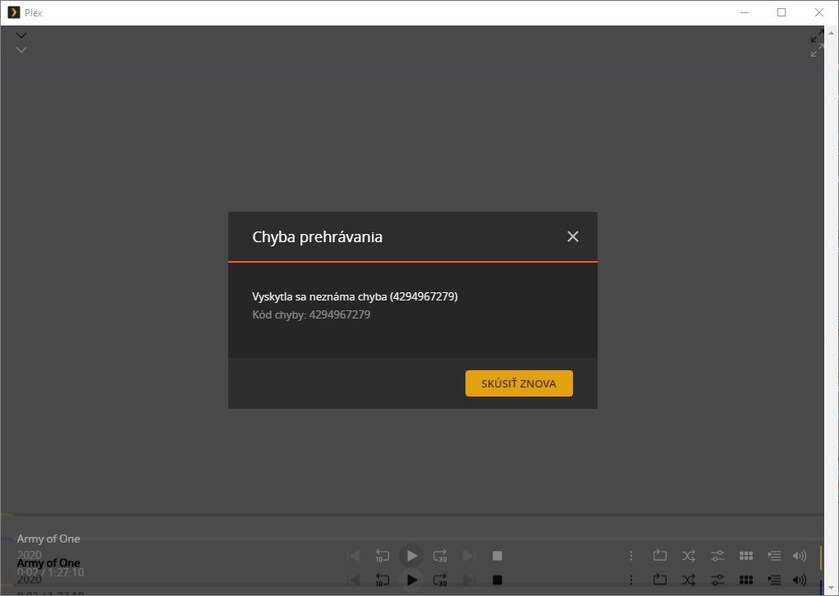
An unknown error occurred (4294967279)
Error code: 4294967279

My environment:
Client: Windows 10
Client version: 1.35.1.2632-c6783c78
Local IP: 192.168.88.234
User: frantisek@domain.tdl (ID: 37966297)
Device name: test-pc-plex

Server :
OS:
Debian 11.1
Plex version: 1.24.3.5033-757abe6b4
GPU HW: Nvidia quadro P2000
GPU Driver Version: 470.57.02
GPU CUDA Version: 11.4

After the server is restarted, the plexmediaserver application also shuts down. I have free space for transcoding.

he only peculiarity is that if I rewind the film before the transcoding, the film transcodes OK. In case of non-rotation, it will print an error. (see above)

LOGS:
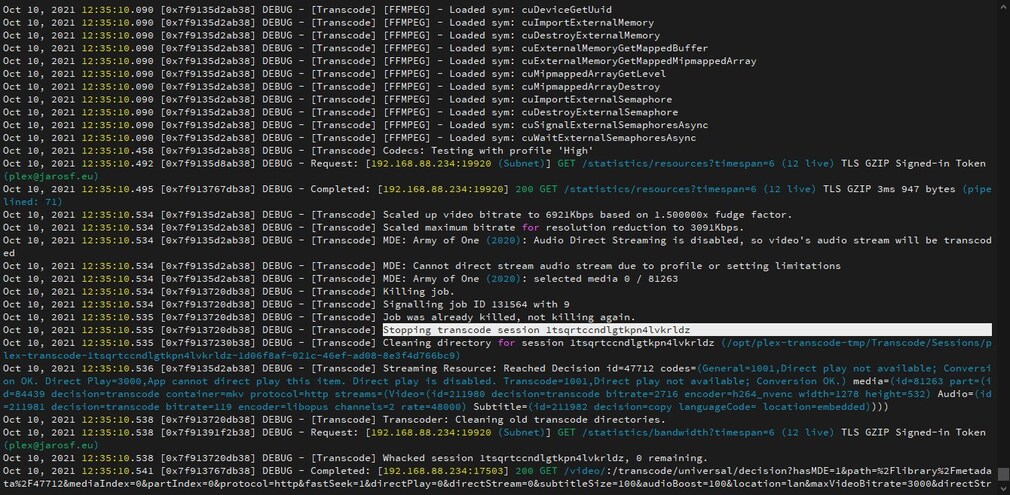
Plex Media Server.log (1.1 MB)

Screns:


Log file will not open.

Please use Settings - Server - Troubleshooting - Download Logs

Attach the ZIP file please

Hi, There is an error in Test 4.

Here you go.

I guess it will help.

well thank you.

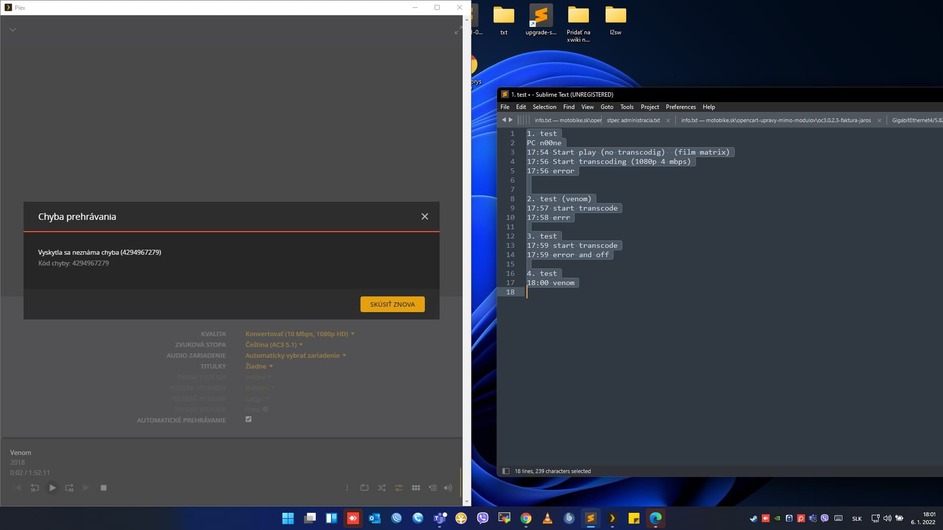
PC name is: n00ne
1. test (film matrix)
17:54 Start play (no transcodig)
17:56 Start transcoding (1080p 4 mbps)
17:56 error

2. test (venom)
17:57 start transcode
17:58 errr

3. test
17:59 start transcode
17:59 error and off

4. test (fiml venom)
18:00 start transcode to 10mbps 1080p
18:00 error 4294967279 see scrrean

Plex Media Server Logs_2022-01-06_18-00-49.zip (1.3 MB)

I am adding another test but with logging for debugging enabled (not in detail)

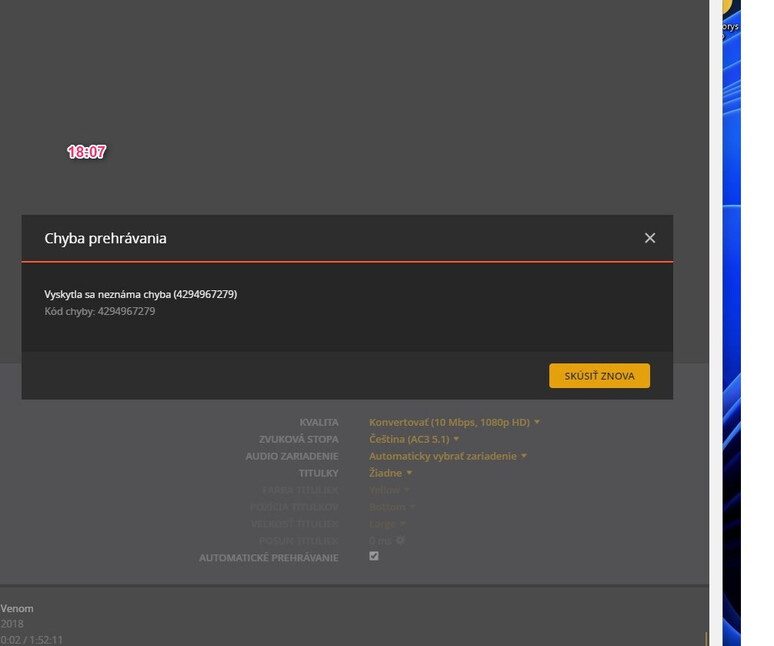
Time Test 18:07

  • movie venom
  • transocde to 1080p 10 mbps
  • PC name n00ne
  • errror : 4294967279
  • see scren

LOG IS HERE:
Plex Media Server Logs_2022-01-06_18-07-32.zip (1.4 MB)

thanks for all.

Are you running Debian in a Synology VM?

Dec 31, 2021 18:30:01.787 [0x7fbdeeaccb38] INFO - Plex Media Server v1.25.2.5319-c43dc0277 - Debian GNU/Linux PC x86_64 - build: linux-x86_64 debian - GMT 01:00
Dec 31, 2021 18:30:01.788 [0x7fbdeeaccb38] INFO - Linux version: 11 (bullseye), language: en-US
Dec 31, 2021 18:30:01.788 [0x7fbdeeaccb38] INFO - Processor Common KVM processor
Dec 31, 2021 18:30:01.788 [0x7fbdeeaccb38] INFO - Compiler is - Clang 11.0.1 (https://plex.tv b587490162c22e078c314e3f7dc560c691d126aa)
Dec 31, 2021 18:30:01.788 [0x7fbdeeaccb38] INFO - /usr/lib/plexmediaserver/Plex Media Server
Dec 31, 2021 18:30:02.050 [0x7fbdf22c5b58] INFO - [CERT/OCSP] Successfully retrieved response from cache.
Dec 31, 2021 18:30:02.158 [0x7fbdebf2eb38] WARN - Couldn't determine bundle identifier for plug-in at: "/usr/lib/plexmediaserver/Resources/Plug-ins-c43dc0277/WebClient.bundle"
Dec 31, 2021 18:30:03.180 [0x7fbdebf71b38] WARN - [MediaProviderManager] Unrecognized MediaProvider feature: availability
Dec 31, 2021 18:30:03.180 [0x7fbdebf71b38] WARN - [MediaProviderManager] Unrecognized MediaProvider feature: availability-platforms
Dec 31, 2021 18:30:03.187 [0x7fbdec31ab38] WARN - [MediaProviderManager] Unrecognized MediaProvider feature: availability
Dec 31, 2021 18:30:03.187 [0x7fbdec31ab38] WARN - [MediaProviderManager] Unrecognized MediaProvider feature: availability-platforms
Dec 31, 2021 18:30:06.164 [0x7fbdeb981b38] ERROR - SSDP: Error parsing device schema for http://192.168.88.247:5000/ssdp/desc-DSM-bond0.xml

This is showing either a grossly fragmented database in need of optimization -OR- an overloaded processor (insufficient CPU)

Dec 31, 2021 18:30:06.278 [0x7fbdeb89db38] WARN - SLOW QUERY: It took 210.000000 ms to retrieve 8 items.
Dec 31, 2021 18:30:06.361 [0x7fbdeb833b38] WARN - SLOW QUERY: It took 450.000000 ms to retrieve 1 items.
Dec 31, 2021 18:30:06.376 [0x7fbdeadcfb38] WARN - SLOW QUERY: It took 510.000000 ms to retrieve 1 items.
Dec 31, 2021 18:30:06.387 [0x7fbdeb509b38] WARN - SLOW QUERY: It took 700.000000 ms to retrieve 0 items.
Dec 31, 2021 18:30:07.241 [0x7fbdeadcfb38] WARN - SLOW QUERY: It took 270.000000 ms to retrieve 1 items.

I do need the DEBUG logging enabled (which is the default). You turned it off at some point. You don’t save any space by turning it off. Logs are fixed length.

Please recreate with DEBUG logging enabled then attach fresh logs.

Hi,

Are you running Debian in a Synology VM?
No.

This is showing either a grossly fragmented database in need of optimization
Optimized (via plex)

an overloaded processor (insufficient CPU)
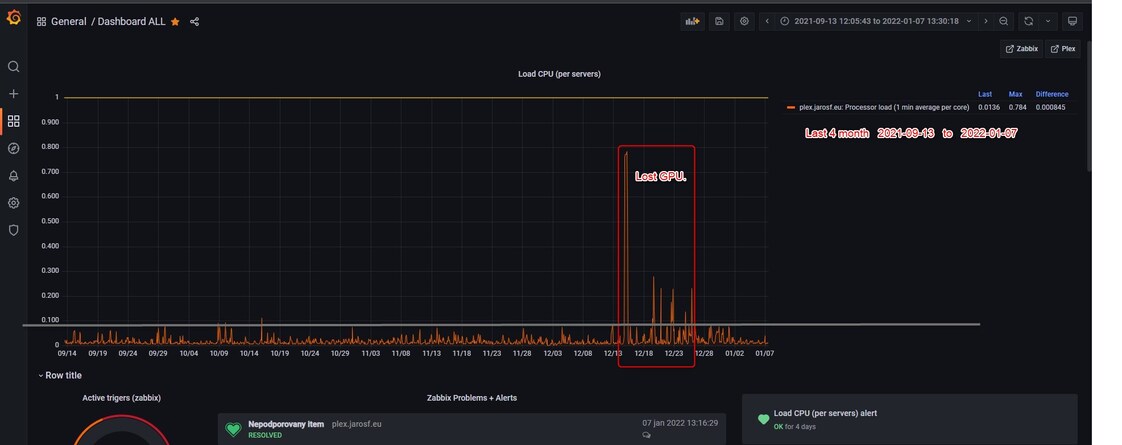
CPU and hardware are oversized. (see screen)
I don’t think that will be the main problem. (but I’ll set aside more CPU)

Let me update the whole ticket. (new testing)

My environment:
Client: Windows 11
Client version: 1.39.1.2763-300bb607
User: frantisek@jarosf.eu (ID: 37966297)
Device PC name: n00ne

Server (HP Proliant FW ProLiant DL380 Gen9):
OS: Debian 11.2
Plex version: 1.25.2.5319
Local IP: 192.168.89.100 Plex server
Public IP: 80.87.208.39
The server is logged in as: plex@jarosf.eu

GPU HW: Nvidia quadro P2000
GPU Driver Version: 470.57.02
GPU CUDA Version: 11.4
CPU HW: 2x Intel(R) Xeon(R) CPU E5-2640 v3 @ 2.60GHz
CPU in VM: 4*7 = 28vCPU (max 32)
Disk: only SSD

root@plex:~# lscpu
Architecture: x86_64
CPU op-mode(s): 32-bit, 64-bit
Byte Order: Little Endian
Address sizes: 40 bits physical, 48 bits virtual
CPU(s): 28
On-line CPU(s) list: 0-27
Thread(s) per core: 1
Core(s) per socket: 7
Socket(s): 4
NUMA node(s): 1
Vendor ID: GenuineIntel
CPU family: 15
Model: 6
Model name: Common KVM processor
Stepping: 1
CPU MHz: 2597.231
BogoMIPS: 5194.46
L1d cache: 896 KiB
L1i cache: 896 KiB
L2 cache: 112 MiB
L3 cache: 64 MiB

If necessary, I can provide you with any access to the server or PC (ssh or console)

I do need the DEBUG logging enabled (which is the default). You turned it off at some point. You don’t save any space by turning it off. Logs are fixed length.
OK

Please recreate with DEBUG logging enabled then attach fresh logs.
OK

New test:
TEST1
Film: “Venom” (4K HEVC HDR)
PC: “n00ne”
21:37 - start tracode to 10mbps
21:37 - off with error

TEST2
Film: “Venom” (4K HEVC HDR)
PC: “n00ne”
21:43:00 - start tracode to 10mbps
21:43:03 - off without error

TEST3
Film: “Venom” (4K HEVC HDR)
PC: “n00ne”
21:47:03 - start film venom (live playback)
21:48:00 - start tracode to 10mbps
21:48:15 - off without error

TEST4
Film “Matrix”
PC: “n00ne”
21:54:15 - start film (live playback)
21:54:37 - start tracode to 10mbps
21:54:4* - off without error

Test5
PC: “n00ne”
Film “Nigth house”
21:58:20 - start without transcode
21:59:25 - start tracode to 10mbps
21:59:44 - off without error

22:00 - downloads logs.
LOGS: Plex Media Server Logs_2022-01-08_22-01-01.zip (4.6 MB)

CPU is OK.

I’ve checked the hardware several times and it’s under wretched.
Everything seems to be OK from GPU to CPU. Disk on HW only SSD.
Personally, I suspect ffmpeg + plex.If I can be of any help, let me know.

Thanks.

This is what bothers me.

How many virtual CPUs are allocated to the VM?

What’s the base host OS ? I see the Guest OS is Debian 11

How many virtual CPUs are allocated to the VM?
plex (debina11) - 28 (4 socket, 7 cores)

host (debian11)- 32 (4 socket, 8 cores)

What’s the base host OS ?
Debian 11 (both host and vm)

Got some errors (not best practice) here in your virtualization.

  1. You have a dual socket machine ( 2x 8 core/16 thread)
  1. You are abstracting to be 4 socket. Recommend matching the physical architecture for interrupt handling continuity.

This would mean- Plex: 2 socket, 14 CPU per socket - yielding your 28 vCPU.

Hi,

thanks I understand, I do not know why I used 4 sockets. :frowning:

I changed to 2 sockets with 15 cpu = 30 vcpu.

I will test again after the restart.

Do you think this is a transodal error?

I will only need to see one failing Nvidia transcoder session to figure out what’s happening.

I’ll need DEBUG logging enabled but VERBOSE logging DISABLED.

After I see the logs, we’ll know where the error is pointing.

A GPU getting “lost” in a VM speaks very much to a virtualization passthrough error.

Hi,

Sockets modified. (thanks)
Server restarted.

Debug logs enabled.
Detailed logs disabled

Test time 23:01 (10.1.2022)
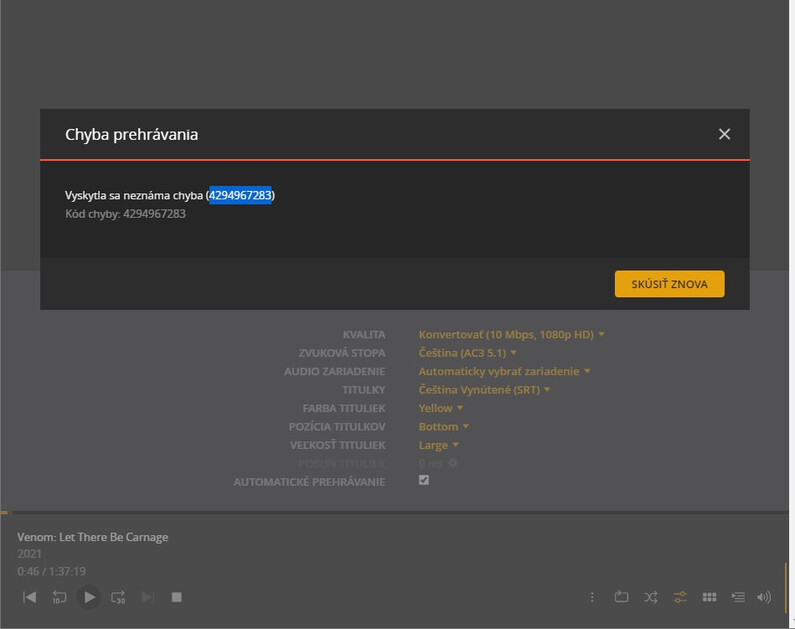
Error: 4294967283

Debug logs:
Plex Media Server Logs_2022-01-10_23-01-45.zip (3.6 MB)

Thanks

Hi,

did you manage to come up with anything?

This topic was automatically closed 90 days after the last reply. New replies are no longer allowed.