Windows: PMS cannot see media files

Hope you can help me! I’m having similar issue.
I cannot access my library; When I select the folder that contains my media, Plex says “emtpy”
But I know my files are there.

I have a Synology server, but my plex is actually on a PC w external hard drive connected…

my logs:
Plex Media Server Logs_2022-09-16_16-06-21.zip (3.4 MB)

Im seeing logs filled with bad cast messages.

@ninj5

From the logs given me, where PMS only runs for a few minutes before being restarted, there is very little I can do.

That said, something which pops out immediately is your naming.

cast
Sep 16, 2022 15:21:27.507 [8612] DEBUG - Activity: updated activity 6d0b8567-e451-465f-9aca-29029b8f4066 - completed 28.3% - Scanning Movies
Sep 16, 2022 15:21:27.507 [8612] DEBUG - Scanner: Processing directory F:\Movies\Rocky Deluxe DVD Boxset - The Complete Collection Part I, II, III, IV, V & VI + Extras (Alternate ending etc) DVDRip\Rocky II (parent: yes)
Sep 16, 2022 15:21:27.508 [14620] DEBUG - [JobRunner] Job running: set "FFMPEG_EXTERNAL_LIBS=\\\\?\\C\:\\Users\\ninjo\\AppData\\Local\\Plex\ Media\ Server\\Codecs\\994f4ee-4302-windows-x86_64\\" & set "X_PLEX_TOKEN=xxxxxxxxxxxxxxxxxxxx" & "C:\Program Files\Plex\Plex Media Server\Plex Media Scanner.exe" --match --type 1 --log-file-suffix " Matcher" --files "F:\Movies\Rocky Deluxe DVD Boxset - The Complete Collection Part I, II, III, IV, V & VI + Extras (Alternate ending etc) DVDRip\Rocky V\Rocky V (1990).avi" --match-tag-mode=all
Sep 16, 2022 15:21:27.540 [14620] DEBUG - [JobRunner] Jobs: Starting child process with pid 15240
Sep 16, 2022 15:21:27.544 [8612] ERROR - Exception caught determining whether we could skip 'Rocky Deluxe DVD Boxset - The Complete Collection Part I, II, III, IV, V & VI + Extras (Alternate ending etc) DVDRip\Rocky II' ~ bad cast
Sep 16, 2022 15:21:28.345 [15860] DEBUG - Jobs: 'C:\Program Files\Plex\Plex Media Server\Plex Media Scanner.exe' exit code for process 15240 is 0 (success)
Sep 16, 2022 15:21:28.362 [14620] ERROR - Unknown metadata type: 

This naming:

F:\Movies\Rocky Deluxe DVD Boxset - The Complete Collection Part I, II, III, IV, V & VI + Extras (Alternate ending etc) DVDRip\Rocky II

is completely non-compliant and impossible for automation to match.

While Plex is good at matching, you can’t just “throw” stuff at it.

Proper structure, which you must minimally comply with, for you, would be:

F:\Movies\
  Rocky V (1990)\
    Rocky V (1990).avi

PMS will put them into collections for you.
Your arbitrary naming , while humanly readible, makes no sense to PMS.

The task for you is to better curate your media.
Showing the word “torrent” in the titles will not cut it as it means nothing to PMS and only serves to make matching more difficult.

@dbirch

“bad cast” was corrected in PMS 1.27.x

The problem here is naming.

@ChuckPa that would make sense then, @ninj5 you are running Plex Media Server v1.26.2.5797-5bd057d2b you should upgrade to the current release.

Thanks for the help! Although still not fixed. :frowning:

Strange about naming issue, because I haven’t changed the naming. Before I changed my Plex PW, Plex could read and organize my media fine. The Rocky movies are within a folder, the rest of the media is loose inside the master MOVIES folder.

In any event, I have moved the Rocky Folder out, leaving only media files.

Also I have tried updating from version 1.26.2.5797 multiple times, but Plex restarts with the same version.
Plex Media Server Logs_2022-09-19_12-20-16.zip (4.2 MB)

Is there a better way to update PMS other than clicking this update?

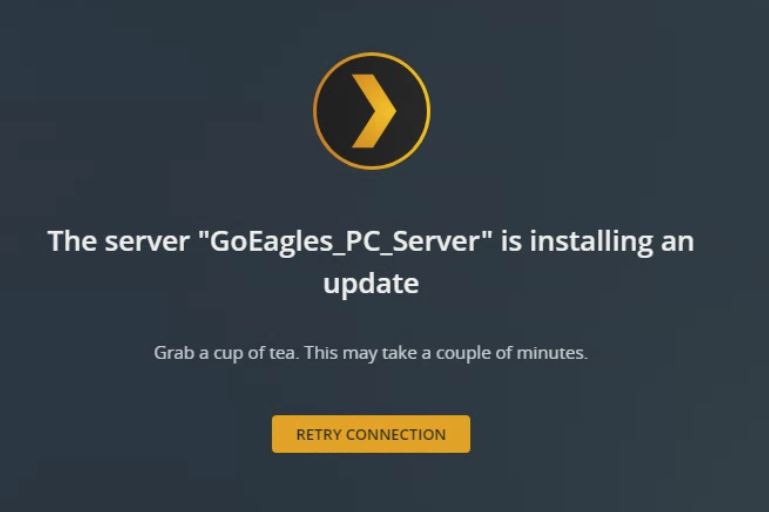
It says installing; restarts and then comes back up same version

Here’s the latest log.

PMS will not update to the latest version.
It says downloading, installing… then restarts to the same version.
Plex Media Server Logs_2022-09-19_12-20-16.zip (4.2 MB)

Still cannot get my media to load.

@ninj5

This is beyond what I know of Windows.

I’m going to move you to your own Windows thread and then ask one of the Windows team members to step in and take over.

1 Like

@OttoKerner or @anon18523487

Might you be able to assist here?

I’m not understanding windows well enough.

@ninj5
This is your new thread.

I would try doing a manual install of the newest version of plex from Media Server Downloads | Plex Media Server for Windows, Mac, Linux, FreeBSD and More instead of trying to use the web updater.

Thanks, That says 32 bit; Is there a 64 version?

There are problems with the Plex database.

Before manually updating Plex, run the procedures to repair a corrupt database: Repair a Corrupt Database

Plex is already having problems running database migrations (notice the abort in the log files). You should fix the db problems before updating.

There are several database changes between 1.26.2.5797 and the current releases (1.28.2 & 1.29.0). If the db is corrupt, the upgrade may fail.

Sep 19, 2022 12:18:36.162 [19372] ERROR - SQLITE3:0x7ff7c3884c20, 1, table sqlite_master may not be modified in "UPDATE sqlite_schema SET sql = replace(sql, 'dt_integer(8)', 'datetime') WHERE name = 'metadata_item_views' AND type = 'table'"
Sep 19, 2022 12:18:36.162 [19372] ERROR - Exception inside transaction (inside=1) (E:\jenkins\server\4163572153\Library\DatabaseMigrations.cpp:237): sqlite3_statement_backend::prepare: table sqlite_master may not be modified for SQL: UPDATE sqlite_schema SET sql = replace(sql, 'dt_integer(8)', 'datetime') WHERE name = 'metadata_item_views' AND type = 'table'
Sep 19, 2022 12:18:36.166 [19372] ERROR - Exception thrown during migrations, aborting: sqlite3_statement_backend::prepare: table sqlite_master may not be modified for SQL: UPDATE sqlite_schema SET sql = replace(sql, 'dt_integer(8)', 'datetime') WHERE name = 'metadata_item_views' AND type = 'table'

64-bit versions are still beta and require a Plex Pass to download.

You’re running 1.26.2 64-bit version??? That was never released. I think that was the version that accidentally leaked before it was ready. That version will not auto-update. You will need to manually install at least 1.28.1, but might as well go ahead and install the latest.

Also, you’ll need to manually uninstall the 64-bit version first if you move to a 32-bit version.

The 32 bit installer is unaware of the 64 bit version. If you don’t manually uninstall first, you’ll end up with conflicting installations.

This topic was automatically closed 90 days after the last reply. New replies are no longer allowed.