I have same problem: ios App frezzes few seconds after start, then after ca. one minute crashed.
I downloaded 7.28, and it was buggy… slow UI, scrolling didn’t work, etc. UNTIL, I did what @kcny did… which was uninstall the app on my iPhone, then reinstalled. Seems to be working again. Running PMS 1.25.5.5492
Thanks. I did get to that location in the UI, but I don’t see those options. Maybe its because I have multiple TV and multiple Movie libraries? (image attached) Or maybe there is some other button to push to see those options???
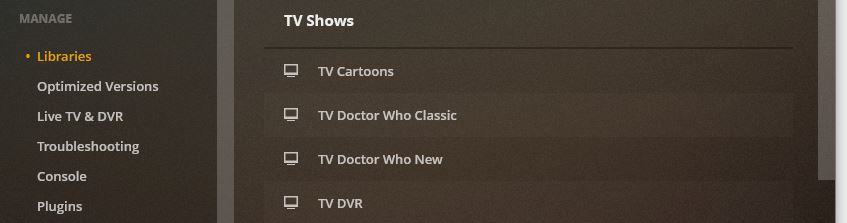

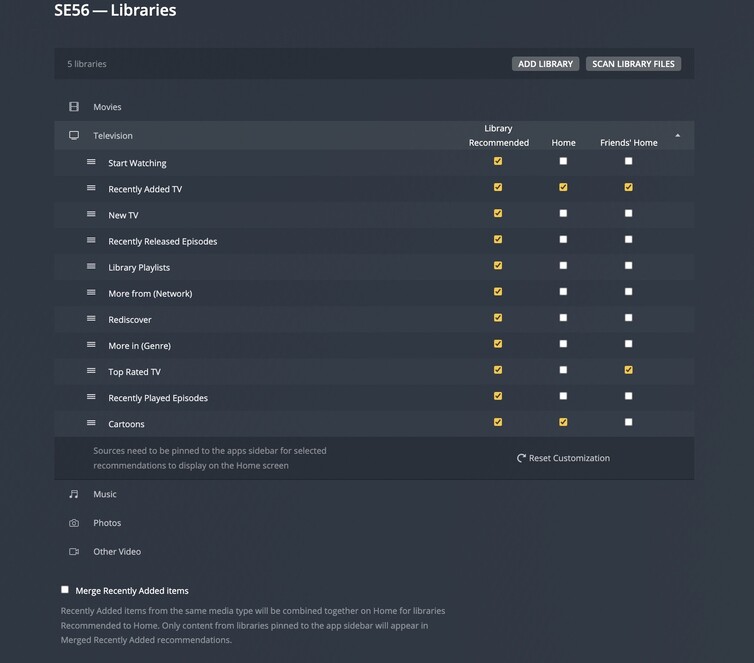

Thanks for the additional info. Unfortunately I only see “Edit” and “…”. Mine only says “Edit”, not “Edit Library”. And “Manage Recommendations” does not show in the “…” menu. Maybe this is a browser or server difference? Maybe I need a server update?
What version is your server?
Current version: 1.25.4.5487
Unfortunately that does nothing for me. Nothing happens when I select that icon.
I see now I am not at an applicable server version as documented here: Manage Recommendations | Plex Support
Time to do backups and update the server.
1 Like
I would upgrade, but in the end playing around with those customized settings doesn’t work for everyone and shouldn’t be “the fix”.
At least a few of us resolved the IOS app freezing issue by just uninstalling and reinstalling the app from the App store. Only pain point was I had to re-download all my content I had previously downloaded.
1 Like
Unfortunately disabling everything but recently added/released doesn’t work for me 
And I don’t want to reinstall the app if I’m not sure if it would solve the issue since 30+ GB downloaded on my devices.
So far the app is still working after the uninstall/reinstall.
1 Like
I tried uninstall/reinstall on ipad, and that does seem to help so far.
Recent updates to the app had resulted in it not working at all. So I followed the advice on this forum, deleted and reinstalled the iOS app on iPhone and now it seems to be working as expected. Thanks all.
So it was a faulty iOS install for most ?
Reinstalled on my iPad, issue still persists.
Maybe worth noting but Plex on my iPad is currently also downloading a few GB’s of media, I hope it resolves itself after my media has been downloaded.
For the latest update. The one before was the customization
I noticed when I click the three bars on the top left corner, Plex app was showing “Web Shows” multiple times. So I turned WiFi off to see what’s going on (because otherwise app crashes before I get to look at Settings), and it looked like something was corrupt – my libraries were displaying multiple times. But here’s how I fixed it on my iPad:
- Turn WiFi off (and cellular if you have that too)
- Click Settings button. Go to Account - Sign Out.
- Turn WiFi back on.
- Sign in.
This fixed it for me. I had some downloaded videos, which is why I didn’t want to uninstall and re-install. And this logging out and logging back in still kept the downloaded videos. Good luck!
Doesn’t read that way ?
Must admit whenever I’ve had a misbehaving app on iOS, the first thing I do is uninstall and reinstall it
I can confirm that uninstalling and reinstalling worked for me. Appears to me Plex changed a metadata format for the app layout but the metadata format was probably not migrated correctly when the app was updated. Hence ‘forcing’ the layout change from the server might work. But by uninstalling and reinstalling you are purging the old config and forcing the new app to create a new version that is not corrupted.
There might be different ways to fix this but the 2 mins to reinstall, sign in again and configure your screen again was worth it (to me).
