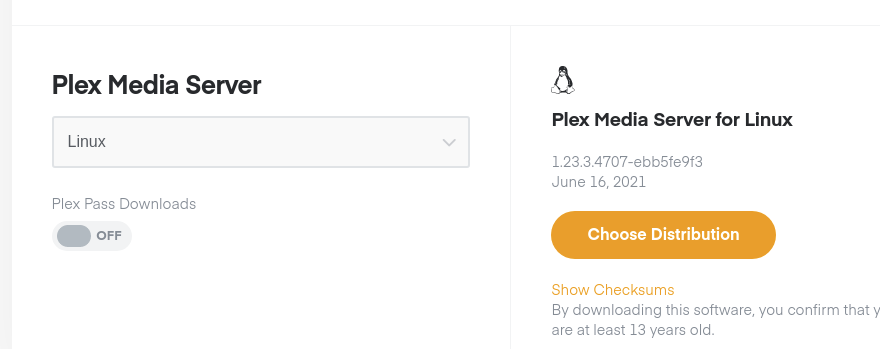
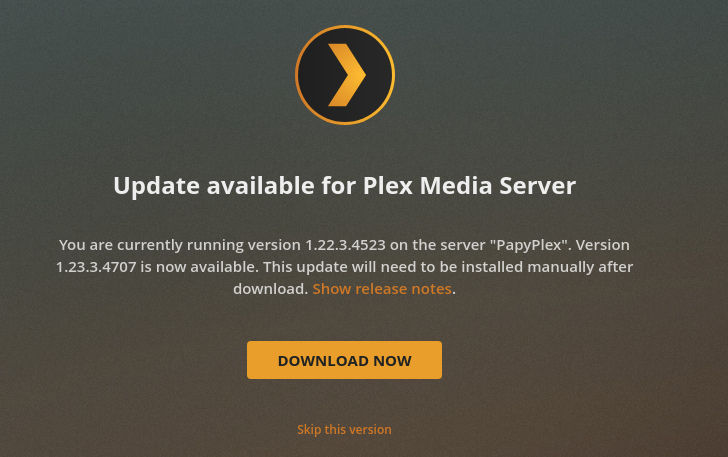
Server Version#: 1.23.3.4707
Player Version#: 4.59.2
I installed 1.23.3.4707 today on Ubuntu 20.04 using apt upgrade. Works fine, I’ve pasted the “apt upgrade” log below. The problem is that the client web app reports the version as 1.22.3.4523. Any idea what’s going on?
Setting up plexmediaserver (1.23.3.4707-ebb5fe9f3) …
PlexMediaServer install: PlexMediaServer-1.23.3.4707-ebb5fe9f3 - Installation st
arting.
PlexMediaServer install:
PlexMediaServer install: Now installing based on:
PlexMediaServer install: Installation Type: Update
PlexMediaServer install: Process Control: systemd
PlexMediaServer install: Plex User: plex
PlexMediaServer install: Plex Group: plex
PlexMediaServer install: Video Group: render
PlexMediaServer install: Metadata Dir: /var/lib/plexmediaserver/Library
/Application Support
PlexMediaServer install: Temp Directory: /tmp
PlexMediaServer install: Lang Encoding: en_US.UTF-8
PlexMediaServer install: Intel i915 Hardware: Found
PlexMediaServer install: Nvidia GPU card: Not Found
PlexMediaServer install:
PlexMediaServer install: OpenCL: Installed
PlexMediaServer install: Beignet: Installed
PlexMediaServer install:
PlexMediaServer install: Completing final configuration.
PlexMediaServer install: Starting Plex Media Server.
PlexMediaServer install: PlexMediaServer-1.23.3.4707-ebb5fe9f3 - Installation su
ccessful. Errors: 0, Warnings: 0
Please show me what the web app has ?
Also please tell me your Update Channel settings?
Hi Chuck. Is this what you need?

The Web app is offering you 1.22.3.4523 or is that what you have installed ?
It looks like what you have installed based on this:
(Settings - General)
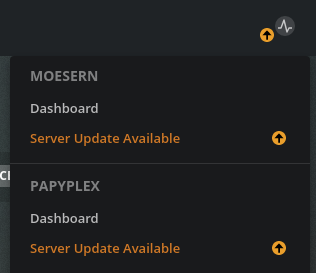
The Web app should offer it to you this way when you click the upgrade button.
The webapp isn’t offering upgrades- I’m running ubuntu. The screenshot I posted is what the webapp is listing in the “general” section.
In the upper right corner, it will.
I am also running Ubuntu, and Fedora, and a few more. They all show the same so we need figure out what’s not set correctly for you.
I’ve been running PMS on Ubuntu for over a year now and the webapp has never offered me an upgrade. My understanding was that you either had to upgrade manually or use the apt tool and the repository.
@gregcagle
You do not see the arrow in the upper right corner of the Plex/Web app on the activity button?
Do you have popup blockers in your browser ?
You can use both manual upgrade and the repository. One does not preclude use of the other.
I bounce all over the place all the time.
The moment it detects I’ve installed an older version for testing, I get the arrow.
To test the arrow functionality I started my other PMS instance on a Windows machine. The arrow immediately appears next to the activity button and says “server update available.” As expected.
Remember that I did run apt upgrade earlier today and it reported a successful installation of 1.23.3.4707. So I wouldn’t expect the webapp to offer an upgrade right now - but it never has even when it should have, and is reporting the wrong version in the General screen.
Greg,
I figured it out.
Because you installed from the Ubuntu Store, you were given the SNAP package instead of the tradtional Debian (DPKG) package.
Ubuntu silently forced that change on us effective Ubuntu 20.04.
If you confirm:
-
snap list - you’ll see one Plex version
-
dpkg -l | grep plexmedia - you’ll see another.
I suspect you are updating the main dpkg package but the SNAP package is what’s logged into your account.
This is what I see at Plex.tv
- Server ‘baltar’
- SNAP
You have the real dpkg sitting there, probably running, but completely uninitialized & unclaimed.
If you want to use HW transcoding features and network storage, you’ll want to switch to the native package. SNAP is very limited by Ubuntu design.

Oh snap!  I’ll bet you’re right. I’ll check it out in the morning. Thanks Chuck! Much appreciated.
Done and fixed. It was a bit interesting to get the library data out of the snap directory; turns out “snap remove” wants to put its own tar archive of the app data into /var/lib/snapd/snapshots. So I had to fish it out of there and put it in the right place for the native install. Anyway, done and fixed. Thanks so much!