
As you can see in the picture, I select the one I want and until a few times ago it changed without more now, no, thanks and sorry for the inconvenience.
@DironDir, when I click on the plex app you are presented with all the users that you have created for the family and friends.
Now, As I’m the owner of plex and once I click on my account name it ask for pin and once I do this it will never ask again until I log out myself.
And this worked with Xplay until this new update, now I have to login everytime which I hate.
I see.
Do you have a pause in using XPlay? I mean you exit from XPlay or press the home button and then use another app\game and after start XPlay again?
Technically I can save all needed information and don’t ask pin again, but it means that any user can start the app under your user at any time.
If I exit xplay from hold the key to exit it then ask me to login again, but it worked fine before the update.
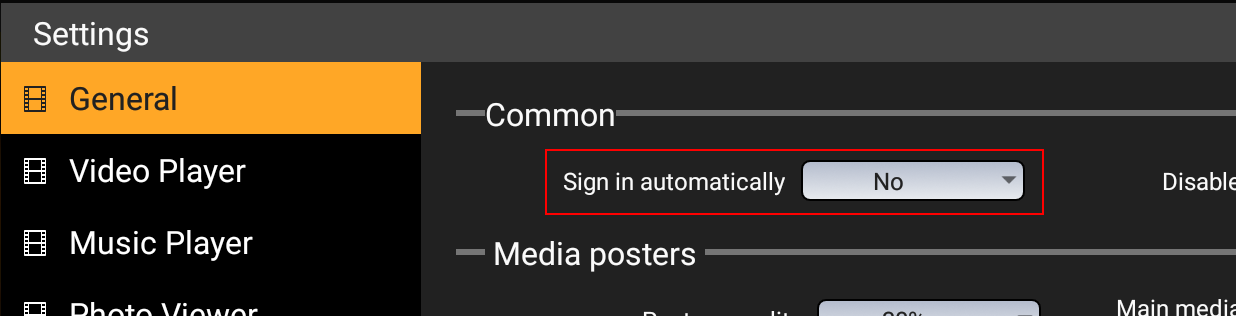
Maybe you could add in the settings login automatically yes or no or tick the box feature like plex, that would sort the problem I’m having now.
I think about this variant now. I think It will be realized in next update
@DironDir, sorry I don’t do anything but just exit the app and click on the app to go back in then it ask to re-enter the pin again.
Before the update you could exit xplay go to any other apps, reboot, and shutdown and still logged in automatically.
@Gordon-R I’ve got your point.
What could I say more? Just that is my fault. I needed to add such a setting simultaneously with changing the app’s behavior.
Sorry. I will do it as soon as possible.
But the good news is that I’m not going to add new features in the near future. I will concentrate on current features to fix all issues before adding something new 
@DironDir, Hey you are doing an amazing job, so please I’m not criticising anything that gets broke as I know you will do your best to resolve it in a timely manner.
Great work man 
ok got the latest update. audio eac3 and DTS works well now thanks
Thank you for feedback. Good to know
Hi!
You know it looks like after changing the provider the path to a plex server is changed. Maybe IP changed. I will play with my network and check how the app works in different situations.
Thank you very much for everything a salu2.
I would like if the option that movies have to use external player in the chapters of the series is possible, thanks a salu2.
does this app allow you to change ratio? 16:9 etc. basically no black bars haha.
You dont need the app for that, your TV can do this. But why? Video will be stretched
Cuz I dont like the black bars and my TV doesnt have the 16:9 option just zoom and it zooms too much. Does this allow you to put it at 16:9 like kodi does?
How old is your TV? ^^ Didnt remember of a TV that doesnt can do this  but i prefer the black bars instead of bad video quality.
I dont know, i never use this, neither on TV or on Kodi.
pls share apk or add Russia in support country’s in Play Store, I wanna test this app!! official app make me nervous last few mons
Hi @DironDir Great work on the app. I used to love it on Web OS.
Out of interest, what android video player are you using? Is it Exo Player like the official Plex app?
