Does anyone know how I can add a new Photos library? I had one and it worked fine but was too general. I deleted it. Now I’m trying to add it back in with a more specific folder to pull from. I keep getting this message Over and Over. I have added several movie folders with no issues. Thank You…
Hi, adding a photo library is no different from adding a new movie library, which it sounds like you’ve been successful with in the past. Would you mind expanding on what you mean by a more specific folder to pull from? Is it that all photos use to point to C:/Pictures and now you have C:/Pictures/Specific? Or were they moved somewhere else entirely to a different drive?
Hello and Thank You.
My media is in an external hard drive §. The program resides on the C drive. I have created a few movie folders (Current, Top 25, etc) and the program asks me where the media is. I select the P drive ==> Movies ==> Top25 and it works perfectly.
However, when I try to do the Exact same steps with my photos I keep getting the message: Your Changes Could Not Be Saved. They also reside on the external P drive, just as my music and movies. The naming convention with folders and files is exactly the same with all my media.
I have restarted my pc several times. I have also made sure I my Plex Server program has been properly upgraded.
I don’t want to ramble on too extensively. Does this answer your question?
Best regards,
Dean
Hi, yes that answers my question. I also have content stored on external drives without issues. it is very strange that you are getting the error only for the photos folder. Would you mind trying again and after it fails, getting and uploading the logs? You can follow the steps here to get them https://support.plex.tv/articles/200250417-plex-media-server-log-files/.

Plex Media Server Logs_2020-07-31_19-30-23.zip (6.1 MB)
Did this Work?? It just failed again…
Hello – Did you get my LOG Report? Thanks, Dean
Hi, my colleague and I were going over the logs you uploaded and he’s wondering if you might be missing a preference in the previous step. Would you mind going to the Select type page and check if a language was selected (there’s currently an issue where if language is empty, you won’t be able to add a library)?
I made sure that English was selected in language. It was already set that way. There are a couple other options I left alone. I have no idea what levers and adjustments to make in all these categories. I’m just trying to add a library. Thanks for helping…
Would you mind taking a screenshot for me? I wonder if someone will stand out to us. If we can’t figure it out then at least I’ve got all the info for a dev to look at.


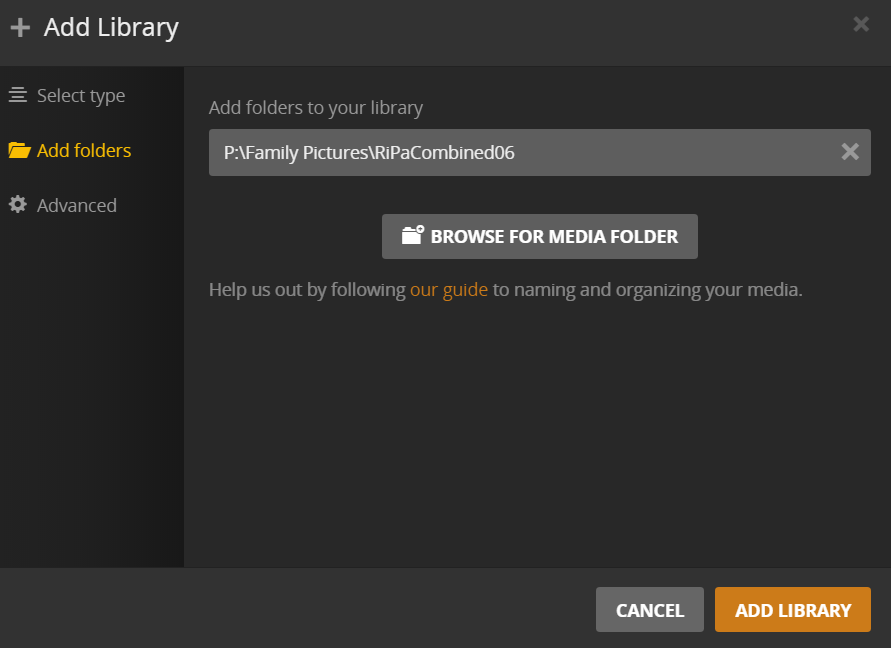


I am having the same problem with my photos. Could it be that the Language Drop Down menu is missing? It’s my first time adding photos BTW. I add videos and music with no problem.
I was looking into this and at one point could repo it, but after a PMS restart it no longer happens, this of course makes it harder to figure the cause, so I’ll need some help form whomever can still reproduce it.
Can you get the output of this endpoint: http://127.0.0.1:32400/system/agents?mediaType=13?X-Plex-Token=:yourtoken (replace you’re token for a valid token)
Note a simple way to get a valid token is to go to a media item in any library and use “Get Info” them “View XML” the token will be in the url (look for
X-Plex-Token=XXXXXXX)
