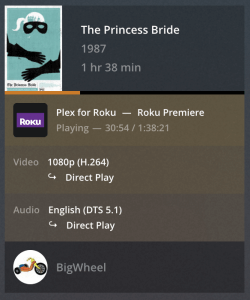
So iv been running this rig for a few years streaming 5ghz (300+mbit) to my router, and then 5ghz to my samsung TV(tried cable too there). Been running smooth on both 4k and 1080p for now.
Today hoever I tried with a couple of 4k, MKV files of around 8,5GB(1 hour) which is said to be 17,5Mb/s, and it just stutters again and again. Iv got direct play enabled, and also tried both from a HDD and a SSD with the same result.
Its X265 and not x264, might that be a problem for the tv?
Could be some aspect of the video giving your CPU a hard time to transcode (e.g. burning in subtitles). You should be able to check if/what is being transcoded on the Now Playing section of the server dashboard. Direct play being enabled doesn’t mean the TV can deal with all formats…
With a wireless connection, there’s tons of stuff that can interfere and mess up the communication… if it’s not a permanent issue, it could be a neighbor changing some config of their wireless setup (e.g. overlapping bands…) – or simply too many devices pushing packages on the same WLAN.
Solution!
So i found the solution after some more googling. It seems plex had some issues with a previous update on a lot of tvs. That beeing samsung, LG, hisens and more.
To fix the issue I had to delete the tv app, then shut of the tv and pull the power for a few minutes. When I then re installed the app, 4K worked perfect with the same file on the plex tv app.