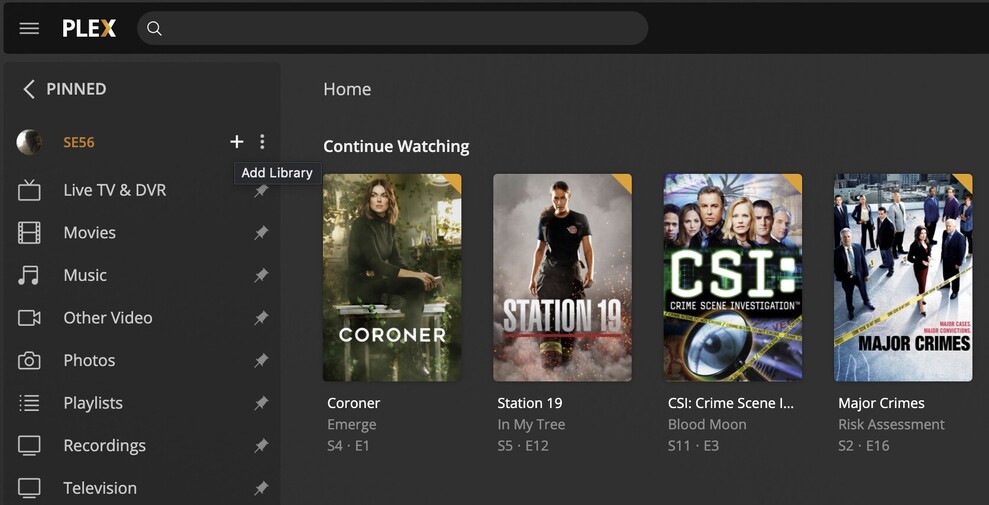
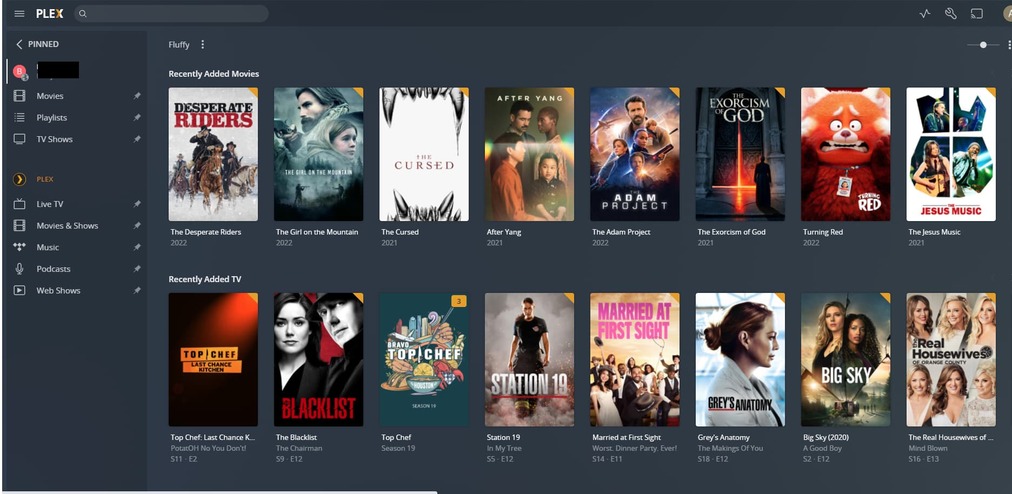
Server Version#: 1.25.8.5621-7a6fed0cf
Player Version#:
I ran Plex for years without any problems. Then, a couple years ago I moved and when I went to set up Plex again, I do not see where I can add local libraries. I still have a connection to a friends server, but I cannot add MY files on my computer to the libaries.
After trying repeatedly to fix this myself, I am finally surrendering and throwing myself on the mercy of the community. What I am doing wrong? There is no “+” next to the server to add a libaqry.
Make sure to finish the setup of your server. To do that, connect to the server’s local IP address from the same subnet.
If you’re on the same machine you can browse to http://127.0.0.1:32400/web
If the server is on a different machine inside your home network, you can use http://[PMS IP address]:32400/web instead.
Once you linked your server to your account you should be able to access it from other clients (as well as the hosted version of Plex Web).
Ok. I have gone to http://127.0.0.1:32400/web and accessed it. However, it only contains a link to my friend’s plex server. I do not see where I can scan my own computer for my files and add them. That’s the real problem, in earlier versions of Plex it was very clear how to do this. I don’t see an option for it at all now.
What am I supposed to click to open that workflow?
I understand (hover), but they do not appear. So, if I hover over the “B” for my friend’s server, nothing appears. If I hover over where it says “Plex” in the server list, nothing appears. If I hover in the empty space to the right of either of them, nothing appears.
I do not get the “+”, which is what we’re looking for, nor do I get the three stacked dots.
Ok, I opened Plex in the system tray, r-click and “Exit”. Then shut down all plex windows opened in Chrome. Restarted Plex, and … same thing. authorized devices are just Chroms and 2 Rokus.
I opened Task Manager to shut down all Plex activities, retried it and same thing.
Ok. Uninstall, reinstall, setting up plex, then it starts running.
It never asks me to login (it seems to know who I am already), it never asks me to set up my server, it never asks to scan my computer for libraries. It just goes back to what it was doing before.
How come I am not getting the new installation workflow?