Hello.
“/share” no longer appears in access folders in Plex?
In “/share” is where I can see the labels of my external hard drives. Now I can only reach them by “/share/external/DEV3305_1/”
This doesn’t work for me.
Thanks!

Hello.
“/share” no longer appears in access folders in Plex?
In “/share” is where I can see the labels of my external hard drives. Now I can only reach them by “/share/external/DEV3305_1/”
This doesn’t work for me.
Thanks!
They are listed right there. – listed by QNAP mount device name
DEVxxxxxx is the mounted device name.
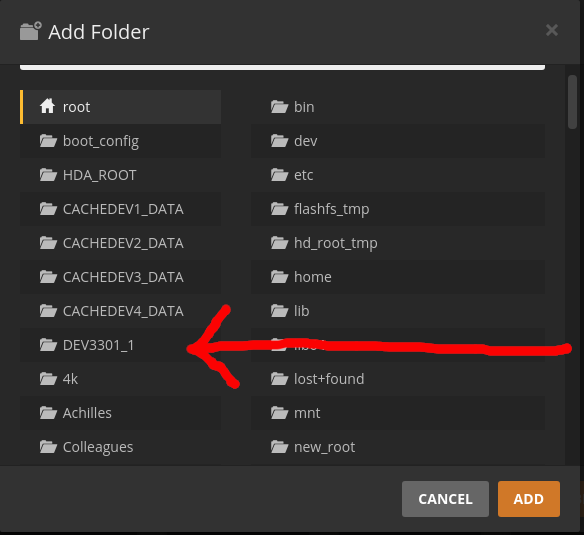
[~] # df | grep external
/dev/sdp1                 3.6T      1.1T      2.5T  31% /share/external/DEV3301_1
[~] #
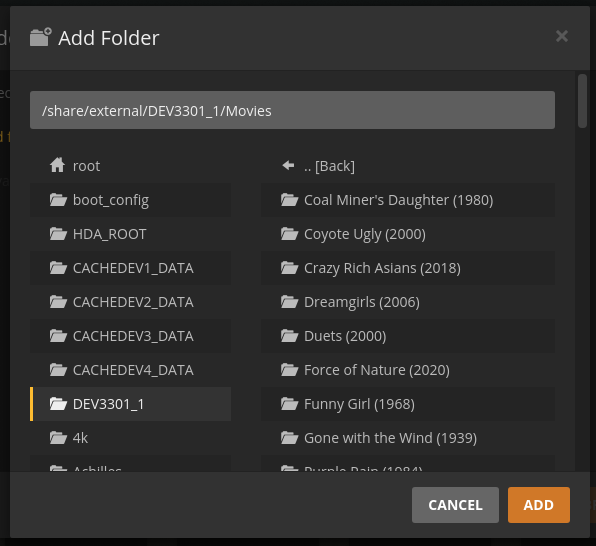
But… If I restart the NAS these IDs change, right? Or at least a few months ago they did change and from the Plex folder selector you could choose the drive that had a “label” that we could understand.
technically, we shouldn’t be putting permanent media on removable media.
For me, they do tend to stay based on the USB port they are plugged into.
If you do move them around then, by definition, all bets are off.
Yes, PMS doesn’t like the media disappearing out from underneath it.
But… It doesn’t make sense. My media is on removable disks because I don’t have any more space on the main disk. But they’re records that are always there. Connected to the same usb port.
And even if they’re connected to the same port, qnap assigns you a different number (this is no Plex issue).
Previously the shortcut to the “/share” folder came out. Why not anymore?
QNAP sadly works in a way, so the external ID of an USB mounted device can’t be persisted when rebooted.
Most times, it stays, but sometimes it changes…
This is a QNAP thing, and as @ChuckPa said, don’t put media on USB drives, since you then use your QNAP in a way QNAP didn’t intend it for.
All I can suggest, is to put bigger drives on your QNAP, or invest in an expansion box, like:
But when said, no idea if it’ll work with your QNAP, since you didn’t tell us the model
Ok. Then I give up.
Qnap and his misdeeds… 
Users and their misdeeds by using temporary USB for permanent storage
LOL
This topic was automatically closed 90 days after the last reply. New replies are no longer allowed.
