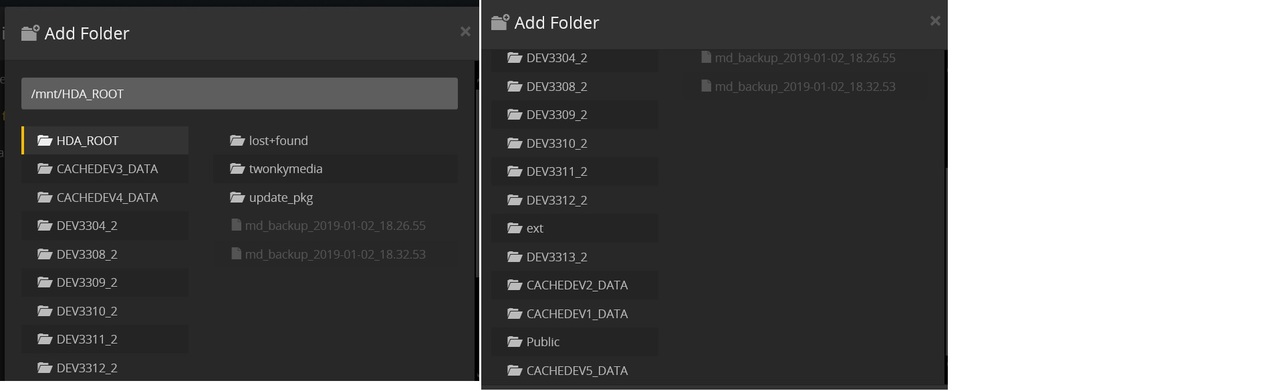
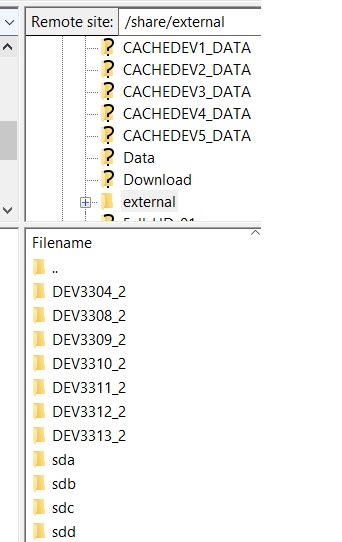
In the library I need to link to the HDD by /share/external/DEV3308_2 and such. This now have creating a problem, as I needed to reboot the NAS and added a drive, links to some HDD’s have being broken and the drive name (DEV3308_2) has changed… As this happend, I needed to re-scan all drives in the Movie library which is taking to much time. In order to prevent this, I would like to use the drive name itself as link for the library. But I don’t see any option in which I can do so.
At the beginning I could see /share/Full-HD01 and such in the add path listing, and I did use it that time. But as this suddenly was gone, I needed to rebuilt the library all over again, As Plex couldn’t find the source of the movie.
But as this DEV3308_2 and such can also create problems, I would like to have a stable linking to the source, so whenever the DEV3308_2 will point to a different drive, the library will still keep seeing/linking to the correct source.
Can any body help me with this?
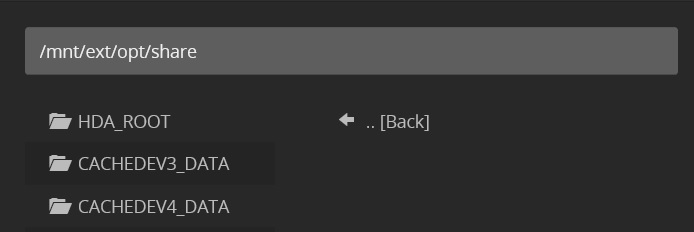
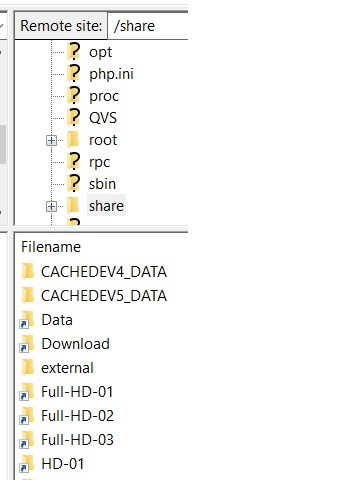
If I check FileZilla /share then there shortcuts are present with the correct name of the drives. But this is not seen in Plex. In Plex the only Share I can find is /mnt/ext/opt/share but this is empty (at least in Plex it shows like that).
Qnap never really intended for external USB drives to used as “regular storage”. They really see them as either something to load media on to the NAS from, or something to backup the NAS too.
As such, I would not recommend using them as a location for media library files. QNAP can change how they deal with them any time they want via QTS updates/etc. which will potentially cause never ending issues such as you are experiencing now.
Your best bet is to copy the files from your USB drive onto the NAS and add them to your library that way. One other potential option is to purchase the QNAP’s new TR-004 USB expansion chassis which CAN be used as persistent storage.
You would need to shuck the external drives and mount them in the chassis. I also believe it will format them when you install them, so you would need to have enough surplus drives/NAS space to do some media shuffling/etc.
It does like so, but Plex doesn’t show the /share it did just a little moment, then when I scanned 1 drive and wanted to add a new drive this /share was gone and the 1 I scanned with /share wasn’t recognized by Plex anymore. So I needed to go back to this DEV3308_2.
If I add to Plex I see DEV3308_2 and such. But this is then, if I look at FileZilla the location /share/external/DEV3308_2 and such. The rest in this folder are sda, sdb, sdc and such. But not the labels. If I look in /share there I see the labels (shortcuts it looks like)… But this I don’t see in Plex (like I said, only at the beginning and then it was gone)… And I would like to work with the labels, as then it is much more stable.
@mcw_84_hotmail_com
I’m sorry to say, but it is not an option to get all the drives into the NAS. As like with the current internal drives, it can happen (as it did) that you need to re-initialize the NAS and it does more often also format the drives… Even if you follow Qnap’s guideline for this.
Also if you will change the NAS to Synology or such, then Synology most likely will format the drives and when using the external and format as NTFS this will not happen and you can use with any other device you chose. That last was also the reason, why I didn’t want to have them internal.
Nope, I don’t have a house shown pointing / the picture is all that I am seeing.
The Qnap I have is the TVS672XT.
For that trying to enter the name directly, I need to see and try, but some I have 1 drive, which has folders for DVD, Music DVD & Series. For these I need to have separated libraries and as the /Share/MIX-01 (is the name) is only a shortcut, I’m not sure if this will work.
Also at the beginning I could selected /share/Full-HD-02 (I thought it was) but this then suddenly was gone and I needed to reload.
But I will surely try to see if it will work with enter the path myself, when the NAS has finished with building up the libraries. Should be done by tomorrow I hope. Will let you then know how it did go.
@dane22 If he is on the TVS-672XT, then we are also dealing with the new QTS 4.4.x version (and new kernel) which add a whole set of new potential bugs/quirks to the situation.