I recently set up My Cloud Home Duo and am trying to use PLEX to play my video files. So I installed the app on my cloud, and things seem set up right but there is no “add folder” option to grab my files.
Thank you! But even after or while setting up a library, I still don’t see an option to “add folder”
@Kynisen said:
Thank you! But even after or while setting up a library, I still don’t see an option to “add folder”
You are being asked during the creation of a library which folder(s) you want to add to it.
And there is the ‘Add Folders’ tab
https://support.plex.tv/hc/en-us/articles/200289266-Editing-Libraries
I am having a similar problem and do not seem to be finding any answer on these pages. When either creating a new library or attempting to Edit an existing library the Add Folders tab is not showing. Directing people to the support page does not help if the Tab is not there!
It seems to be suggested that this can only be achieved during the initialization of the software?
@BenBritton said:
I am having a similar problem and do not seem to be finding any answer on these pages. When either creating a new library or attempting to Edit an existing library the Add Folders tab is not showing. Directing people to the support page does not help if the Tab is not there!
It seems to be suggested that this can only be achieved during the initialization of the software?
No, that is definitely not the case. You can always add or remove folders from your library(s) by editing them.
If there are parts of the web app missing,
try a different web browser
or disable browser extensions which manipulate the content of web pages (AdBlock, scriptblocker etc.)
Have you checked https://support.wdc.com/knowledgebase/answer.aspx?ID=18937. There are instructions there.
I have the similar problem. I have 2 servers setup. One on my computer (Windows), one an a My Cloud Home. The server in windows allows me to edit the library’s and add/change folders. The version on the NAS does not have these options
@anon18523487. That shows how to add content, not edit/add folders to a library. Unless I missed something.
@OttoKerner I have turned off all extensions, add-ins and blockers and still there is no options to change/add folders to a library. See pictures.


I have been using the web version through several different browsers (Firefox, Chrome. Opera). All have the same issue. There appears to be no ability to add or edit folders to a library.
Has anyone been able to add do this with a server on the My Cloud Home?
I recently learned that the WD Mycloud devices are very weak affairs. They run on Android and are restricted in some ways.
One of the restrictions is that Plex on them can only use the predefined ‘Media’ folders.
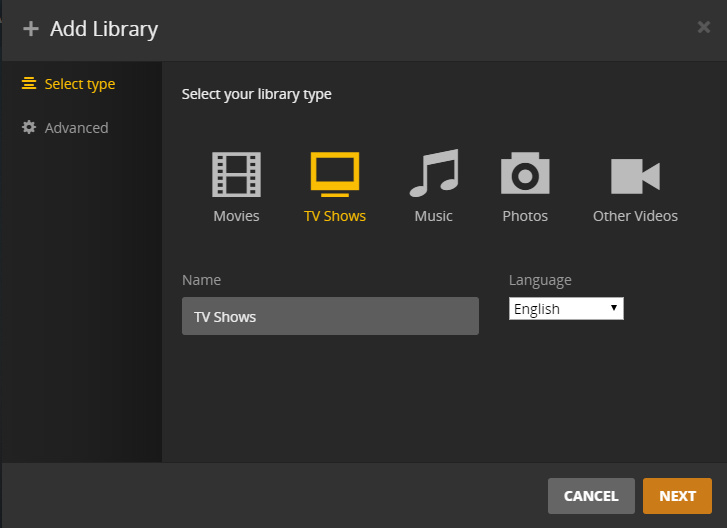
Is your server on a Western Digital My Cloud? Then you can’t add/change folders. If you create a TV library then you need to have your tv shows in the Shared TV Shows folder on your My Cloud. If a movie library then you need to have your movies in Shared Movies
https://support.plex.tv/articles/115003310834-western-digital-my-cloud-home/
información importante: (lastima que no lo sabemos antes de comprar my Cloud)
¿Puedo crear mis propias bibliotecas?
Si y no. Puede crear bibliotecas en el servidor de medios Plex. Sin embargo, no puede especificar una ubicación personalizada para el contenido. En cambio, las bibliotecas apuntarán automáticamente a la subcarpeta correspondiente dentro del área Archivos . Por lo tanto, coloque el contenido de su televisión dentro de la Shared TV Shows subcarpeta, la música dentro de la Shared Music subcarpeta, etc.
¿Cómo actualizo las versiones de Plex Media Server?
A diferencia de un servidor de medios Plex normal que puede ejecutar en una computadora o dispositivo NAS, no puede actualizar arbitrariamente la versión del servidor. En cambio, las nuevas actualizaciones de Plex Media Server serán entregadas por Western Digital en el panel de control de My Cloud Home.
Instalación manual de canales o complementos
Cuando se ejecuta en My Cloud Home, el directorio de datos de Plex Media Server actualmente no es accesible para el usuario. Desafortunadamente, esto significa que actualmente no es posible instalar manualmente canales o complementos en el dispositivo. Por supuesto, puede instalar cosas a través del directorio de canales normal.
Entiendo lo que Dices…consulta: ¿está previsto modificar este aspecto en extremo importante para los usuario de plex y WD My cloud home?
Sorry it is not. It was a requirement to be on that device at all.
Hi I had the same issue now I at least understand why there is no Add folder tab. What can I do when my WD My home cloud duo is full and I want to add a second NAS?
Add a second device, so you have now 2 Plex servers.
If you invest in a Intel NUC (or similar), you could use this as your server. You can make it use several NAS devices, which don’t need to run Plex server themselves.
If you select the particular model of NUC carefully, you can overcome most of the drawbacks of using a weak NAS as Plex server. (i.e. transcoding would be no problem anymore)
