1st… you shouldn’t place any media or other stuff in the server’s data directory – I suppose that’s what \BLACKBEARD\PlexMediaServer is?
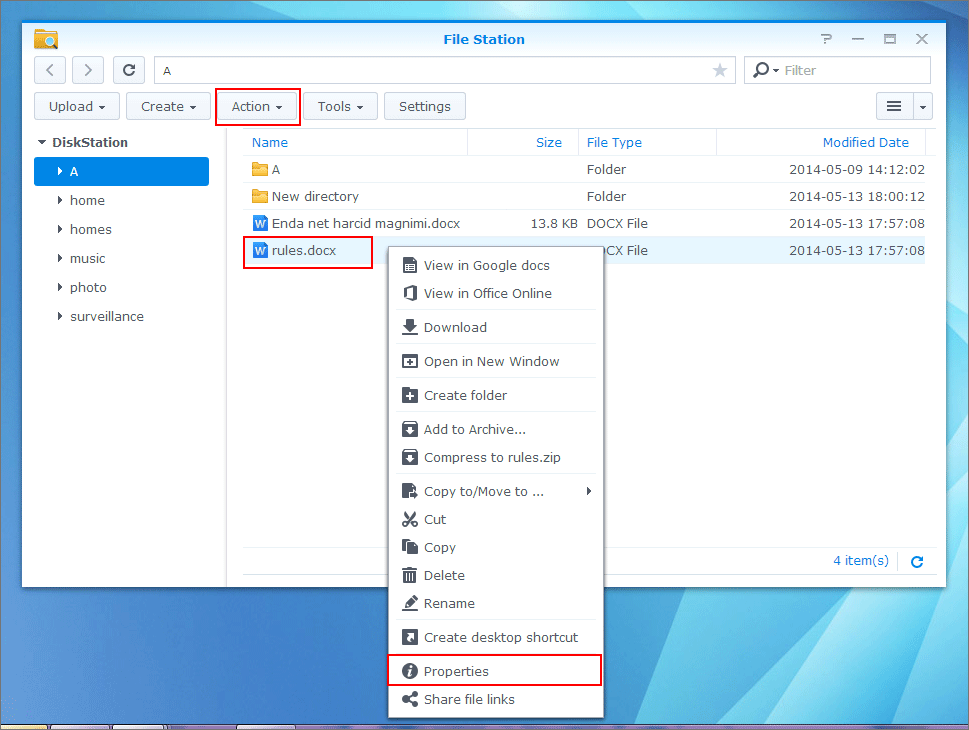
If your server is running on the Syno, make sure to use the file’s local path (Syno doesn’t know how your NAS is mounted on that Windows machine). You can determine the correct path by accessing the File through DSM’s “File Station” app.
Open File Station
Navigate to the file
Select the file and click Action > Properties (alternatively you can right-click the file and select Properties from its context menu)
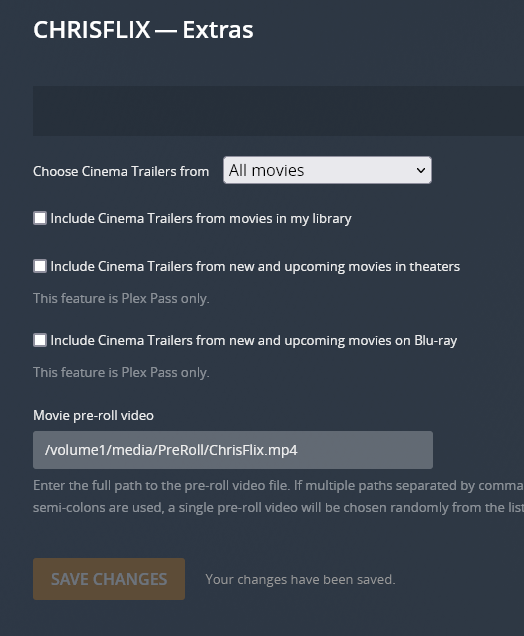
Copy the full path to your file from the Location property (e.g. /volume1/video/prerolls/ChrisFlix.mp4)
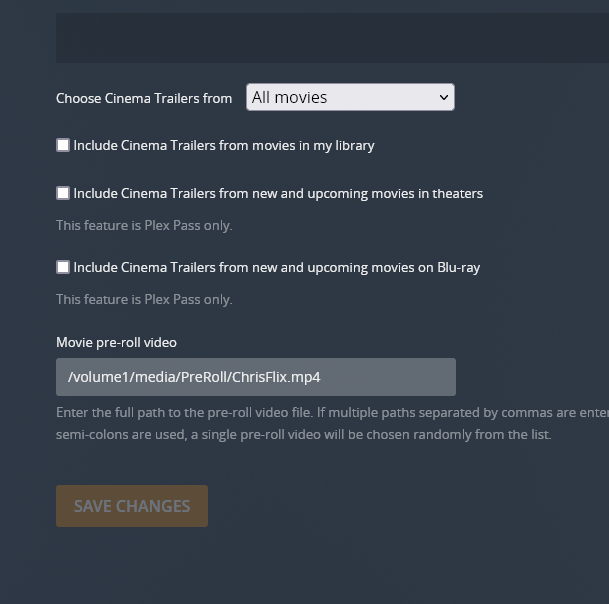
Enter / add that path to the Plex pre-roll configuration
The same feature should be available if you’re using their mobile app (DS File)
Well… is that the actual location of your file?
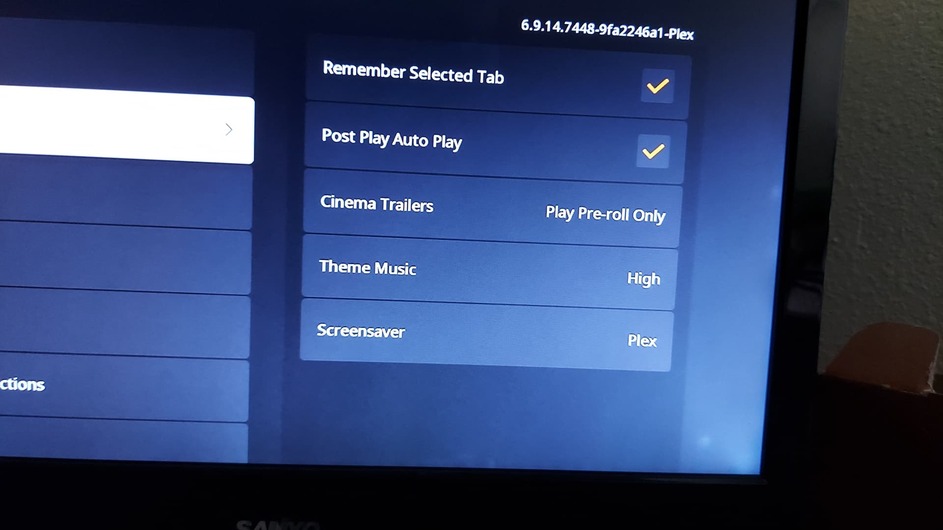
Also… have you configured your Roku to play the pre-rolls (in the app’s settings: Experience > Movie pre-roll video)
This should play the preroll before a movie.
If it’s not… can you try to reboot the server / restart the Roku to confirm if this brings up the preroll? Does the preroll play in another client (e.g. Plex Web)?