Server Version#:
Player Version#:
My end goal is to add iTunes library, and all playlists to plex, but it is failing. I think I know the issue, but… My iTunes.exe file, and all of my music are on an external hard drive (connected to my W11 PC via a USB cable). My problem may be a result of not having iTunes on the PC itself, but I’m not sure. Help!
You need to first make a music library on your server and point it to where ever your music is stored.
In settings, plugins you need to enter a path to your itunes library XML.
Afaik the option to import playlists will only show up if it detects iTunes on the same computer. I have never heard of folks running it from an external drive but assuming appdata is in the regular default folder then I would guess it would see it.
I assume you mean settings on the Plex Server for the path to the xml file.
Yes in the the plugin settings of the Plex Media Server.
In iTunes you need to enable Share iTunes Library XML with other applications so it shows up in the iTunes folder
Thanks! I’ll give it a try later tonight.
It worked! Thank you so much.
I’ve been on a Plex Server for Mac environment for the entire time of my setups and can confirm, at least for Mac, that the itunes library XML path location doesn’t matter. I’ve had a 4TB external drive house my iTunes library and Plex was able to import playlists from that. It’s been at least 3 years since I’ve needed to import, but I’m certain it can work with Windows as well.
I definitely got my iTunes library going, but it didn’t pick up my playlists. It’s no big deal, but I will keep trying to add them. I was under the impression that Plex would automatically add them, if it could “see” the library. Any suggestions?
Thank you both for your help so far!
If I can remember correctly, cuz it’s been a few years, but there is a minor difference between what Plex needs. The quotations are needed I believe. Let me confirm this first. I had to use a iTunes with Plex combo once on Windows and copied the path but I didn’t get my sample playlist imported at all using the method per the instructions on the support page. I checked around, added quotation marks and tried again, then it worked. Again, this was from memory and I have to re-confirm if this works or not.
For Mac environments the iTunes path is this:
/Volumes/Malibu/Media/Music/iTunes/iTunes Library.xml
But for Windows it’s:
“C:\Users\USERNAME\Music\iTunes\iTunes Music Library.xml”
“E:\ExternalDrive\Music\iTunes\iTunes Music Library.xml”
I’m going to give it shot…
TL;DR version: ALL menu options to IMPORT iTunes Playlists have been removed from all Plex Web iterations, but the Plugin settings still remain, though there is no clear indication that IMPORT iTunes Playlist functionality will ever comeback. I have solely been on a Mac environment for the entire time of running my Music Library and it’s been a while (I’m talking like 2019) since I had to last import or had a use for iTunes altogether. I’ve documented my steps with a fresh install and was met with no success of even seeing where the importing is involved like it use to. I’d say find another way at this point. Plex has stopped allowing iTunes Playlist importing and should REMOVE plugin settings accordingly since functionality is useless.
This option no longer exists and neither do the menu options (see below)

There are no signs of being able to import playlists via:
- Plex.tv Web App
- Plex for Windows - localhost: http://127.0.0.1:32400/web/index.html
- Plex for Mac - localhost: http://127.0.0.1:32400/web/index.html
Windows 11 Environment
-
iTunes Version: Version 12.12.2.2 - Installed via Microsoft Store
-
Plex Media Server for Windows, Plex Pass Download Build: 1.25.6.5545-c8bd13540
-
Fresh install on a laptop that never had iTunes nor Plex Server installed.
I opened up iTunes, fresh install, went into Preferences and CHECKED Share iTunes Library XML with other applications (highlighted in GREEN).

Imported some music albums, made some playlists (seen below) and closed iTunes entirely.

Installed Plex Server, added a Music Library, imported iTunes music library using following path: C:\Users\username\Music\iTunes\iTunes Media\Music

Go to PLUGINS in the Plex Server and CHECK Enable iTunes Plugin.
Next open up File Explorer, go to Music, iTunes, and right click on the iTunes Music Library.XML file, then COPY AS PATH.

Paste this copied path into the iTunes library XML path field on the Plugins page.

SAVE changes.
EXIT Plex Server using the Taskbar icon. Shut it down.
Reopen Plex Server.
End Result: Plex has stopped allowing iTunes Playlist importing and should REMOVE plugin settings accordingly since functionality is useless.
So playlist itunes importing is not possible anymore… ?
But can still import itunes music and ratings?
Can confirm that the iTunes Plugin under the old plugins area has been removed.
HOWEVER… try using the checkbox to enable iTunes Plugin under SETTINGS and not the MANAGE area. I don’t know if they work together but its worth a shot trying it out first.
My Server with old but working (I think) plugins:

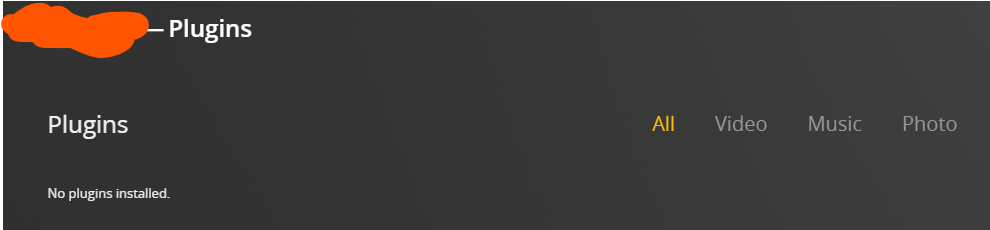
My 2nd Server - Fresh Install on Windows with NO iTunes Plugin
My 2nd Server with the Enable iTunes Plugin tool:

Actually… they are or should act seperately.
The one with the Apple-esque looking plugin located under MANAGE in the first image above allows Plex Server to do a READ-ONLY of the iTunes library and play music in its catalogue. That plugin is officially dead from the looks of it.
The plugin that’s under SETTINGS under LIBRARY is what allows Plex Server to IMPORT playlists. Setting the path correctly is important.
The issue for the past year or so is that every other Plex Server update would get rid of the importing tool gui menu buttons and none of us were sure what’s going on. Sometimes I’d get it back, then have it gone again.
CURRENTLY - if you happen to be lucky… you’ll get Import from iTunes listed under the PLAYLISTS menu item IF you have PLAYLISTS pinned to your left hand menu.

Ok, so difficulty for me is I have my old pc that became new personal server Truenas.
To boot, I simply reboot my old windows w/ itunes on it etc. Truenas is thus down.
I’ve cleaned up some of my genres, artists etc. and have now looked to export playlists etc. and library. Last, I’ve changed the path of where itunes music folder is located and am consolidating…
so its copying all files over to X new place. Ideally this would have been the NAS - Plex server directly… but since that is down, I am consolidating to my personal PC → then will move it to Plex Server…
Q - I will need to edit the library XML file for itunes? Because location would be pointing at the wrong place currently? Simply do an edit
Location**file://localhost/E:/My%20Music/iTunes/iTunes%20Music/Music/**10000%20Maniacs/Unknown%20Album/I%20Would%20Walk%20500%20Miles.mp3
Find and replace that with – ?
Ok, no luck. Not so bad.
Apparently need the plugin enabled for this to appear? 
How large is your music library? What’s the total file size of your single iTunes folder (total size in GB or TB)? Are you still on a windows environment with your iTunes right now?
For future reference… you don’t actually have to do a Find and Replace in the iTunes Library.xml file. You can easily just open an iTunes library over your local network, preferably all hard wired. You just keep the directory of the iTunes folder shared on the network with your windows PC and as long as your Windows PC has iTunes installed, it can open that iTunes library off the truenas to keep everything intact.
Once you transfer the entire iTunes folder over to the truenas, all you need to do is open the iTunes library over the network. This first initial opening of the library will convert all the links to the music files all at once without damaging anything else.
You can continue editing your iTunes library from your pc as long as you are connected directly to the shared iTunes directory from the truenas. I’ve done this with a 250GB music library as well as a 500GB. As long as your local network is solid and fast, you shouldn’t have any issue with having iTunes open from your windows pc and playing tracks or anything else.
As for Plex, you’ll want to point your Plex music folder to the Music folder located within the iTunes folder itself off the truenas. Have Plex scan that. There MIGHT even be a prompt that pops up in the creation of the Music library that actually will ask if you are importing a iTunes music library and will import the playlists, if found. Be sure to check mark yes or say yes if it does ask.
80gb or so. Audiobook, podcasts, 60g music.
Too late? ha.
Does <key>Location</key><string>file://localhost/P:/music/Conza/Enya/Unknown%20Album/Sail%20Away.mp3</string>
Look right?
I don’t have a VM of windows; so the old personal PC (now server, is down now and I’ve rebooted NAS / Plex)… so was always going to need to realign I think.
I have moved this .xml file into plex folder, and I will copy across all the music - old itunes folder of music only into Plex folder…
Then I have plugin enabled, and the proper XML path - I add the library to “Music” in plex, and it will pick it up as you say?
Should the ‘itunes folder itself’ have all the standard itunes stuff, e.g. ituneslibary.itl, .xml etc? I did export playlists, so have that as well. Or do I just need the content, and .xml path?
No. Don’t move that or anything out of the itunes folder. Keep EVERYTHING in the itunes folder as it was prior to even touching it. Like, the itunes folder is the heart of everything.
Everything within the folder structure of ITUNES is what is needed.
There’s no need to be copying xml files in multiple places elsewhere.
IF this itunes library also contains audio podcasts or audiobooks, just point to those folders when you create separate music libraries for those in Plex.

I’m not home ATM so I cant show images off hand of what this all looks like.
