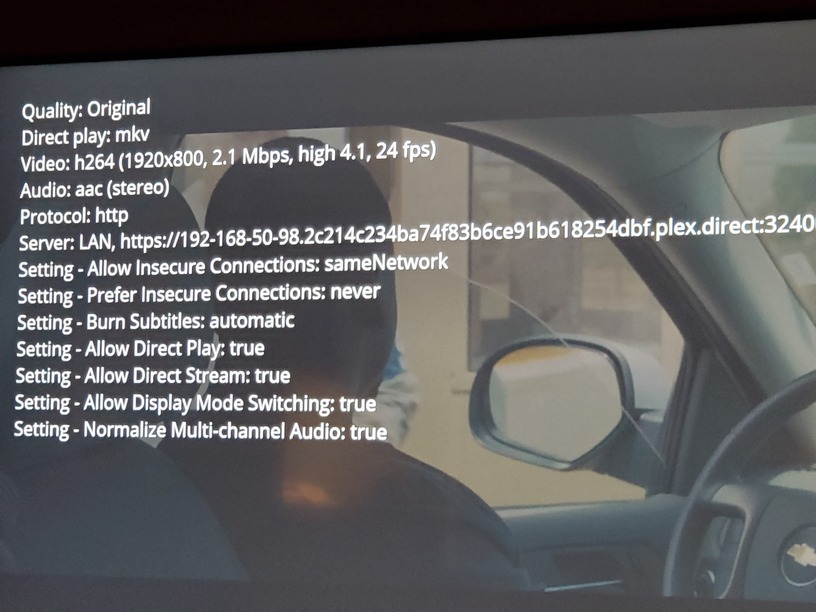
Server Version#: Version 1.22.3.4392
Player Version#:2.58.0.1076
Through this player all files transcode to SD…was working perfectly well before update
Via firestick app everything shows a yellow warning triangle and cannot be found.
Server Version#: Version 1.22.3.4392
Player Version#:2.58.0.1076
Through this player all files transcode to SD…was working perfectly well before update
Via firestick app everything shows a yellow warning triangle and cannot be found.
You’ll need to provide more details. A few possibilities are:
IIRC PMP is set to 1080p @20Mbits as it always has been
Connected via LAN using cables as it always has been
No changes I can see to the router or network traffic
No changes my end Firestick will now play content that isn’t HDR and is only 720p or lower
Please stop adding newe features until you have fixed the bugs and made the advertised features work, 4 months now for Alexa and nothing
I have the same issue. Every video file in my library played just fine on all my devices on my home network and now they’re all being forced to transcode because they cannot be direct streamed.
My library now shows up as indirect when it didn’t before. I didn’t change anything for this to happen. I only updated the PMS.
Check the network status in Windows on your Plex server. Make sure it is configured as a local, not public, network.
Windows 10: Settings -> Network & Internet to view status. Then Properties if you need to change from public to private.
I did indeed change this to private since it was public. I restarted my computer just in case. Unfortunately the problem still exists. Wish I knew if it was win10 related or PMS related.
SOLUTION!
So for lulz and giggles I decided to turn off my firewall, ZoneAlarm. Guess what? Everything worked just like before. No transcoding.
I don’t know what caused ZoneAlarm to all of a sudden become the problem. I’d even gone in and allowed everything related to plex to be allowed through the firewall and that didn’t work. So I just quit it. Funny enough, windows firewall is running and plex still works just fine. Not sure if that’s good or bad. All least my plex problem is solved.
Are there specific plex services to allow through a firewall that would help fix the “indirect connection” problem?
I’m going to need logs from PMS and the affected clients after repeating the issue to see what’s going on.
Because you changed the network from public to private. If you left the network set to public, Windows firewall would have blocked direct communications to the Plex clients.
When set to public, Windows firewall assumes all other hosts on the same network are untrusted and prevents your computer from talking to them (ex: coffee shop WiFi).
When set to private, Windows firewall assumes all other hosts on the same network are trusted, and permits your computer to talk to them (ex: your home network).
Plex Media Server streams to clients on TCP/32400. If that is blocked by a firewall or some other mechanism, then local clients may show up with indirect or remote connections, or may fail to communicate with PMS at all.
See support article below for other ports used by Plex Media Server. As noted in the article, this is for firewalls on PMS hosts. For remote access, the only port that needs forwarding through the Internet gateway/router is TCP/32400.