Think you’ve misread my message. I’m agreeing with you - I’m one of the ones who’s been saying it doesn’t work for me.
It works in Android TV.
It works in web app.
It doesn’t work on Android phone app, which I think is due to how the new app loads collection info, which seems to be different to how the TV app does.
I remember the early beta days of the “New Experience” app on Android smartphones. I was probably among the first to try it. I quickly noticed it was incredibly buggy and that I couldn’t access much of my content. I assumed that was just because it was a beta, so I went back to the old app while waiting.
Six months later, the app came out of beta. The same bug was still there, preventing certain movie pages from loading and therefore making it impossible to start the content. We won’t go back over the whole “New Experience” circus. It was a fiasco and it seriously damaged your image for many of us. Once again, I thought, fine, I’ll stick with the old app while you work on it.
Now it’s been a year and a half. I tested it again yesterday, and I still can’t play content from collections.
It works perfectly on iOS. It works perfectly if I launch Plex from any web browser on Android. It doesn’t work at all from the Android app.
This Android app has a problem. This is supposed to be the very core of Plex’s functionality.
I put my media on my server, and I play it from the apps. This app isn’t even capable of doing that.
I’ve been using version 10.26.0.2578 of the old app for a year and a half now without this problem. This is getting VERY long.
The reason why it works on that is the same reason why it works on Web version of Plex. The new app does a grouped bulk API pull of some sort, so if one of those fails or takes too long, or exceeds the timeout, then the page just won’t load. In the Web version, they do multiple separate API calls so if one fails it’s fine, if some calls takes too long then that part of the page just won’t load. Like for example, collection rows, actor rows, etc. I mean, technically it makes sense to make one big call instead of opening multiple connections. The problem is you gotta make sure that it doesn’t fail, or else the whole page won’t load.
The new Interface update not only killed the Android app for things inside a Collection, But it also destroyed the Downloader.
I used to be able to start a series. Tell Plex to keep 5 episodes. I watch one or 2 then they would auto delete and add more. Now everything is manual. got to manually download them, Manually delete them.
Hey plex employees fix things. Please for the love of tech and your paying customers.
Still does not work on the newest samsung phone (S26 Ultra). This is getting ridiculous, we paid how much money to Plex for the Pass only for the app to be broken for over a year. At this point just refund us, and we can go to Emby or Jellyfin.
Since this was last reported with logs, we’ve added additional logging conditions that should help better identify issues. If you are still observing this issue can you please do the following:
Confirm server DEBUG logging is enabled, VERBOSE logging is disabled.
SAVE if changes.
Restart PMS
Give it two minutes to start and stabilize
Navigate to a problematic title on your mobile app
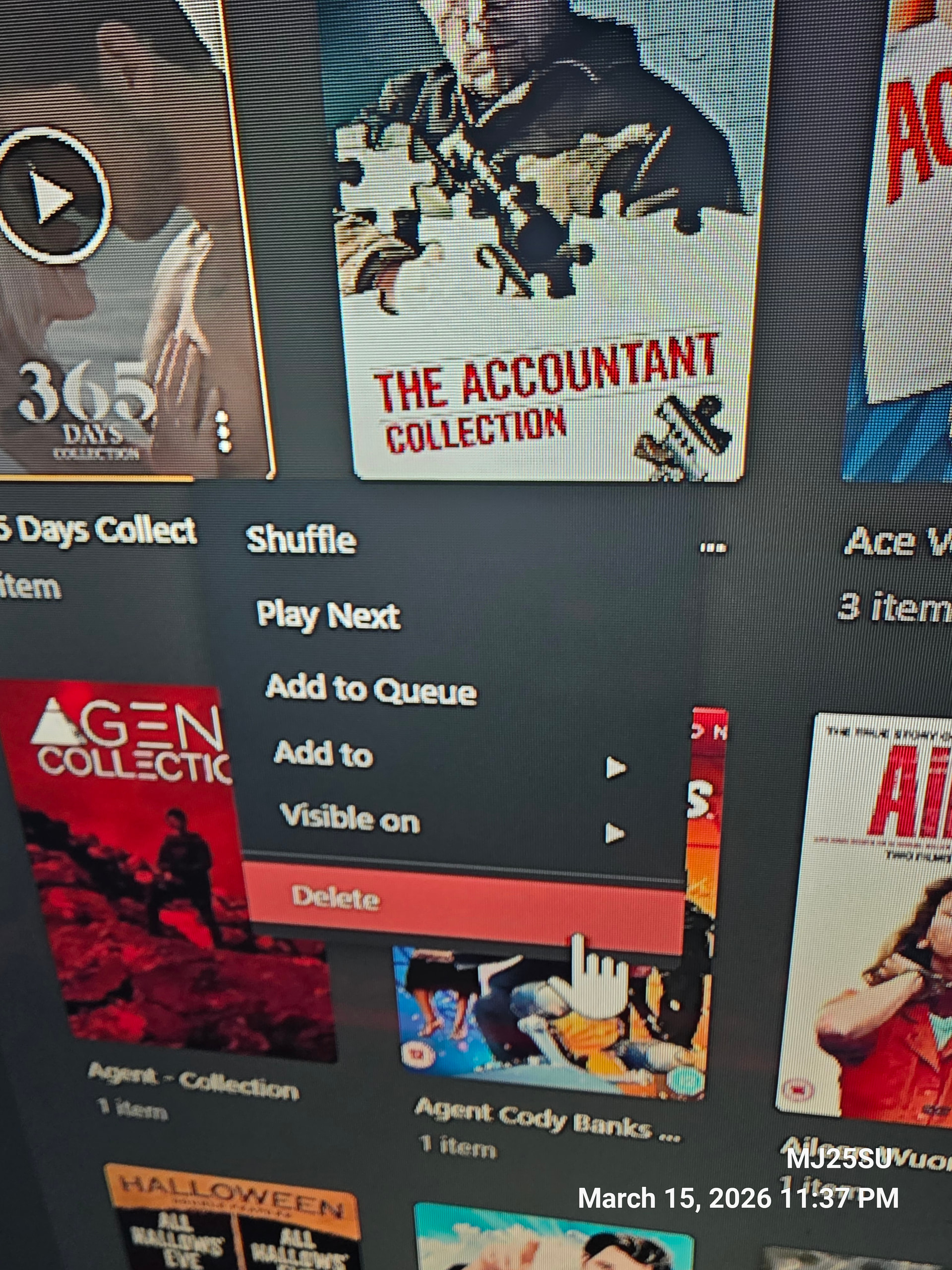
I wanted to say in order to solve the problem you would have to go to your media server and go to your movie library and on the top four tabs you see which are recommended, library, connections and categories, select the connections tab. Hover over the movie toy would have to separate from the collection click on the 3 line options button and and hit delete.
MAKE SURE TO DISABLE MINIMUM COLLECTION SIZE IN THE SETTINGS WHERE YOU SETUP SETTINGS FOR YOUR MOVIE LIBRARY!
When finished just try to delete one movie collection and go on the app that is showing a blank screen for a movie that is in that collection and it should work!