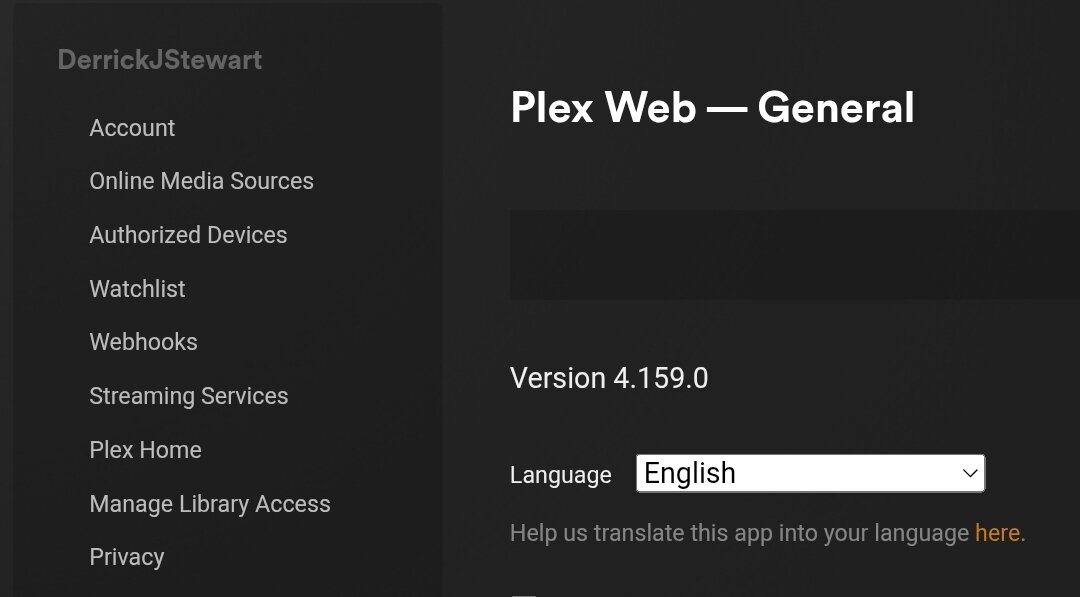
Server Version#:
Player Version#:
<If providing server logs please do NOT turn on verbose logging, only debug logging should be enabled>
When I am streaming movies on Plex through my Vseebox (Android box) it is transcoding at low quality. I have a movie that is in 4K, at 720x388 and it is indicating for the transcode reason “Not enough bandwidth for direct play of this item”. I did a speed test and I was getting 500 mbps on the Android streaming box. When I use Plex directly on my Samsung TV (same TV the Android box is connected to) it plays at the highest quality, direct stream. What could be the issue here?
We really need to see your versions here. The server version can be found in the web UI under Settings -> [Select Server Name] -> General. It will be in the form 1.xx.x.xxxx.
For the player, you can find either in Settings → About or just Settings (shown at the bottom-right of the screen).
It would also be useful to know what your quality settings are in the Plex app on your Android box. There are separate settings for local and remote.
I am wondering how I resolve this indirect playback issue. Any help would be appreciated!
Thanks for the server version. It would still be interesting to see the Android client version as well.
Indirect connections can be caused by several things. A couple of the more common are:
- DNS issues. If your router employs DNS rebinding protection, it can cause resolution failures which will cause your clients to fall back to using the server’s public IP address for their connections.
- Other network-related issues. For example, if the client and the server are on different networks and you haven’t configured Plex to accommodate this. For example, it’s becoming increasingly popular for folks to split their IoT devices off onto a separate VLAN.
As a test, navigate to Settings -> [Select Server Name] -> Network (Show Advanced) and enable the setting Treat WAN IP as Local Bandwidth (don’t forget to save at the bottom of the screen). This could potentially mitigate the first potential issue, though the real fix would be to use an alternate DNS server (1.1.1.1 or 8.8.8.8, for example).
For the second potential issue, you would need to configure Plex Media Server to treat your “other” network as a known LAN, if indeed your Android client is on a different network than your server. This is also configurable in the server’s Network settings, under the LAN Networks option.
I ended up doing a hard reboot on both my AT&T fiber equipment and my Orbi and it seems to have fixed the issue. For now anyway.
Thank you for the advice!
I am about at my wits end with these reoccurring problems and about to completely factory reset my router and or rebuild my Plex server because I cannot figure this out no matter how hard I try.
I tried following the troubleshooting with the static IP and it seems it will work for a while then go offline. I always have friends texting me saying Plex is down. Can anybody PLEASE help!?
I factory reset my Orbi, factory reset my PC, built a new server and I am still running into this issue. Is there a technical support number I can contact for help!?