I am considering a paid subscription. Can someone answer these basic questions?
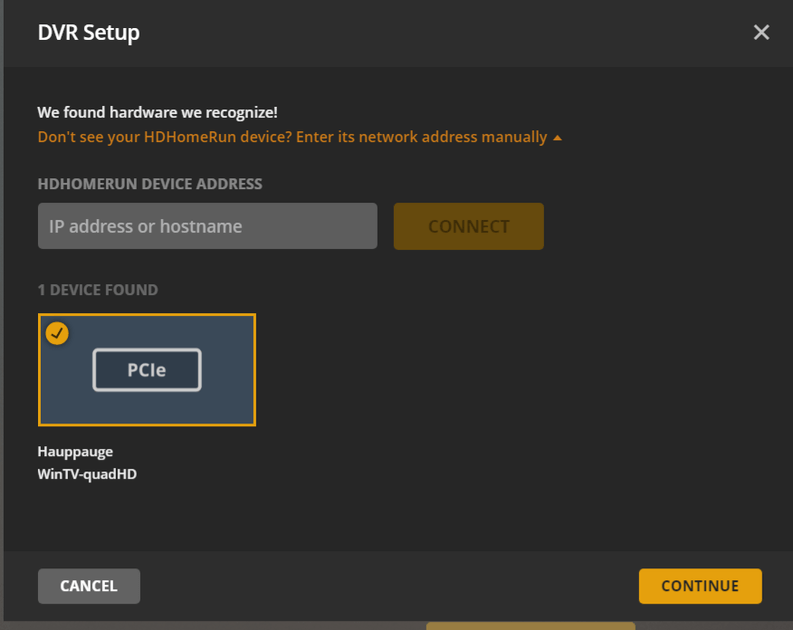
If I install Plex on a Win10 computer and attach a USB TV Tuner (Hauppauge)…
Can I use an external Hard Drive on my computer as the DVR?
Are programs Closed Captioned?
Can I take the program I recorded to another computer and play it on (Plex, VLC, or something?)
Do the Closed Captions travel with the recording to the other computer?
I used to use Windows Media Center and a TV tuner to record TV shows to a hard drive. I could then take these programs with me (with Closed Captioning). I am just trying to see if Plex would by an alternative since WMC is discontinued.
Yes, you can use an external hard drive as the recording location. You’ll actually be selecting a Plex library as the destination for the recordings; however, a library can have an external drive as its storage location.
If the program is broadcast with closed captions then yes, they are stored along with the recording (as a subtitle stream in the media file). See the subtitles options here:
You could move the recordings to another computer, but that really isn’t necessary. Plex is a client/server platform. The recordings are made and stored on the server. Client applications can access the server from anywhere on the local network. And, if you enable remote access, the recordings can be accessed from anywhere.
And yes, the closed captions will be available wherever you play the file, as long as the client supports displaying subtitles.
Actually, I don’t have “un-trackable” wi-fi access where I want to play the recording. So, it is just easier just to put the file on a flash drive.
I also don’t have unlimited data on my cell plan either, so if I want to play a recording while traveling (no wi-fi at all), I prefer to use a downloaded version.
One additional question: Does Plex support 2 tuners? One usb OTA and one cable box?
Plex can utilize multiple tuners, but each must use the same guide data. So you cannot, for example, have OTA and cable lineups on the same server. There are some ways around this, but that would be outside of what Plex officially supports.
I think you can still map it to an appropriate channel number. So, in your example above, set it up with the cable guide to start so channels are NOT using x.x. Then, add your OTA tuner and map 8.1 to channel 3. When adding the OTA it should actually automatically identify 8.1 as channel 3. I just did this yesterday and thats exactly what happened. I haven’t tested it, so I’m not certain how it will handle switching tuners, but I believe it will work.
Also, if you currently have a SiliconDust prime, they just brought it back for a limited release since their prime 6 is dead because of announcement a little while back that CableCard won’t be around much longer. OTA might be the only option some day, but I’m holding onto my CableCard as long as I can.
Yes, this is one workaround for the limitation, assuming the guides overlap sufficiently. If you’re very lucky, your cable provider carries all your local OTA channels. This would certainly work for the example above. You can also use pseudo-tuners such as xTeVe to aggregate the different physical tuners (and other sources as well). I’ve also seen on these forums where users trick Plex Media Server into adding two different guides by adding multiple tuners simultaneously in multiple browsers.
These are the workarounds I was alluding to above. There’s also a feature suggestion somewhere for the ability to use more than one guide source:

 OTA might be the only option some day, but I’m holding onto my CableCard as long as I can.