It was running an earlier version so I updated directly to that version. I also tried installing an earlier version 1.23.6 then installed 1.24.5, 1.25.0, then 1.25.1. All versions working for me. Starting with 1.24.5 there is a fairly significant DB migration that needs to take place so you have to wait a few minutes for PMS to be ready. The time will depend on the size of your database.
Hopefully you didn’t try to reboot the NAS or otherwise interrupt this migration. That could corrupt your database and prevent PMS from starting. If that happens, you’ll need to start over or see if you can restore an old database backup through ssh.
Sounds good.
I’ll check if I will be able to do the same changes tomorrow.
And then hope that a next update won’t break it again due to manual changes we did.
If this is it, maybe it is possible to have this scripted in a next update file for those not following this topic? I am sure we are not the only users.
Tried these steps, but I don’t have the same result.
It is giving me “connection refused” when entering the config page.
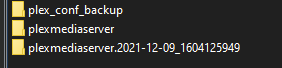
When I also rename the plexmediaserver-folder, the config page loads forever, but the Plex-app is functioning again.
The newly installed plexmediaserver contains far more files then the original plexmediaserver-folder.
As if the update uninstalled files, but did not reinstall the updated files.
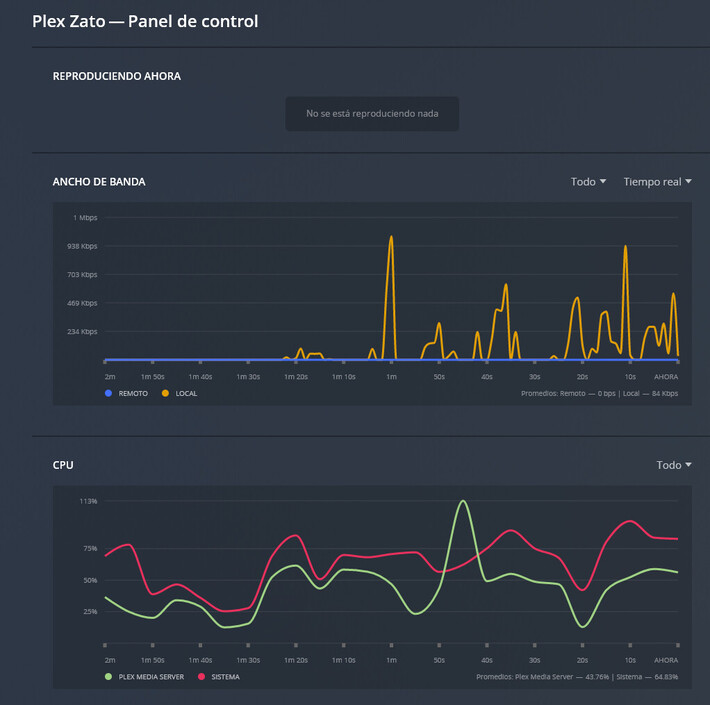
The WD is having bad performance now. Both it’s webinterface and browsing through folder on the device.
…but Plex seems to work fine?
So now I have Plex back, but the rest of the device became unusable.
Any idea of how to stop Plex and see if performance restores?
Or “Hopefully you didn’t try to reboot the NAS or otherwise interrupt this migration. That could corrupt your database and prevent PMS from starting” do I need to wait a while?


 )
)