The “Refresh local metadata every three days” option should pick up changes like new subtitle files or cover art files. I have this setting turned on, I added a “poster.jpg” file in a movie folder, 6 days have passed and the poster was still not updated in Plex.
I have tested this with many folders, for a long period of time, the new poster files never update in Plex with this feature turned on.
Posters will not get replaced by adding a sidecar poster.jpg.
Particularly not if the item in question was previously using a poster from one of the online metadata sources.
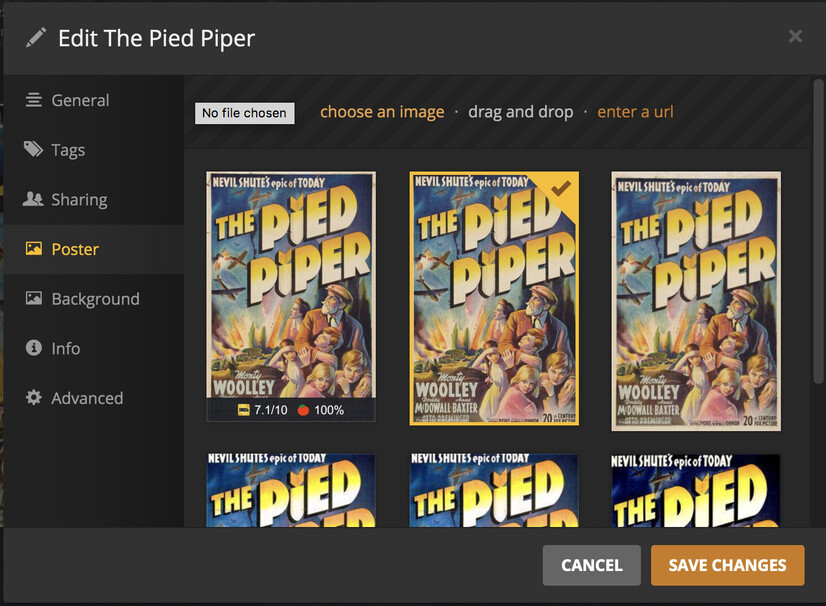
But I think your newly added poster.jpg will be available for selection when you edit the item and go to the “Poster” tab.
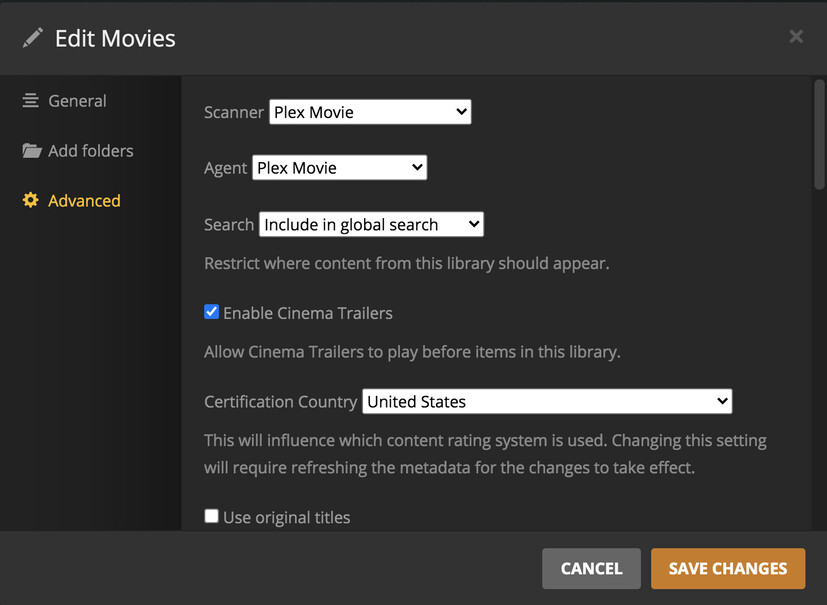
Assuming you are using the new agents and you have Use local assets set in the library then it should replace the artwork with your local copy unless you have previously selected something within plex by editing the selection.
To workaround that you should be able to unmatch (clean bundles) and then rematch again which should force plex to use your local assets.
Posters will not get replaced by adding a sidecar poster.jpg.
Particularly not if the item in question was previously using a poster from one of the online metadata sources.
I fail to see the purpose of it scanning for poster.jpg files periodically at all in this case… adding a poster.jpg file to a folder already presumes manual editing for the purpose of changing the poster. The requirement of going to Edit > Poster or to Refresh Metadata in order to actually update the poster is an additional useless action.
I’m curious what the concept behind “Refresh local metadata every three days” scanning for poster files is? You add a poster file to the folder, wait three days and check periodically if it’s added or not to the Edit > Posters menu in order to change to it?
Although I don’t enjoy comparing apps, Plex is the only one that does not seem to consider adding such a poster file to the folder as the only required action in order to update the poster… Here’s what I tested, and all already do this: Emby, Kodi, Jellyfin.
Posters are not the only local metadata. There can be embedded meta tags as well. And as mentioned above, if a poster has been selected manually for this item before, it is considered “locked” – similarly to the other metadata fields turning on their orange “lock” when you edit them.
@OttoKerner Then this must be where we misunderstand each other, as this video does not have any embedded meta tags, nor did I ever select a poster manually from Edit > Poster for these movies. Yet poster.jpg added to the folder (with “use local assets” turned on, and “refresh local metadata every three days” turned on, and using the default movie agent) never updates the movie’s poster to the poster.jpg one. Checking Edit > Poster does show my file as first, it’s just never auto-selected as the default:
@anon5074910 If I use “Refresh Metadata” on the movie, it does update the poster accordingly. But that defeats the entire point of having all of these settings enabled, doesn’t it? The poster should update itself, even if it happens only every 3 days, but it doesn’t.
@jaruba okay great, so that confirms that local posters are updated when a refresh is done.
I guess @OttoKerner can confirm but my understanding is that Refresh local metadata every three days is for metadata and not assets. Assets (posters, fanart etc…) are different so would not be refreshed by that butler task.
The new agent is SUPER fast so you could just force a refresh yourself via the UI or by using the CLI each night via your own scheduled task. I have almost 3000 movies in my library and a full refresh takes approx 30 minutes on my system. Worth a look.
Refresh local metadata every three days is for metadata and not assets. Assets (posters, fanart etc…) are different so would not be refreshed by that butler task.
That’s not correct, as stated in the description of this setting:
And as I stated above, the poster.jpg is picked up, it does show as the first in Edit > Poster , it is just never auto-selected.
Given the descriptions of these settings, and having all required settings enabled, Plex should magically replace this poster by itself, as all other media center apps already do.
A workaround that presumes scheduling a daily complete library refresh is an overkill suggested solution for something that should work with the settings that are dedicated for this exact purpose…
I wish that this can be acknowledged as being a bug.
My guess is that is old and refers to the older agent and is defunct from the new agents . There is no local media agent anymore to my knowledge. Anyhow, will let Otto come back at this point to confirm.
Although that would explain why it does not work anymore, it doesn’t make it less of a bug… One feature picks up poster.jpg and adds it at the very start of the posters list, another feature is supposed to prefer local assets when available, but they do not work together as they should.
Yeah I have the same issue with the agent for both posters and subtitles unfortunately. It seems to be completely hit or miss. But a forced refresh seems to work, which isn’t ideal.
many forced refreshes don’t work for me. it picks up 10% of poster.jpg files.
some picked as posters, but most i have to pick manually.
90% don’t appear at all in plex. tried with use local assets and the prefer option