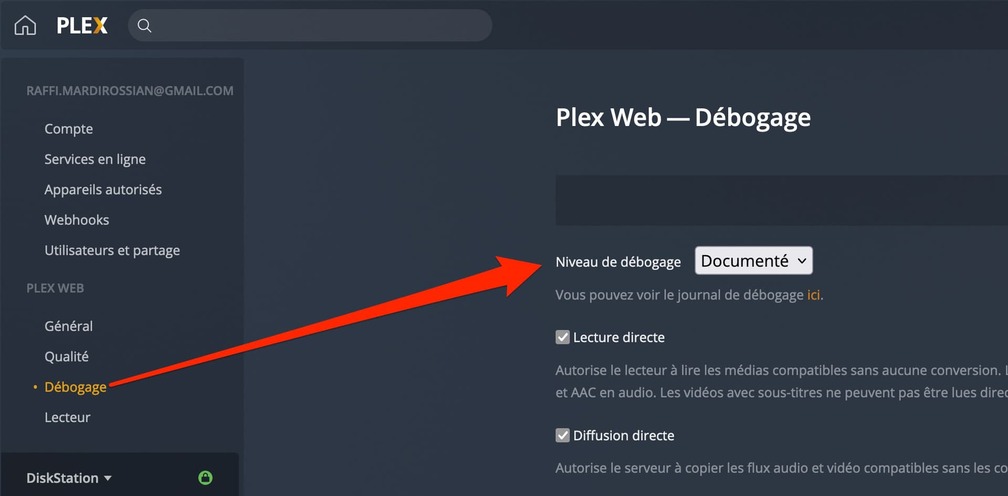
Server Version#: 1.25.0.5282-7000
Player Version#: 5.28.2 / 2.4
Everything had been working perfectly for years…
Following recent updates, I can no longer play movies from my library because my smarttvs are not recent … (a samsung from 2015, and a Hisense from 2020). Here is a post where I discribed the issue but this is not this topic subject !
I have searched and found the articles that correspond to this situation and the behavior I observe, however the expected manipulations can not be done on my PLEX apps (client) because the versions are I think too old…
Fortunately no problem with my AppleTV but for my other televisions, it is really annoying!
I think that an alternative would be to simply downgrade my PLEX server version on my synology to a version (from September 2021 for example) so that everything works again as before.
I haven’t found anything about this.
Also it is difficult to find the SPK archive which is only a few months old!
Have you already made the experience of downgrade ? (I admit that it makes me frightened especially at the level of the libraries which underwent updates in time with the new versions of Plex).
You’re asking to downgrade and discussing a problem which has been well defined and documented here.
You’ve not provided any log files so specific advice is not possible.
If you’re hoping that changing the software will remedy this problem – it won’t.
It would be like trying to borrow an older book from the library with an expired library card – same concept. The problem is time. The credentials built into those devices expired.
This having been said, there are some options.
Can you please advise and then tell me how you’d like to proceed.
I assume this is that part beacuse I don’t find anything else related to log.
I get more than 130 files. Can you please specify witch ones are usefull for your investigation ?
com.plexapp.system.log ?
(3am in France, will probably now reply only tomorrow)
That’s nice of you, but it doesn’t change the basic problem that this represents for me.
Either I can purge and share without any information, or I can take it upon myself to not take advantage of your help and kindness.
All this being said, we’re dealing with the classic problem that all Hisense and some Samsung smartTV users encounter. Maybe we don’t need to go through 60Mb of log text
I have to go to bed, but I’ll be happy to continue the discussion later dear ChuckPa.
EDIT : I just see you added info on how to purge, this will next step tomorrow (here it’s 3am40, I have to sleep)
Let’s back up to what appears to be a basic HTTPS problem.
You have a Hisense and other TV on your LAN which can no longer connect ?
If this is the problem, there is a simple soluton.
Get the LAN IP address of the TV / device
Settings - Server - Network - Show advanced
Being VERY careful not to add leading or trailing spaces, type in the IP addresses of those devices separated by a comma. It will look something like this when done.
On the LAN it fixed my issue ! Great thanks (of course it doesn’t fix the **WAN issue)
Can you please specify exactly what means “without authentification” ?
I need local users to access to their own profile with their password.
Sorry, corrected in my previous message (I wrote LAN instead of WAN).
LAN is OK now.
Just to make sure for my poor understanding : “signing in” is the association between my PLEX pass and the configured list of users ? (sorry for this question).
Entering their modem/router WAN IP address. (This is only safe if their WAN IP does not change. Most ISPs do not change IP addresses once assigned. Monitoring / research is needed to determine if this is possible.
-or-
A VPN from their location to yours. Doing this makes them have a LAN address. (This is more advanced to setup and maintain)
Understood, will test it tomorrow from the other place (does it matter if this is for a different user than mine ?) I mean that the user logs to his PLEX client, using his own mail address with who I’m sharing my folders)